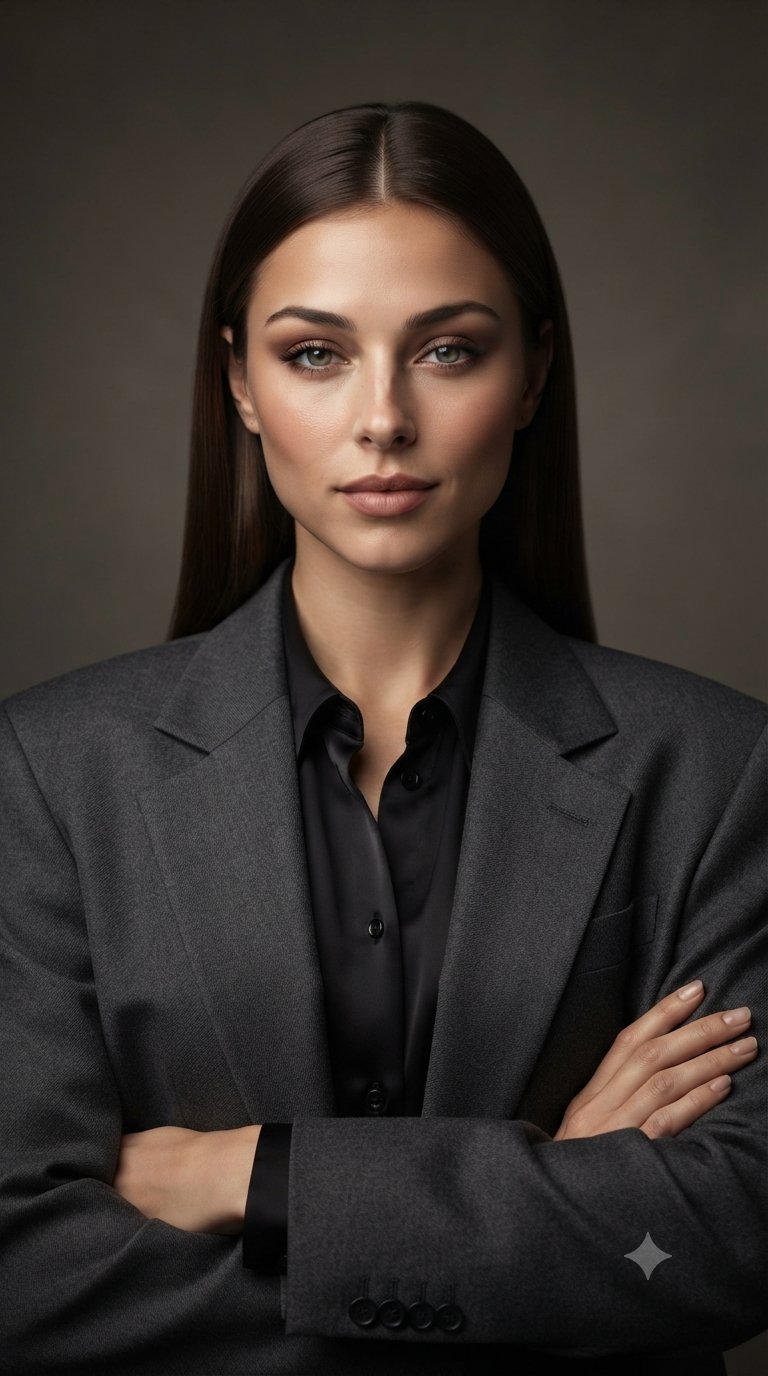
Corporate Fashion Portrait of Elegant Woman

Create an ultra-photorealistic professional corporate fashion portrait of an elegant adult woman, using the uploaded image as the exact facial and visual reference. Preserve her facial identity, natural facial proportions, eyes, eyebrows, nose, lips, jawline, cheekbones, skin tone, and overall appearance with zero identity drift. She has long, straight dark-brown hair with a clean center part, sleek and naturally polished, falling smoothly behind her shoulders. Her makeup is refined and sophisticated: softly defined brows, subtle smoky brown eyeshadow, natural eyeliner, long lashes, gentle contouring, soft warm blush, and muted rose-nude lips. Skin should look smooth, healthy, luminous, and glass-like while retaining realistic pores and natural texture—no plastic or overly airbrushed skin. She wears a tailored charcoal-gray oversized blazer with structured shoulders and a black satin button-up blouse underneath. Her arms are crossed naturally across her torso, creating a confident executive pose. Her expression is calm, composed, elegant, and quietly confident, looking directly into the camera. Set the portrait against a simple dark warm-gray studio background with subtle soft gradient lighting. Use professional beauty/editorial photography, soft diffused key light, gentle facial highlights, realistic shadows, natural skin texture, detailed fabric texture, and cinematic depth. Composition: centered head-and-upper-body portrait, straight-on camera angle, symmetrical framing, vertical 9:16 composition, 85mm professional portrait lens, shallow depth of field, high-end corporate fashion campaign aesthetic, ultra-detailed 8K realism. Negative prompt: cartoon, CGI, artificial face, face distortion, identity drift, different person, exaggerated beauty filter, plastic skin, excessive retouching, asymmetrical eyes, deformed hands, extra fingers, missing fingers, warped anatomy, messy hair, text, logo, watermark.
Details
- Type
- AI Image Prompts
- Aspect Ratio
- 24:43
- Updated
- Sep 29, 2026
How to use this prompt
- 1Copy the full prompt with the copy button above.
- 2Open Nano Banana Pro by Google, or any image generator with a similar style range.
- 3Paste the prompt, then swap the subject and style keywords to match your idea.
- 4Match the example's settings (24:43 · Fashion · Realistic · Portrait), then iterate — small wording changes shift the output a lot.
Frequently asked questions
Which AI model generated this image?
This image was generated with Nano Banana Pro by Google. The prompt on this page is the exact text used to create it.
What settings does this prompt use?
The example was generated with Nano Banana Pro using: 24:43 · Fashion · Realistic · Portrait. Reusing these settings gives the closest match.
How do I get similar results?
Copy the prompt as-is first, then replace only the subject while keeping the style, lighting, and composition keywords. Generate a few variations — outputs differ between runs.
Can I modify this prompt?
Yes. Prompts work best as starting points — adjust descriptors, aspect ratio, or style tags to make the output your own.