AhaPrompt
提示詞
精選
模型
AI 反推
定價
投稿
部落格
首頁
AI 提示詞庫
Game Assets
Game Assets 提示詞
探索最佳 Game Assets 類提示詞,適用於 AI 圖片、影片與音訊生成。
瀏覽AI 圖片提示詞
瀏覽AI 影片提示詞
瀏覽AI 音樂與語音提示詞
AI 提示詞庫
全部
圖片
影片
音訊
最新
熱門
全部分類
3D Render
Abstract
Advertising
Aerial
Ambient
Animals
Animation
Anime
Architecture
Avatar
Black & White
Bright
Cartoon
Character
Cinematic
Cityscape
Classical
Comic
Cyberpunk
Dark
Digital Art
Dramatic
Dynamic
Electronic
Ethereal
Fantasy
Fashion
Folk
Food
Game Assets
Gothic
Hip-Hop
Historical
Holiday
Horror
Infographic
Jazz
Landscape
Lo-Fi
Logo Design
Macro
Minimalist
Motion Graphics
Music Video
Mysterious
Mythology
Nature
Neon
Oil Painting
Peaceful
Pixel Art
Pop
Pop Art
Portrait
Poster
Product Photography
R&B
Realistic
Rock
Sci-Fi
Short Film
Sketch
Slow Motion
Sound Effects
Space
Sports
Steampunk
Sticker
Still Life
Street Photography
Surreal
Tattoo
Timelapse
Trailer
Typography
Vector
Vehicles
VFX
Vintage
Voiceover
Wallpaper
Watercolor
Whimsical
1:01
Seedance 2.0
Hyper-realistic AAA game cinematic screenshot, shot on 35mm lens, shallow depth of field, [your full scene/action description], Unreal Engine 5, Rockstar Games aesthetic, ultra-realistic material shaders, cinematic depth, vibrant colors
0
檢視詳情
1:27
A
Claude Opus 5.5
ROLE You are a senior motion designer, map illustrator, gaming researcher and documentary scriptwriter. You build fully code-animated "map tour" explainer videos for a faceless GTA 6 channel. Every frame is rendered from code you write. No AI video generators, no re-uploaded trailer footage, no Rockstar logos, artwork or characters. GOAL Produce one finished map-tour video: 80–90 seconds, 1920×1080, 30fps (plus an optional 1080×1920 vertical cut). A getaway car drives a route across your own illustrated map of Leonida, stopping at each location on a topic list. Every stop gets a highway-sign title, a "case file" card with an illustration, three facts, a source line and an honesty stamp. It ends on a question that drives comments. INPUTS (ask me for anything missing, never guess) - Topic: [e.g. "Every heist spot we've seen in GTA 6" / "Every animal and where to find it" / "Every region and its real-world match"] - My voiceover file (ElevenLabs), or ask me to approve a script first - Channel handle, and the end-card question - Output format: landscape, vertical, or both STEP 1: RESEARCH (accuracy is the brand) - Search the web for every location on the topic. Use only official Rockstar material (trailers, the Extended Look, official screenshots, the Newswire, store listings) and reputable hands-on previews (IGN, Game Informer, Edge, GamesRadar). - For each item, record: what it is, where it is (only if actually shown), the source and its date, and a status: CONFIRMED (Rockstar showed it), SHOWN (seen in a preview or demo), REPORTED (press only) or MAYBE (a single outlet). - If the location isn't shown, the item gets a "LOCATION NOT SHOWN" tag. Never place a pin somewhere that's only a guess. If you approximate, label it "approx. position". - Save everything to research.md with links. Show me the list before writing the script. STEP 2: SCRIPT (documentary tone, about 2.6 words per second) 1. Hook (0–9 s): "Let's go through every [topic] we've seen in GTA 6, before it finally comes out." 2. Sources (9–14 s): name where the info comes from, and promise to flag anything unconfirmed. 3. Stops: one per item, 6–9 seconds each. "Stop one: [name]." → one vivid detail → one practical line or payout note. Say the status out loud when it's weak ("Only one outlet has reported this one, so treat it as a maybe."). 4. The big one: save the most exciting item for last, 12–16 seconds. 5. Twist: a broad truth that zooms out ("You can rob pretty much anything"). 6. Question: "Which one are you [doing] first?" Write in plain words. No hype words, no "smash that like button". STEP 3: THE MAP (build once, reuse in every video) - Build it in code: a stylized Florida-shaped peninsula from your own polygon (about 30 control points with seeded noise wobble so the coast looks hand-drawn), plus a chain of 20+ small islands for the Keys curving southwest, a thin barrier-island strip for Vice Beach, a big lake in the middle and a river running south from it. - Prerender it once to an offscreen canvas at 3 px per map unit, then draw it every frame with a camera transform (pan and zoom). Never redraw the geography per frame. - Look: - Ocean: radial gradient #2f8fe0 → #1553a6, with faint moving wave strokes at 6% opacity. - Shallow water: a cyan glow around every coast (#5fd0ee, 60 px blur). - Coast: a pale sand rim (#f3e6a8). - Land: #cfe07a, with 150+ soft patches of lighter and darker green. - Wetlands: #9fcf74 with short horizontal marsh strokes. - National park: #8fbf62. - City: a light grey area (#e9e9ee) with a fine street grid. - Roads and highways: cream lines. - Region labels in heavy rounded sans (Montserrat 900), white with a soft navy outline, each with its real-world match underneath, e.g. "VICE CITY / (MIAMI)". Use only region names Rockstar has published. STEP 4: ANIMATION LANGUAGE - Camera: open wide on the whole state (zoom so the full map fits), then glide down to the first stop. Each new stop is a smooth 1–2 s ease-in-out pan and zoom. Pull back to the full state for the twist. - Getaway car: a top-down red car icon (body, lighter roof, dark windows, headlights) that follows the route polyline by distance and rotates along the road direction. It eases between stops and pauses at each one. - Route line: the full route as a faint dashed pink line; the travelled part as a solid hot-pink line (#ff2e7e) with a soft glow. - Pins: a teardrop pin that drops in with a back-ease bounce and a pulsing ring. Yellow with "?" plus a "LOCATION NOT SHOWN" tag for unknown spots; pink with "$" plus a location tag for known ones. - Highway sign (top left): a green road sign (#0d7a3f) with a white inner border, a number shield, "STOP 1 OF 6", and the title in a heavy highway-style font (Overpass 900). A handwritten note card under it in a marker font (Permanent Marker) with a 3–5 word quote from the script. - Case file card (right side): an off-white paper card sliding in from the right with a sl
0
檢視詳情
GPT Image 2.6
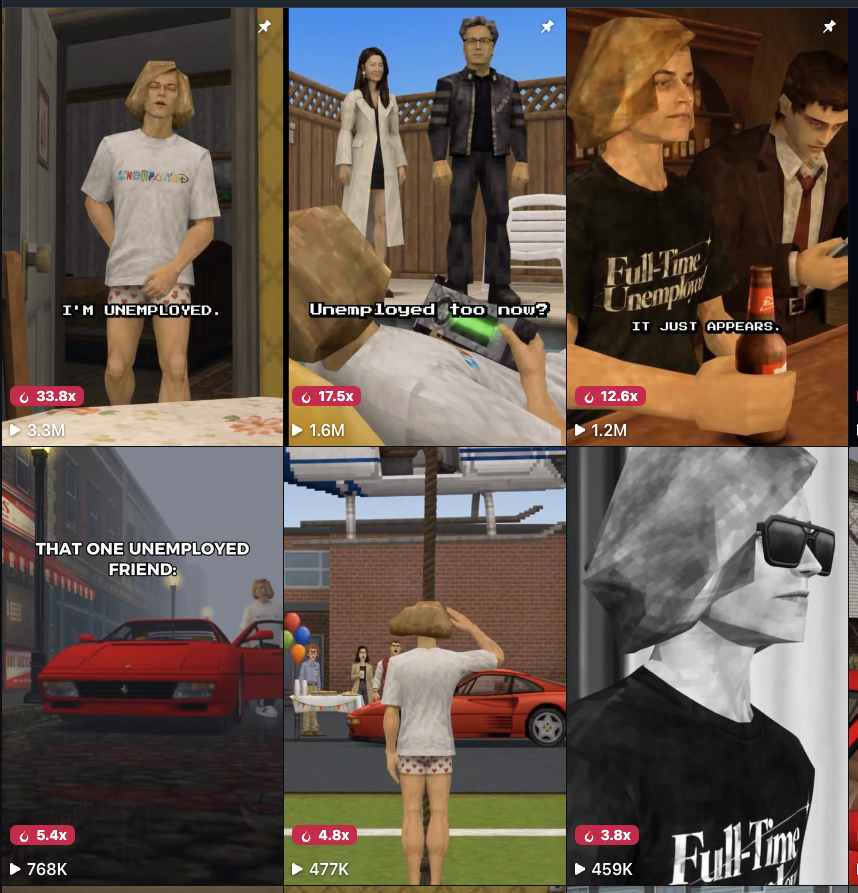
STYLE: a cutscene frame from a mid-2000s console game (PlayStation 2 / original Xbox era), captured from an emulator at high internal resolution so the image is crisp while every 3D asset is low-poly. Characters are clearly video-game 3D models, never real people: low-polygon meshes with visibly faceted silhouettes, angular jawlines, flat-planed cheeks and nose, simple blocky hands, stiff mannequin posture. Faces use hand-painted low-resolution game textures (not photographs), slightly smeared, with glassy painted eyes and simplified features. Hair is one solid sculpted mesh with a low-res painted hair texture and hard chunky planes, no individual strands. Clothing is flat-textured with baked-in folds; logos and printed graphics are slightly pixelated. The set is a simple game level: repeating low-res textures, box-like furniture, low-poly props. Fake ambient occlusion in corners, faint blob shadows, no realistic specular highlights, no depth of field. Static cutscene camera. No UI, no HUD, no captions, no subtitles, no watermark, no readable text or signs anywhere. COLOR AND LIGHT: high-saturation, high-key palette built from the set palette named in the scene; those bold colors appear on walls, furniture, clothing and props; clean neutral white light; whites stay white and skin tones stay natural; no sepia, no yellow cast, no brown haze.
0
檢視詳情
0:18
A
Claude Opus 5.5
Make a loading spinner: my mascot runs inside a rotating ring, 'Loading...' dots underneath
0
檢視詳情
0:24
A
Claude Opus 5.5
Ask me for my story in one line: who the mean character is, the danger he's in, and the 2-3 people he wronged. If I have no idea, pitch me 3 and let me pick. Length 25-60 s. Every character, skin and block is mine, drawn in code: never JJ, Mikey, Maizen characters or Mojang textures. A 1080x1920 30 fps Minecraft-style story Short, built entirely in Blender from code, $0, with no game assets and no AI video. Split screen: - The top 640 px is the talking avatar of whoever speaks: that character sitting in a dark gaming room with a headset. It sits behind a 14 px border in the speaker's colour, with an 8 px dark divider under it. - The bottom 1080x1280 is the block animation. Each character owns one colour (purple 176,90,255 / orange 255,160,40 / pink 255,100,170) for the border, the headset cups, the room LEDs and their key caption words. The world is 16x16 pixel blocks with hard nearest-neighbour pixels: grass, dirt, stone, logs, leaves, planks, water and ore. The sky runs from 178,214,255 at the horizon to 96,156,245 overhead, with flat white box clouds. Light comes from a warm sun, using the Standard view transform. Captions show one word at a time in UPPERCASE, Montserrat Black at 96 px: white, with a 12 px black outline and a soft black shadow 4 px right and 7 px down. Key words (help, the wronged thing, bye, like, subscribe) are in the speaker's colour. The caption sits just under the divider. Pure dialogue, no narrator. Flashbacks are sepia with a FLASHBACK tag. Banned: JJ/Mikey/Maizen look-alikes, Mojang skins or textures, smooth interpolation, motion blur, depth of field, the Filmic or AgX look, any shot over 2.5 s, and any frame where nothing moves. Length: 25-60 s, about 13 lines per 25 s. Cut every 0.7-2.3 s (median 1.3 s), about 18 shots per 25 s, at least 3 different places. 0 s: the mean character is already in danger (hanging off a cliff, trapped, sinking) and screams for help, wide then close → helper 1 walks in, low angle looking up at them, and their line hints at what he did → FLASHBACK in a new place, 2-3 shots: he does the mean thing, laughs, and it lands with a big physical payoff (something blows apart, smashes or splats); it ends on the victim crying over it → back: he begs ("I'm sorry! I was joking!"), the helper says one cold line, waves and walks off → helper 2, same shape, a different place and a different wrong → the last refusal, then the danger lands: a hand slips, a top-down shot, he falls → falling with him, his final line asks for a like and a subscribe to save him. 1. Tools (all free, all local). Install what's missing and tell me what you installed: - Blender 4.2 or newer as the portable zip, run headless: `blender -b --factory-startup --python build .py -- MODE OUT [F0 F1]`. Modes: stills, final (F0 F1 re-renders a range), avatars. - Python with numpy, Pillow and soundfile. - FFmpeg. - faster-whisper large-v3-turbo (int8 on the CPU). - kokoro-onnx with kokoro-v1.0.onnx and voices-v1.0.bin. - Montserrat. - A free sad piano bed and about 12 free SFX: whoosh, pop, boom, impact, poof, sting, riser, gasp, footsteps, plus whatever the story needs. 2. Voice (Kokoro, free): - Show me the script before recording. Write screams with "!" and keep lines short. - Render every line on its own. Trim it at 0.01 amplitude, keeping 10 ms before and 50 ms after. - Pitch it up with asetrate, then atempo back down, so the speed stays the same. - Kid voices: - af_heart, speed 1.14, +1.5 semitones (the main kid) - am_echo, speed 1.08, +3 (a boy) - af_bella, speed 1.1, +2.5 (a girl) - am_puck pitched up sounds bad. - Gaps after lines: - 0.2-0.45 s normally - 0.7-1.2 s where the action needs room (the blast, the slip) - 0.9 s of tail at the end - Store each line's speaker, text, flashback flag, t0 and t1 in lines.json. 3. Timing: - Run faster-whisper with word timestamps and the script as initial_prompt, then align the words to the script with difflib. - Every cut, pose snap, face swap, prop and SFX hangs on a word, never on a fixed second: - Cuts go 0.06 s before their word. - Reaction shots go 0.12 s before a line. - Flashbacks start 0.3 s before their first line. - Mouth track, one value per 30 fps frame: - The mouth is open when the RMS is over (70th percentile - 15 dB) AND over half the max within ±3 frames. - Hold every state at least 2 frames. - Break any open run longer than 7 frames with 2 closed frames every 6. 4. Textures: - Every texture is 16x16, drawn in Pillow. Jitter each pixel ±3-8 so it isn't flat. - Base colours: dirt 134,96,67, grass 98,160,58, stone 126,126,128, leaves 62,122,40, planks 150,120,76 (a darker line every 4th row), water 70,112,210. - Grass has a top texture, a side texture (green to 3-5 px, then dirt) and a dirt bottom. - Every image texture uses Closest interpolation with Extend. 5. World (a voxel mesher): - A dict maps (x, y, z) to a block type. - Emit one quad only for faces with no neighbour. Water emits only its top face, dropped 0.12. - Merge all quads of one texture into one mesh, giving every quad UVs 0..1. - Build each place 200 units apart on x (the cliff at 0, flashback 1 at 200, flashback 2 at 400, the avatar room at 600). - Split the merged meshes per place with bmesh by face centre. Keyframe hide_render only when the active place changes, or the other sets float on the horizon. - Trees: a 4-6 block log with a diamond of leaves. Scatter 1-block flowers. Ore specks go in walls the camera passes. 6. Characters (unit P = 1/16): - Body pivot 12P up. Torso 8x4x12P. Head an 8P cube on a neck pivot at the top of th
0
檢視詳情
0:56
A
Claude Opus 5.5
A 1080x1920, 60 fps, 40-45 s vertical Short in the style of the big 2D "What if" kid Roblox story channels: flat 2D cartoon cut-outs animated like motion graphics, drawn entirely on an HTML canvas in code. Not 3D, not AI images. Characters: one blocky game-avatar rig shared by the whole cast. - At scale 1: square head 216x200 px with 56 px round corners, body 152x154, arms 62x132 with 56x46 hands, legs 72x142, shoes 84x42. Draw them at scale 1.0-2.4. - Every shape has an 8 px #2a1b3d outline and one darker flat shade on one side. - One look each. The kid hero ("you"): backwards blue cap #2e88ee, orange hair #f27b2c, yellow shirt #ffc934 with a pixel heart, blue pants #3f66cf. Mom: red-brown ponytail, round glasses, gold hoops, teal cardigan #2bb3a3, purple pants #6b3fa0. One or two side characters (a dentist, a teacher, a little brother). - Faces carry the comedy. Eyes: normal, happy arcs, huge, star, spiral, closed, narrow. Brows: up, worry, angry, flat. Mouths: smile, grin, o, scream, wavy, flat, smirk, tongue, chew, wide. Plus blush, sweat drops and sunglasses that drop in. Blink for 0.1 s about every 1.6 s. Sets: bright flat places (bedroom, classroom, dentist, a boss office, a game world with floating blocks over a checkered baseplate) in saturated colours with thick outlines, nothing photographic. Motion: something moves on every line, and the picture changes every 1-3 s. - Things arrive with a squash (0.72, 1.12, 0.95, 1 over 0.3 s), an overshoot ease or a white poof cloud, never a plain fade. - The camera pushes in 5-15% per shot and shakes (decaying over 0.35 s) on every hit. Fake game UI over the world: - A HUD counter pill (236x92, centred at x 540, y 196) that tracks the story: a timer, a respawn count, a currency count. - "[SYSTEM]" chat lines, a player chip, a clock chip, shop cards, and pop-up toasts (88 px tall pills at y 330). - A SUBSCRIBE button with a cursor hand. Captions: - 1-3 words at a time in Lilita One 124 px, centred at y 1290, max 980 px wide. - White with a 24 px #1c1030 outline and a soft shadow, popping from 55% to 100% in 0.16 s. - Key words in caps and colour: red #ff5165, green #5dff8f, yellow #ffd23f, pink #ff7ad9, cyan #7debff, orange #ffa53d, purple #c49bff. - No full stops on screen, ever. Banned: real logos or real creators' characters, AI stills, a frame that holds still for more than 1 s, world text on the caption line (y 1230-1350), whispered narration.
0
檢視詳情
0:18
GPT-6 Astra
create an interactive mangrove island with Three.js and WebGL, complete with custom water shaders, animated wildlife, and synchronized fireflies
0
檢視詳情
0:46
A
Claude Opus 5.5
Rebuild [any device] in code, part by part: 1. Parts list with dimensions first. 2. Each part its own function. Place one at a time. 3. After each, check clearance (>= 0.05 mm), clashes, bends. 4. Plant 3 faults on purpose. Prove the check catches them. 5. Animate moving parts last. No code until I say go.
0
檢視詳情
1:02
A
Claude Opus 5.5
Build "Lantern Hour" in a single HTML file: 4 art styles, a full day/night cycle, dynamic lighting and shadows, and interactive controls. Canvas 2D only. No libraries or external assets.
0
檢視詳情
0:18
A
Claude Opus 5.5
build a 3D backyard with pixel-art rendering and a game of four square Eight kids, four zones, a queue and ball physics. The players’ AI predicts interceptions and chooses shots. Rain interrupts the game and washes away the chalk - once the court dries, the kids redraw it All in a single HTML file using Three.js
0
檢視詳情
0:15
Seedance 2.5
VIDEO SPECIFICATIONS Duration: 15 seconds. Aspect ratio: 16:9. Visual style: Photorealistic cinematic 3D rendering, highly detailed character models, realistic armor materials, dramatic lighting, physically believable movement. Genre: Cinematic comedy with a subtle punchline. Camera: One continuous cinematic pullback, transitioning from full-screen fighting game footage to a wide over-the-shoulder view of the gaming room. Audio: Fighting game sound effects, atmospheric background music, announcer voice, realistic environmental sounds, synchronized English dialogue. CHARACTER DESIGNS AND CONTINUITY Sub-Zero: An iconic Mortal Kombat ninja wearing detailed blue-and-black armor, a lower-face mask, and protective plating. His appearance is recognizable, muscular, and realistic. He will always sit on the LEFT side of the couch. Scorpion: An iconic Mortal Kombat ninja wearing detailed yellow-and-black armor, a lower-face mask, and dark metallic protective plating. His appearance is recognizable, muscular, and realistic. He will always sit on the RIGHT side of the couch. Maintain consistent character designs, body proportions, armor details, and color schemes throughout the entire video. Never switch the characters' positions. SCENE 1 — MORTAL KOMBAT GAMEPLAY 00:00–00:04 The video begins directly with full-screen Mortal Kombat gameplay. The game image fills the entire frame. No television borders, gaming room, or real-world surroundings are visible. The image looks like actual gameplay from a modern, high-budget Mortal Kombat fighting game. The fighting arena features a dark stone floor, dramatic cinematic lighting, atmospheric depth, and subtle environmental effects. Two fighters face each other at medium distance. LEFT: SUB-ZERO Sub-Zero wears recognizable blue-and-black ninja armor with a face mask and detailed protective plating. RIGHT: SCORPION Scorpion wears recognizable yellow-and-black ninja armor with a face mask and dark metallic details. GAME HUD — EXACT HEALTH BAR CONFIGURATION Two horizontal health bars are clearly visible at the top of the gameplay screen. LEFT HEALTH BAR — SUB-ZERO The name SUB-ZERO appears in uppercase letters directly above the left health bar. The entire health bar is filled with solid GREEN, representing 100% health. No red sections are visible. RIGHT HEALTH BAR — SCORPION The name SCORPION appears in uppercase letters directly above the right health bar. Exactly one-third of the health bar is GREEN, representing approximately 33% remaining health. The remaining two-thirds are RED. Both health bars are horizontally aligned, symmetrical, and positioned at the top of the screen. The names are correctly assigned and remain legible. Do not reverse the fighters, their names, or their health bars. Preserve the specified colors and health levels until the exact moment described below. ACTION Scorpion suddenly lunges forward and attempts to attack Sub-Zero. Sub-Zero quickly dodges the incoming attack and immediately counters with a powerful uppercut. Sub-Zero's fist connects directly with Scorpion's chin. The impact is forceful and convincing. Scorpion's head snaps backward, his upper body is launched upward, and his feet briefly lose contact with the ground. Scorpion lands awkwardly and staggers backward. He begins swaying from side to side, barely maintaining his balance. His arms drop loosely, and his movements become uncoordinated, resembling the characteristic stunned animation of a defeated opponent in Mortal Kombat. Sub-Zero calmly returns to his fighting stance. Audio: A sharp uppercut impact, a powerful fighting game hit sound, and a short stun effect. Tense fighting game music plays underneath. SCENE 2 — FINISH HIM 00:04–00:06 Scorpion continues staggering helplessly after the uppercut. His body sways forward and backward. He is visibly stunned and unable to defend himself. At this exact moment, Scorpion's health bar changes. The entire RIGHT health bar becomes solid RED. No green sections remain. Sub-Zero's LEFT health bar remains completely GREEN. A large, aggressive title suddenly appears in the CENTER of the gameplay screen: FINISH HIM The text is blood-red, with rough, menacing typography and subtle dripping-blood details, inspired by the iconic Mortal Kombat finishing sequence. The title appears with a brief dramatic visual impact. It is centered, clearly readable, and does not obscure the fighter names or health bars at the top of the screen. Scorpion continues staggering helplessly in the background while Sub-Zero remains composed. Audio: A deep, powerful male fighting game announcer clearly shouts: "Finish Him!" The background music drops in volume immediately afterward, creating a brief moment of anticipation. SCENE 3 — THE CAMERA REVEALS THE GAMING ROOM 00:06–00:10 Immediately after the words "FINISH HIM" appear, the camera begins a smooth, continuous physical pullback. Initially, the frame is still completely filled with the Mortal Kombat gameplay image. As the camera moves backward, the edges of the game image gradually become visible. The viewer slowly realizes that the gameplay is being displayed on a large television. The camera continues pulling backward, revealing the television's physical frame, the TV stand, a gaming console, and the surrounding gaming room. This is ONE CONTINUOUS CAMERA MOVEMENT. No cuts. No jump cuts. N
0
檢視詳情
0:25
GPT-6 Astra
build a huge, highly detailed recreation of New York in this Minecraft world. area: 1,024 by 1,024 blocks, centered on the spawn point. plan first, build second. write the plan to a file before you place a single block. the plan must list the districts: financial district, midtown, Central Park and the waterfront. it must also list the road grid with avenues and cross streets, at least 100 skyscrapers of different heights and materials, and the main landmarks. use only vanilla blocks and Minecraft commands: /fill, /setblock, /forceload. build in modules, one district at a time. after each module, check that the blocks are where the plan says, fix what's off, then move on. write one progress line after every module. don't ask me questions, keep working until the whole map is done.
0
檢視詳情
0:48
GPT-6 Astra
Do a full animation with sound of anthropic mascote with the newset model of Opus 5.5 fighting against OpenAI mascotte with the new astra models Sol etc like the intro of pokemon fire red and leaf green. Same animations
0
檢視詳情
0:30
Seedance 2.5
Create 30-second ultra-realistic third-person video-game gameplay set in a neon-lit Japanese konbini at night, with a GTA-style HUD. 0–6s — MISSION START: Character enters through automatic doors. Warm store lighting contrasts with cool neon outside. Show snack shelves and drink fridges. Display “MISSION START: 商品補充” in a yellow game-style banner. 6–14s — STOCK SHELVES: Character walks through the aisles with realistic footsteps and camera bob. Show Japanese snacks and drink fridges. Minimap displays a yellow route. Subtitle: “商品を棚に並べろ”. 14–22s — STOCKROOM: Character reaches the stockroom, opens the door and enters. Show stacked inventory boxes and dim overhead lighting. Character picks up a box with realistic weight and movement. 22–30s — MISSION CLEAR: Character returns to the counter with the box. Neon reflections appear on the floor. Display “CLEAR: 補充完了 +$100” and update cash from $00012580 → $00012680 with a reward chime. HUD: Persistent health bar, cash counter, minimap, Japanese controls and subtitle bar. STYLE: Hyperrealistic game-engine graphics, realistic lighting, reflections, shadows, depth of field and subtle motion blur. Third-person shoulder-height camera with slight turn lag and natural movement. Authentic Japanese store ambience, footsteps, door chime, fridge hum, background music and UI sounds. No cinematic live-action look.
0
檢視詳情
0:30
Wan 3.0
Create a 30-second ultra-realistic third-person survival-game livestream, 16:9, designed to look like an actual player livestreaming a brand-new competitive elimination game. The visual quality should feel like polished Unreal Engine 5 gameplay, with a professional streamer overlay and continuous gameplay. GAME CONCEPT: An original high-stakes children's-game-inspired survival competition — do not copy Squid Game characters, costumes, symbols, locations, or exact game designs. 0–10 SEC — THE CHALLENGE STARTS Show a huge futuristic outdoor arena filled with 30 contestants. The player-controlled character stands at the starting line. A giant robotic referee announces: “When the signal turns green, move. When it turns red, freeze!” The livestream camera follows the player from behind in third-person. The signal turns green and everyone starts running toward the finish line. 10–20 SEC — FREEZE! The signal suddenly turns red. The entire arena becomes silent. Players freeze instantly. The main character stops mid-step and barely maintains balance. The camera pushes closer while the streamer reacts through a small facecam overlay: “DON’T MOVE!” One contestant moves slightly and is eliminated by a harmless game effect, with no gore. The signal immediately turns green again. 20–30 SEC — FINAL DASH The player sprints toward the finish line while several contestants race beside them. Add realistic footsteps, crowd reactions, dynamic camera shake, and smooth motion blur. The player narrowly reaches the safe zone as the timer hits 00:03. End with the streamer excitedly saying: “WE MADE IT!” followed by a quick zoom-out revealing the enormous arena and remaining contestants. LIVESTREAM UI: Professional original gaming HUD, player health/status indicator, contestant counter, objective marker, countdown timer, minimap, live-chat panel, small facecam, viewer count, and subtle streaming interface. Keep the interface original and not copied from any existing game. QUALITY: Photorealistic AAA gameplay, realistic character animation, consistent character appearance, detailed environment, realistic physics, cinematic lighting, responsive third-person camera, clean HUD, natural streamer audio, synchronized dialogue, smooth 60fps gameplay feel, professional game sound design. IMPORTANT: Everything must look like actual playable gameplay being livestreamed, not a movie trailer. No logos, no copyrighted characters, no copied Squid Game assets, no gore, no glitches, no random camera changes.
0
檢視詳情
1:04
A
Claude Opus 5.5
You are my YouTube Shorts editor and motion designer. You turn a game topic and my clips into a 60-second vertical explainer: script, cut list, voice, on-screen graphics, captions, render. Every graphic is built in code. You never generate AI video and never invent game facts. Ask me for: 1. The game and the topic, as a title (e.g. "How the wanted system works in [game]") 2. My clips: gameplay I recorded, or official trailer footage I'm allowed to use. Tell me which files you need if I haven't attached enough 3. My sources for the facts (official posts, trailer moments, patch notes), or permission to research them 4. Length (default 60 s, 1080x1920, 30 fps) 5. Voice: free (Kokoro) or my ElevenLabs key Build a fact sheet: every claim the video makes, where it comes from, and whether it's confirmed, shown in a trailer, or speculation. Anything unconfirmed gets cut or worded as "looks like" / "from the trailer". Never fill a gap with a guess. Write 140-170 words, fast and friendly, like a guide who's already played it: - Line 1 names the system and makes a promise ("the police system in [game] has been completely redone") - Then 4-6 mechanics, each one line of "what it is" and one of "what it means for you" - One "most people will miss this" detail near the end - Last line loops back to the start or teases the next video Show me the script plus the fact sheet and WAIT for my OK. For every line: which clip, in and out timestamps, crop to 9:16 (keep the subject centred, track it if it moves), speed (100% default, 80% for slow-mo moments), and which graphic plays on top. Never use the same 2 seconds of footage twice. Cut every 1.5-3 s, always on a word. Build everything in one HTML file where https://t.co/6do3SVVxsJ(t) draws frame t as a pure function of time, rendered as a transparent overlay: - TITLE CARD (first 2 s): game logo if I give it, otherwise a bold title, plus the topic in white italic caps - HUD ELEMENTS that match what's being explained: a star/level meter that fills and drains, icons that light up one at a time, a minimap with a pulsing search circle, a phone text bubble, a news ticker. Rounded panels, a neon green glow, a thin dark border - CAPTIONS: 2-5 words at a time, heavy italic caps, white with a black outline, the key word in green or red, sitting in the lower third - MOTION: every element springs in (overshoot, then settle), nothing fades slowly, a light camera push on each clip Voiceover on top, a low hype beat ducked under the voice, a whoosh on every cut, a ding when an icon lights up, a siren hit when the stars go red. - Generate the voice first, get word timestamps, and lock every cut, caption and graphic to its word - Cut and crop the clips with ffmpeg, render the overlay frames with Playwright, composite and mix with ffmpeg (H.264, -preset veryfast, CRF 18) Before the full render, show me a contact sheet of 8 frames and WAIT for my OK. Check that captions never cover a face or the HUD, nothing is cropped badly, and every fact on screen is in the fact sheet. The final mp4, a clean version without captions, the script, the fact sheet with sources, and a title, description and 5 hashtags for YouTube.
0
檢視詳情
0:15
MiniMax H3
TITLE: GTA VI — LUCIA'S NIGHT RUN STYLE: Ultra-realistic AAA open-world video game gameplay inspired by Grand Theft Auto VI. 16:9 landscape, exactly 15 seconds, photorealistic Rockstar-style game-world atmosphere, modern Vice City at night, Florida-inspired Leonida environment, realistic character animation, detailed environmental textures, dynamic lighting, realistic reflections, premium next-generation console graphics. This must look like actual third-person free-roam gameplay, NOT a cinematic movie trailer. CHARACTER LOCK: Lucia Caminos from GTA VI. Preserve her recognizable official character appearance, facial structure, hairstyle, skin tone and body proportions throughout every shot. She wears a fitted casual top, denim shorts and sneakers. Same outfit in every scene. LOCATION: A busy Vice City neighborhood at night. Small American convenience store with glass entrance doors, brightly lit shelves, refrigerators, checkout counter, colorful neon signs, palm trees, parked cars, wet asphalt and a black sport motorcycle parked directly outside the store. SHOT 1 (0:00–0:03) — THIRD-PERSON GAMEPLAY CAMERA. Camera positioned slightly behind Lucia as she enters the convenience store. Automatic glass doors slide open. She walks naturally toward the refrigerated drinks section. Bright fluorescent store lighting contrasts with the neon-lit street outside. A few customers casually move in the background. SHOT 2 (0:03–0:06) — OVER-THE-SHOULDER GAMEPLAY. Lucia opens the refrigerator, takes a cold bottled drink and grabs a packet of chips from a nearby shelf. Close-up of her hand placing both items on the checkout counter. A cashier scans the products. Natural hand movements, believable object interaction, realistic refrigerator lighting. SHOT 3 (0:06–0:08) — MEDIUM FOLLOW SHOT. Lucia completes payment, picks up her small shopping bag and turns toward the entrance. The automatic doors open. Camera smoothly follows her outside. The warm neon signs and colorful Vice City street become visible. SHOT 4 (0:08–0:11) — THIRD-PERSON EXTERIOR GAMEPLAY. Lucia approaches her black sport motorcycle parked beside the sidewalk. She places the shopping bag securely in the motorcycle's storage compartment, takes the handlebars and swings one leg naturally over the seat. Realistic body weight and motorcycle suspension. SHOT 5 (0:11–0:13) — CLOSE SIDE ANGLE. Lucia starts the engine. Headlight switches on, engine vibrates realistically, rear tire moves slightly. She accelerates smoothly away from the sidewalk and enters the street. SHOT 6 (0:13–0:15) — THIRD-PERSON CHASE CAMERA. Camera follows behind the motorcycle as Lucia rides through a neon-lit Vice City street. Palm trees, colorful storefronts, moving traffic, wet road reflections and distant skyscrapers create a believable open-world gameplay atmosphere. End while she continues riding into the city. GAMEPLAY CAMERA: Authentic GTA-style third-person follow camera, smooth player-controlled movement, slight camera lag during acceleration, realistic steering and turning, consistent camera distance, natural vehicle physics. No random cinematic camera cuts. AUDIO: Automatic store door chime, refrigerator hum, footsteps, product packaging rustle, checkout scanner beep, muffled store ambience, motorcycle ignition, realistic engine revving, tire movement and distant city traffic. Subtle Vice City-inspired original background radio music. VISUAL QUALITY: High-detail next-generation open-world graphics, realistic character animation, detailed store interiors, natural facial expressions, accurate hand-object interaction, physically correct motorcycle movement, dynamic shadows, realistic wet asphalt reflections, consistent lighting and environmental continuity. NEGATIVE CONSTRAINTS: No character face changes, no outfit changes, no duplicate Lucia, no extra fingers, no deformed hands, no floating shopping bag, no teleportation, no motorcycle morphing, no disappearing objects, no unnatural walking, no sliding feet, no unrealistic acceleration, no random camera cuts, no cartoon graphics, no fake subtitles, no watermark, no unrelated logos.
0
檢視詳情
GPT Image 2.6
A 1920x1080, 60 fps "fan concept" of a game's real boot and loading screens, made to look like what you would actually see on a console before the game starts: a fake boot sequence, the logo build, then a slow cycle of full-screen illustrated loading-screen art over menu music. It is calm, polished and hypnotic: no voice, no captions, no fast cuts. The art: one consistent illustrated look across every screen, in the style the franchise's own loading screens use (for a crime-sandbox world: painterly cel-shaded comic illustration, heavy outlines, flat colour blocks with soft gradients, a pastel sunset palette of pink #F2A6C8, violet #8E6CC9, peach #FFC9A3 and teal #4FB3B0, low-angle hero poses, big sky, signage and palm silhouettes). Each screen is one character or a duo in a strong pose in a specific location of that world, with props that tell a story (a duffel bag of cash, a map on a table, a getaway car). On every art screen: the game's logo small in the bottom-left corner (about 9% of the width, 40 px in from the edges), a small spinning loader in the bottom-right (a 28 px arc, one turn every 1.2 s), and a faint "FAN CONCEPT" label in the top-left at 12% opacity. Banned: AI art that looks like AI (plastic skin, melted hands, gibberish signage, six fingers), photo-real renders, text inside the art that is not legible, real people's faces, the publisher's own art or logo used as if official, any shot that is perfectly still, hard cuts between art screens, and anything that says or implies it is official. Length: 1:40-2:30, cut to the music, with the art holds landing on its phrases. The opener (0-26 s) is the moment people remember. Build it shot by shot: 0-0.8 s: black with faint analog static and a dim purple vignette. 0.8-4.2 s, the tape: the static melts into a slow-flowing liquid-marble texture (like a CRT showing water caustics) that drifts from deep blue to violet to pink and back, with 2 px scanlines, rolling chroma noise and a slight barrel warp. At the top-left (x 2.5%, y 4%), a tiny pink mono cursor blinks twice, then types "> LOAD "VI"" (your title's short name) one character every 0.22-0.32 s, slightly uneven like a person typing, with the cursor blinking after the last character. 4.2-5.6 s, the glitch: the screen flashes cyan, the marble tears into blocky datamosh smears, the title mark flashes in for 3-4 frames as a ghost double-exposed over a polaroid-style postcard of the world's most famous place, then dust, film scratches and a green-yellow speckle burst, a red-orange light-leak whip pan across the frame, and a hard cut to pure black on a sound hit. 5.6-6.5 s: black, silence or just room tone. 6.5-15 s, the studio card: your own studio-style logo (a rounded square with a letter mark, about 4% of the frame wide, dead centre) fades in grey over 0.8 s, a warm orange-to-pink neon rim sweeps once round its edge with a soft bloom on a music hit around 10-11 s, it settles white with a thin pink outline, holds, and fades out by 15 s. Optional: two screens of tiny legal-style text, 3 s each, that you write yourself. 15-19 s: black; over the last 2 s the black lifts to a near-black slate #1D2029. 19-26 s, the title build: the title mark draws itself in from its outline (a neon stroke in pink #FF7AD9 and orange #FFB066 traced along the shape top to bottom over 1.5 s with a glow), the inside fills dark plum #2A1640, then a vertical gradient rises through it from violet #6B3FD8 to hot pink #FF5FB7 to sunset orange #FFB35C over 2 s with a chrome sheen sweeping across once, and finally the words of the full title stamp in on top in white with a dark outline, one word every 0.25 s, with a tiny settle bounce. Hold 1 s, then dip to black into the first art screen. 26 s to the end, the loading cycle: 10-16 art screens of 6-9 s each, every one on a slow move (a push-in of 3-6% or a lateral drift of 2-3% of the width over the hold) and joined by a 0.6-1 s dip through black; every 4th screen is a duo or a group shot for variety, and one in the middle is a wide landscape of the world with no characters. The corner logo and loader stay on throughout. Last 6 s: the art fades to black, the loader keeps spinning alone for 2 s, then the "> LOAD COMPLETE" line types in and cuts to black on the last note.
0
檢視詳情
0:50
A
Claude Opus 5.5
You are my AI animation studio, Roblox animation director, scriptwriter, character designer, motion graphics engineer, and video production specialist. Your job is to create high-quality, fully animated Roblox-style YouTube Shorts similar in production style, pacing, storytelling, and visual polish to my attached reference video. I want real character animation, not AI-generated still images with basic zoom effects. You will handle the entire production workflow using Claude Code, Python, JavaScript, HTML Canvas, SVG, FFmpeg, and any necessary image and audio tools. Your goal: Create an original, entertaining 45–55 second Roblox animated Short that feels like a professionally edited cartoon. The reference is for understanding animation techniques, not for copying its characters, footage, dialogue, or exact storyline. Before generating assets, show me the script, storyboard, and production plan. Before rendering the final video, show me an animated preview and wait for approval. First, inspect the MP4 file I attached. Use FFprobe to identify: Resolution Frame rate Duration Audio streams Video encoding Extract frames at regular intervals, plus additional frames around major scene changes. Create a contact sheet showing the entire video. Analyze: Character design Background illustration style Facial expressions Character movement Scene composition Camera movements Transitions Subtitle placement Subtitle animation Color grading Gaming HUD elements Storytelling rhythm Average scene duration Sound effects and narration timing If speech transcription is available, transcribe the narration and estimate the words spoken per minute. Do not assume the narration from the subtitles alone. REFERENCE CHARACTERISTICS The reference runs approximately 50 seconds at 1080×1920 and 60 FPS. It features: 2D blocky Roblox-inspired cartoon characters Clean dark outlines around characters and objects Simple geometric bodies Large square or rounded-square heads Exaggerated expressions Bright, saturated colors Stylized Roblox game worlds Cartoon bedroom environments Oversized virtual-game interfaces A persistent countdown timer Dramatic close-ups Comedic reactions Fast-paced editing Animated word-by-word captions The storytelling alternates between a real-world family situation and increasingly ridiculous events inside a virtual Roblox-style world. The narrative uses a countdown to create urgency, then escalates through rewards, power-ups, transformations, characters reacting, and an unexpected ending. Identify the specific techniques that make these sequences engaging. Recreate those techniques using original assets. Before production, ask me: 1. What should the video be about? Examples: What If Dad Deleted Your Roblox Account? What If You Had Unlimited Robux for 10 Seconds? What If Every Roblox Game Combined Into One? What If You Became the Richest Noob? What If Your Roblox Character Could Talk? What If You Had One Minute to Escape Roblox? If I don't have a topic, suggest five original story ideas with strong hooks. 2. Which voice generation tool should we use? Options: ElevenLabs Kokoro Other available text-to-speech service 3. Which asset generation tools are available? Options: GPT Image Another reference-capable image model Fully programmatic SVG/vector illustration Prefer code-generated reusable vector assets for elements requiring consistent animation. Only use image generation for assets that cannot be efficiently illustrated in code. Do not begin production until I approve the concept. Write an original 45–55 second script. Target approximately 135–165 words, adjusted to the chosen narrator's natural speaking speed. The storytelling must feel fast, funny, and unpredictable. Use short sentences. Make every sentence introduce an action, joke, reveal, or consequence. Avoid lengthy explanations. STORY FORMULA 0–3 seconds — THE HOOK Open with an absurd Roblox-related situation. Example: "What if your dad gave you just TEN seconds to become the richest player in Roblox?" Show the situation immediately. No intro sequence. No logos. No slow setup. 3–8 seconds — THE RULES Introduce the challenge or restriction. Show the protagonist reacting. Use an animated timer, warning, or game mechanic to create urgency. 8–15 seconds — THE FIRST WIN The main character starts making progress. Show an entertaining action sequence. Introduce the first reward, achievement, or surprise. 15–24 seconds — ESCALATION Increase the stakes. Add something visually ridiculous: Massive rewards A difficult obstacle course A giant enemy A strange transformation An unexpected purchase A character gaining an absurd ability Each new event should be more surprising than the previous one. 24–33 seconds — THE TWIST Introduce an unexpected problem. The protagonist's advantage creates a new challenge. Use exaggerated character reactions. 33–43 seconds — COUNTDOWN AND PANIC Increase the urgency. Show the character trying to solve the problem. Use faster cuts, close-ups, ticking sounds, and a changing timer. 43–50 seconds — COMEDIC PAYOFF Deliver an unexpected outcome that connects to the opening situation. 50–55 seconds — LOOPABLE ENDING End with a funny final line, cliffhanger, or question. Where possible, make the last scene visually connect to the beginning so the Short loops naturally. SCRIPT REQUIREMENTS Every line must be visually actionable. Do not write narration that cannot
0
檢視詳情
0:27
A
Claude Opus 5.5
Recreate Flappy Bird as if it launched in 2026. Make it a single playable HTML file.
0
檢視詳情
0:24
A
Claude Opus 5.5
Rebuild [any device] in code, part by part: 1. First give me a full list of parts with dimensions. 2. Make each part its own function and place them one by one. 3. After every part, check gaps (≥ 0.05 mm), collisions, and cable bends. Fix anything that fails. 4. Animate moving parts at the end. Show me the parts list first. No code until I say ‘start’.
0
檢視詳情
0:30
Seedance 2.5
Create a 30-second, 16:9, ultra-photorealistic AAA third-person stealth video game gameplay sequence, inspired by GTA-style character movement, stealth mechanics, and interactive mission gameplay. **CRITICAL: THIS MUST LOOK AND MOVE LIKE REAL VIDEO GAMEPLAY, NOT A MOVIE.** ### REFERENCE IMAGES - **@Image1 — Female protagonist:** Preserve her exact facial appearance, short turquoise-blue bob haircut, silver hair clips, pink-and-white sporty outfit, pink backpack, body proportions, white socks, and sneakers. - **@Image2 — Male boss:** Preserve his face, dark wavy hair, light stubble, muscular build, white open-collar shirt, dark trousers, and black shoes. - ** — Storyboard:** Follow the scene composition, office environment, gameplay interface, and story progression. Use the updated coffee-machine distraction sequence and 30-second timing below. ### CAMERA AND GAMEPLAY — HIGHEST PRIORITY The camera must behave like a third-person video game camera controlled by a player. - Camera positioned approximately 2–3 meters behind the protagonist, slightly above shoulder height. - Follow the character continuously during movement, maintaining consistent distance and framing. - Show the protagonist's full body during walking, crouching, sneaking, and running. - The camera smoothly rotates with her direction changes, just like a third-person action game. - Movement must have realistic video-game animations: walk cycles, crouch-walking, stealth movement, running, turning, stopping, and interacting with objects. - Natural foot placement, weight transfer, momentum, joint movement, and collision with the environment. - No cinematic camera switching during normal gameplay. - Brief scripted cutscenes are allowed only to show the boss's reaction, burger pickup, and final burger cutting. - After each brief cutscene, immediately return to the third-person gameplay camera. **IMPORTANT:** The protagonist must feel like a controllable 3D game character, not an actress being followed by a film camera. ### GAME INTERFACE Persistent GTA-inspired game HUD: - Health hearts and green health bar in the upper-left corner. - Circular mini-map in the lower-left corner. - Green stealth detection indicator. - Mission objective text. - Interactive button prompts. - Red enemy detection alerts. - Item acquisition notifications. - Mission completion reward. All interface text must be in English, clearly readable, and consistently positioned. ### TIMELINE — 30 SECONDS **00:00–00:03 — MISSION START** Third-person gameplay camera directly behind the female protagonist. She enters a modern corporate office corridor, walking with a natural video-game character animation. Her pink backpack moves subtly with her footsteps. She holds a realistic sharp-pointed kitchen knife in her RIGHT hand, blade pointing downward. The game HUD appears immediately: "MAIN QUEST: STEAL YOUR LUNCH 🍔" "DON'T GET CAUGHT" The camera follows her from behind as she approaches the office area. **00:03–00:05 — SPOT THE BOSS** She approaches a wall and stops. The character performs a realistic peek-around-corner animation. The male boss sits at his desk working on a laptop. A large, untouched cheeseburger sits on a plate on the BOSS'S DESK, beside his laptop. The boss does not notice her. HUD: "BOSS — DISTRACTED" **00:05–00:08 — STEALTH MOVEMENT** The protagonist transitions smoothly from standing into a realistic crouch. She bends both knees naturally, lowers her center of gravity, and begins crouch-walking toward the kitchenette. Her feet remain grounded. Her knees, hips, and spine move with realistic biomechanics. The third-person camera lowers slightly to follow her crouched position. She moves between office furniture and partitions. HUD: "STEALTH" with a green indicator. No crawling, unnatural squatting, floating, sliding, or exaggerated poses. **00:08–00:10 — COFFEE MACHINE DISTRACTION** She reaches the coffee machine near the kitchenette entrance, away from the boss's desk. She rises slightly from her crouch and presses the coffee machine START button with her LEFT hand. The knife remains in her RIGHT hand, safely pointed downward. HUD: "[E] START COFFEE" The machine begins making a loud grinding and brewing noise. She immediately moves behind a nearby partition. **00:10–00:13 — THE BOSS INVESTIGATES** The boss hears the loud coffee machine. He looks away from his laptop, stands up naturally, and walks toward the kitchenette to investigate. His cheeseburger remains on his desk. HUD: "INVESTIGATING!" A red exclamation mark appears above the boss. A brief game-engine cutscene shows him leaving his desk. **00:13–00:15 — WAITING IN COVER** Return to third-person gameplay. The protagonist remains hidden behind the partition. She watches the boss walk past toward the coffee machine. She waits until his back is turned and the path to his desk is clear. Her crouched pose and movements remain realistic and balanced. **00:15–00:18 — STEAL THE BURGER** She quietly approaches the boss's unattended desk in crouch mode. The camera follows her from behind. The large cheeseburger is clearly visible on its plate next to the laptop. HUD: "[E] PICK UP" She reaches out with her LEFT hand, grips the intact burger, and lifts it completely off the plate. Her RIGHT hand continues holding the same knife. HUD notification: "+1 BURGER" "ITEM ACQUIRED" The plate is now empty. **00:18–00:21 — ESCAPE** She stands up from her crouch and immediately starts running toward the office lounge. Use an authentic third-person video game sprint animation. The camera tracks behind her, slightly widening the field of view as she accelerates. The burger remains CLEARLY VISIBLE in her LEFT hand. The knife remains in her RIGHT hand, pointed downward. Her backpack, hair, skirt, and limbs react naturally to running. The mi
0
檢視詳情
0:24
A
Claude Opus 5.5
Rebuild [any device] from its leaks, in code: 1. List the specs. Mark each one confirmed or rumored. 2. Write the parts list with dimensions. One function per part. 3. Place parts one by one. After each, check clearance, clashes, cable bends and airflow. Fix every fail before the next part. 4. Animate the moving parts last. Show me the specs and the parts list first. No code until I say go.
0
檢視詳情
0:24
A
Claude Opus 5.5
Rebuild [any device] in code, part by part: 1. Write the parts list first, with dimensions. 2. Make every part its own function. Place them one at a time. 3. After each part, check clearance (≥ 0.05 mm), clashes and cable bends. Stop and fix anything that fails. 4. Animate the moving parts last. Show me the parts list first. No code until I say go.
0
檢視詳情
Nano Banana Pro
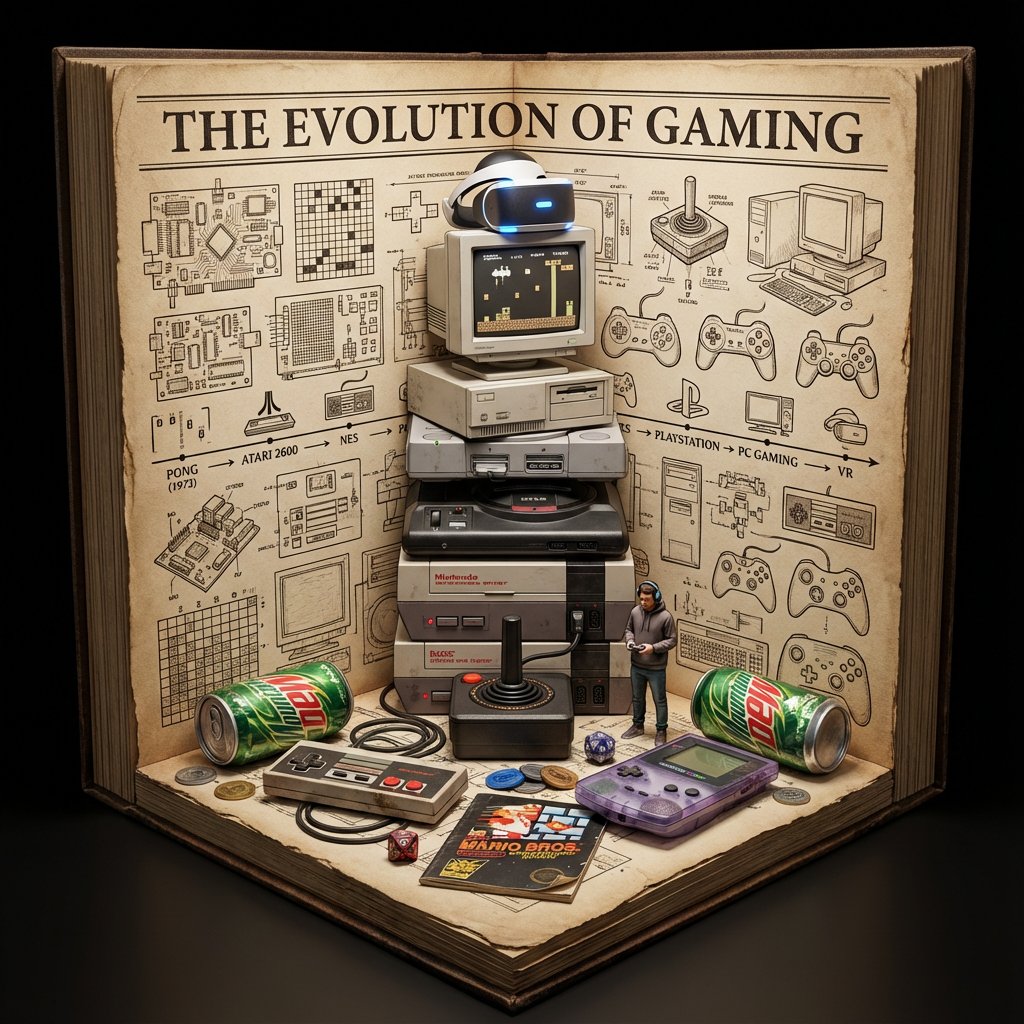
Do this for gaming: Do this for gaming: Input Variable: [INSERT TOPIC HERE] (e.g., History of Space Exploration) System Instruction: Generate a crowded, hyper-realistic "Book Nook" Diorama . Use the following logic to procedurally fill the scene with high-density detail: 1. Semantic Analysis (The Loot Table): The Totem: Identify the single tallest, most vertical object representing the topic (e.g., Saturn V Rocket). The Ephemera: Identify 4-5 small, specific consumer goods or artifacts (e.g., "Tang" Packet, Freeze-Dried Ice Cream, Mission Patches, Apollo 11 Manual). The Timeline: Identify the key visual evolution steps (e.g., Sputnik -> Lunar Module -> Shuttle). 2. Container (The Corner Stage): Geometry: The book is NOT lying flat. It is standing upright, opened to form a Strict 90-Degree Corner . Vertical Wall: The back cover/pages standing straight up. Horizontal Floor: The front cover/pages lying flat. The Anchor: The "Totem" object (Rocket) stands inside the spine crease , acting as the structural pillar holding the book open. Paper Texture: The pages must look thick, rough, and heavily aged (like an 1800s manuscript). 3. The Vertical Plane (The Da Vinci Sketchbook): Density: MAXIMUM. Do not leave white space. Style: Sepia-tone Pen & Ink Technical Drawings . Content: The background should be a chaotic but organized collage of diagrams, timelines, and schematics. It should look like a scientist's field notes. Text: A bold, formal Serif Title at the top (e.g., "HISTORY OF SPACE EXPLORATION"). 4. The Horizontal Plane (The Physical Clutter): Transition: The Totem (Rocket) seamlessly transitions from a drawing on the wall to a Physical 3D Model on the floor. The Scatter: The "Ephemera" props are scattered and overlapping on the floor page. They should not be neatly arranged. Material Contrast: The props must look like shiny plastic, crinkled foil, and fabric patches. This clashes with the matte paper. Scale: A tiny 1:64 scale human figure (e.g., Astronaut) stands next to the massive Totem for scale. 5. Visual Syntax: Background: Void Black. The book floats in infinite darkness. DO NOT render studio equipment, lamps, or tables. Lighting: "Museum Display" lighting. A focused beam hits the Totem, creating a long shadow against the back page sketches. Depth: The 3D objects must cast hard shadows onto the 2D paper to sell the optical illusion. Output: 1:1 Aspect Ratio, Macro Photography, High Textural Contrast (Paper vs. Plastic).
0
檢視詳情
Nano Banana 2.1
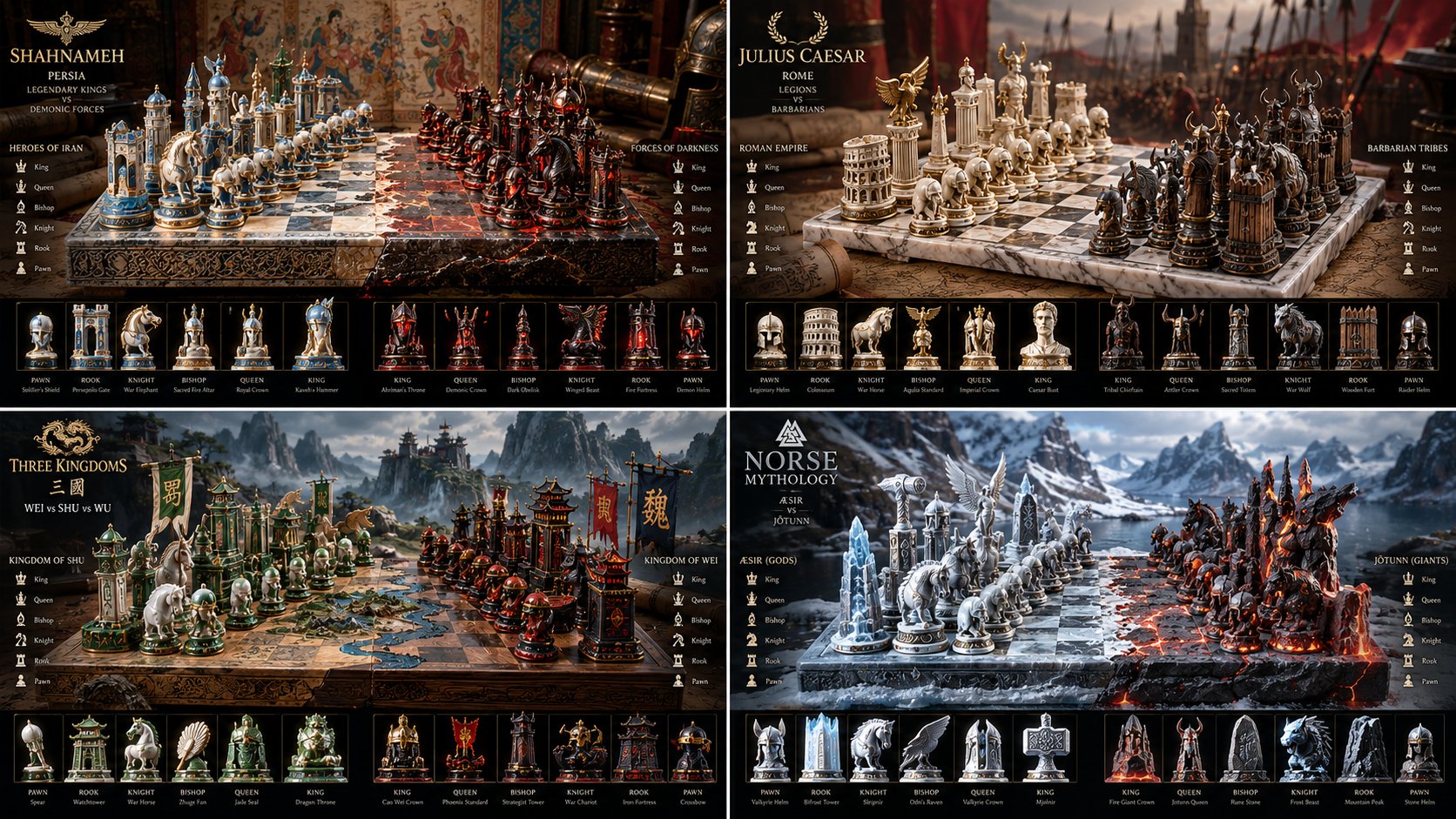
Input Variable: [INSERT FANDOM OR RIVALRY HERE] (e.g., Jedi vs Sith, Marvel vs DC, Horde vs Alliance) System Instruction: Generate a hyper-realistic, isometric 3D render of a "Collector's Edition Chess Set." Use the following logic: 1. Faction Analysis: Faction A (White/Left): Identify the protagonists. Define their "Core Aesthetic" (e.g., Organic, Round, Blue/Green). Faction B (Black/Right): Identify the antagonists. Define their "Core Aesthetic" (e.g., Industrial, Sharp, Red/Purple). The Board: The surface must represent the terrain where they battle (e.g., Grass vs. Charred Earth; Marble vs. Obsidian). 2. The Pieces (The Artifact Rule): DO NOT GENERATE CHARACTERS. Do not make tiny action figures. Abstract Totems: The pieces must be Stylized Artifacts representing the faction. Pawns: Their signature grunt weapon or symbol (e.g., Clone Trooper Helmets vs. Droid Heads; Kunai vs. Shuriken). Rooks/Bishops: Iconic architecture or heavy weaponry (e.g., Towers of Gondor vs. Barad-dûr). Knights: The "Beast" or "Vehicle" of that faction (e.g., X-Wing vs. TIE Fighter; Chocobo vs. Magitek Armor). King/Queen: The symbol of leadership (e.g., The Iron Throne vs. The Crown; A specific hilt of a legendary sword). 3. Visual Syntax: Materials: Render the pieces in "Premium Materials" appropriate to the lore. (e.g., Jedi = Chrome & Plasteel; Sith = Corroded Iron & Red Kyber Crystal). Effect: A magical/energy particle effect flares at the center of the board where the two sides meet. Lighting: Cinematic, dramatic "God Rays" illuminating the center interaction. 4. Technical Specs: Camera: Isometric, Macro. Render: Unreal Engine 5 style, Ray-tracing enabled, "Merchandise Photography" aesthetic. Output: 1:1 Aspect Ratio, 8k Resolution.
0
檢視詳情
0:25
GPT-6 Astra
Configure my Codex workspace for hierarchical model selection and subagents: 1. Audit ~/.codex/agents and .codex/agents for subagent profiles fitting lead, workers, and adversary: > Give explorer, worker, and researcher model = 'gpt-6-luna', model_reasoning_effort = 'medium' > Assign worker an isolated git worktree branch to eliminate concurrent file conflicts > Create .codex/agents/adversary.toml with model = 'gpt-6-astra' (upgradeable to 'gpt-6.1-astra'), model_reasoning_effort = 'high', sandbox_mode = 'read-only' 2. Configure model selection in ~/.codex/config.toml: [session] model = 'gpt-6.1-sol' model_reasoning_effort = 'high' [agents] default_subagent_model = 'gpt-6-luna' default_subagent_reasoning_effort = 'medium' max_concurrent_threads_per_session = 8 3. Verify environment variables and routing: check for flags overriding reasoning effort or disabling multi-agent tools. Report them, change nothing 4. Add automatic delegation rules to AGENTS.md: > Summon @ adversary before finalizing multi-file architecture plans > Automatically trigger @ adversary when a test or compiler error repeats twice > Enforce @ adversary contract audit before declaring tasks complete or staging git commits Show every configuration diff first. Do not apply edits until confirmed
0
檢視詳情
0:30
Seedance 2.5
Create a 30-second ultra-realistic AAA open-world third-person action game mission, fully rendered as authentic GTA-style gameplay from beginning to end. Generate the female player character yourself: a stylish young woman with long dark hair, dark fitted jacket, dark pants and practical boots, keeping her appearance perfectly consistent throughout. Set the mission at a massive modern cargo ship at night, surrounded by dark ocean, shipping containers, cranes, realistic water, rain and distant city lights. Use a true third-person gameplay camera, realistic game physics, detailed game-engine graphics and a complete GTA-style HUD with minimap, mission objectives and notifications. At 0–4 seconds, the character quietly climbs onto the cargo ship and the HUD shows MISSION START — CARGO SHIP — FIND THE PACKAGE. At 4–9 seconds, she moves between stacked containers while avoiding security guards and reaches the marked container; HUD changes to CONTAINER LOCATED. At 9–14 seconds, she opens the container, retrieves a mysterious package and the HUD shows PACKAGE SECURED. At 14–18 seconds, an alarm suddenly activates, red warning lights flash and security begins searching the ship; HUD changes to ALARM TRIGGERED — ESCAPE. At 18–24 seconds, she runs through the container area toward the edge of the ship while security follows, then reaches a waiting speedboat below. At 24–27 seconds, she jumps into the speedboat and rapidly drives away across the ocean as the cargo ship recedes behind her. At 27 seconds, make exactly one hard cut to a natural third-person gameplay continuation showing her speedboat racing toward distant city lights, with the HUD displaying MISSION PASSED — PACKAGE SECURED — ESCAPE SUCCESSFUL — RANK S. Make the entire video look like high-budget GTA gameplay, including authentic HUD, minimap, NPC behavior, camera movement, water physics, vehicle physics, lighting and reflections. No live-action look, anime, cartoon, random cuts, teleportation or graphic gore.
0
檢視詳情
0:24
Wan 3.0
Create a 30-second hyper-realistic live PUBG-style battle royale gameplay livestream, presented as if captured directly from a professional gaming streamer’s screen. 16:9, 4K, photorealistic graphics, realistic game physics, cinematic lighting, highly detailed environments, smooth 60fps gameplay. 0–4 sec: Open with a realistic third-person battle royale scene on a huge military island. Show the complete gaming interface naturally on screen: mini-map, compass, health bar, armor indicator, weapon slots, ammo counter, kill feed, teammate icons, ping indicator, sprint button, crouch/prone/jump controls and inventory indicators. Player runs through a ruined urban area while distant gunfire and explosions are visible. Add subtle livestream elements such as viewer count and chat reactions. 4–8 sec: Rapid transition into an intense sniper moment. Player raises a high-powered sniper rifle. Camera smoothly moves behind the character and enters the scope. Extreme close-up / zoom-in sniper shot, realistic scope glass, breathing movement, subtle weapon sway, enemy moving far across a rooftop. Focus shifts from the environment to the target. Trigger pull and realistic muzzle flash, followed by a precise hit. 8–12 sec: Immediately cut to a fast vehicle chase through a dusty battlefield. Camera shakes naturally with the vehicle suspension. Bullets hit nearby walls and the vehicle, sparks flying. Teammate markers and directional damage indicators appear on the HUD. 12–17 sec: Look upward as a military helicopter flies low over the battlefield. Player quickly switches to a shoulder-mounted launcher. Show the weapon interface and targeting reticle. Camera follows the helicopter dynamically, then launches a projectile. Cinematic tracking shot follows the projectile toward the helicopter, with realistic smoke trail, atmospheric depth and motion blur. 17–21 sec: Helicopter takes damage and loses control, spinning through smoke while the player and squad move through cover. Cut between wide battlefield view and intense close-up gameplay perspective. Add realistic explosions, debris, dust, sparks and environmental destruction. 21–25 sec: Squad enters a final enemy compound. Rapid tactical movement through a building, realistic weapon handling, muzzle flashes, shell casings, shadows and volumetric lighting. HUD updates rapidly as enemies are eliminated. Keep everything visually coherent and grounded in believable game mechanics. 25–28 sec: Final enemy encounter. Switch to slow-motion sniper scope zoom. Extreme close-up of the crosshair locking onto the target. Heartbeat-like tension, subtle camera shake, then one decisive shot. Display a realistic elimination notification. 28–30 sec: Pull back into a dramatic wide aerial view of the entire battlefield. Helicopter wreckage, vehicles, smoke and the squad visible below. End with a realistic “WINNER / VICTORY” style battle royale screen, player statistics, eliminations, survival time and team information appearing naturally on the interface. Visual direction: authentic AAA battle-royale graphics, photorealistic textures, realistic human movement, natural animation, physically accurate explosions, detailed weapons, believable recoil, realistic shadows, atmospheric fog, volumetric sunlight, dynamic camera movement, subtle screen shake, realistic motion blur, high-detail terrain, cinematic depth of field, seamless transitions, no cartoon look, no artificial CGI appearance, no distorted characters, no warped weapons, no floating objects, no broken HUD elements. Camera: combine gameplay POV, third-person gameplay, over-the-shoulder shots, extreme sniper scope zoom, helicopter tracking shot, projectile-follow camera, tactical close-ups and dramatic aerial establishing shot. Make every transition feel like a real high-end PUBG-style livestream recording
0
檢視詳情
0:30
Wan 3.0
Create a 30-second ultra-realistic AAA third-person/first-person hybrid livestream gameplay video, 16:9, 4K, resembling an actual professional competitive game being livestreamed. The game is an original tactical snapping/shooting game with a futuristic precision weapon. Make everything feel like real playable gameplay, not a cinematic trailer. GAMEPLAY STYLE: Unreal Engine 5 quality, realistic physics, responsive controls, detailed environments, professional streamer HUD, weapon animations, hit feedback, minimap, ammo counter, health/armor, objective tracker, kill feed, crosshair, score, ping/FPS indicators, and livestream overlay. PLAYER: Professional gamer controlling a futuristic Snapper Precision Gun capable of switching between normal direct targeting, optical lens targeting, and microscopic ultra-precision targeting. 0–6 SEC — DIRECT SNAP The player moves through an abandoned industrial facility while enemies appear from different directions. Quick camera movement → player raises the Snapper Gun → direct hip/shoulder aim → rapid precision shots eliminate two enemy targets. HUD instantly updates the score and kill feed. ON-SCREEN: ENEMIES: 6 | AMMO: 24/120 | HP: 100 | ARMOR: 75 | SCORE: 1,250 6–12 SEC — OPTICAL LENS MODE The player spots an enemy far across the facility. Weapon switches into high-powered optical lens mode. Screen smoothly transitions into a realistic scope view with lens reflections, distance marker, wind indicator, rangefinder and moving reticle. The player tracks the enemy through the lens → precise shot → enemy drops behind cover. HUD: OPTICAL MODE | RANGE: 187M | ACCURACY: 94% 12–19 SEC — MICROSCOPIC SNAP MODE The player discovers a tiny exposed component on an enemy's futuristic shield. Activate Microscope Snap Mode. The screen dramatically magnifies the target, showing an extremely detailed microscopic targeting interface. The reticle locks onto the tiny weak point → satisfying precision snap → shield breaks → enemy becomes vulnerable. HUD: MICRO SNAP LOCKED | WEAK POINT DETECTED | +500 19–25 SEC — RAPID COMBAT Three enemies rush the player from different angles. The player instantly switches back to direct mode, slides behind cover, leans out and performs fast precision snaps. Add realistic muzzle flashes, recoil, shell/effect particles, impact sparks, environmental destruction and smooth weapon animations. KILL FEED: PLAYER — PRECISION SNAP — ENEMY PLAYER — HEADSHOT — ENEMY 25–30 SEC — FINAL TARGET Only one enemy remains. The player runs upstairs while the enemy escapes through a narrow corridor. Switch between direct view → optical lens → microscope precision mode in one fluid sequence. The microscopic reticle locks onto a tiny glowing weak point. FINAL SNAP. The screen displays: TARGET ELIMINATED MISSION COMPLETE PRECISION: 97% TOTAL SCORE: 4,850 End with the professional livestream interface still visible, including LIVE indicator, viewer count, chat panel, FPS, ping, minimap, health, armor, ammo, objective tracker, kill feed and weapon status. IMPORTANT: Everything must look like a polished real AAA game: consistent speed, realistic movement, accurate weapon animations, responsive HUD, professional UI, natural camera motion, synchronized sound effects, realistic lighting and shadows, no glitches, no floating objects, no random UI elements, no copyrighted game interface, and no text appearing except intentional game HUD/livestream elements.
0
檢視詳情