Halloween Cemetery Portrait With Neon Heels

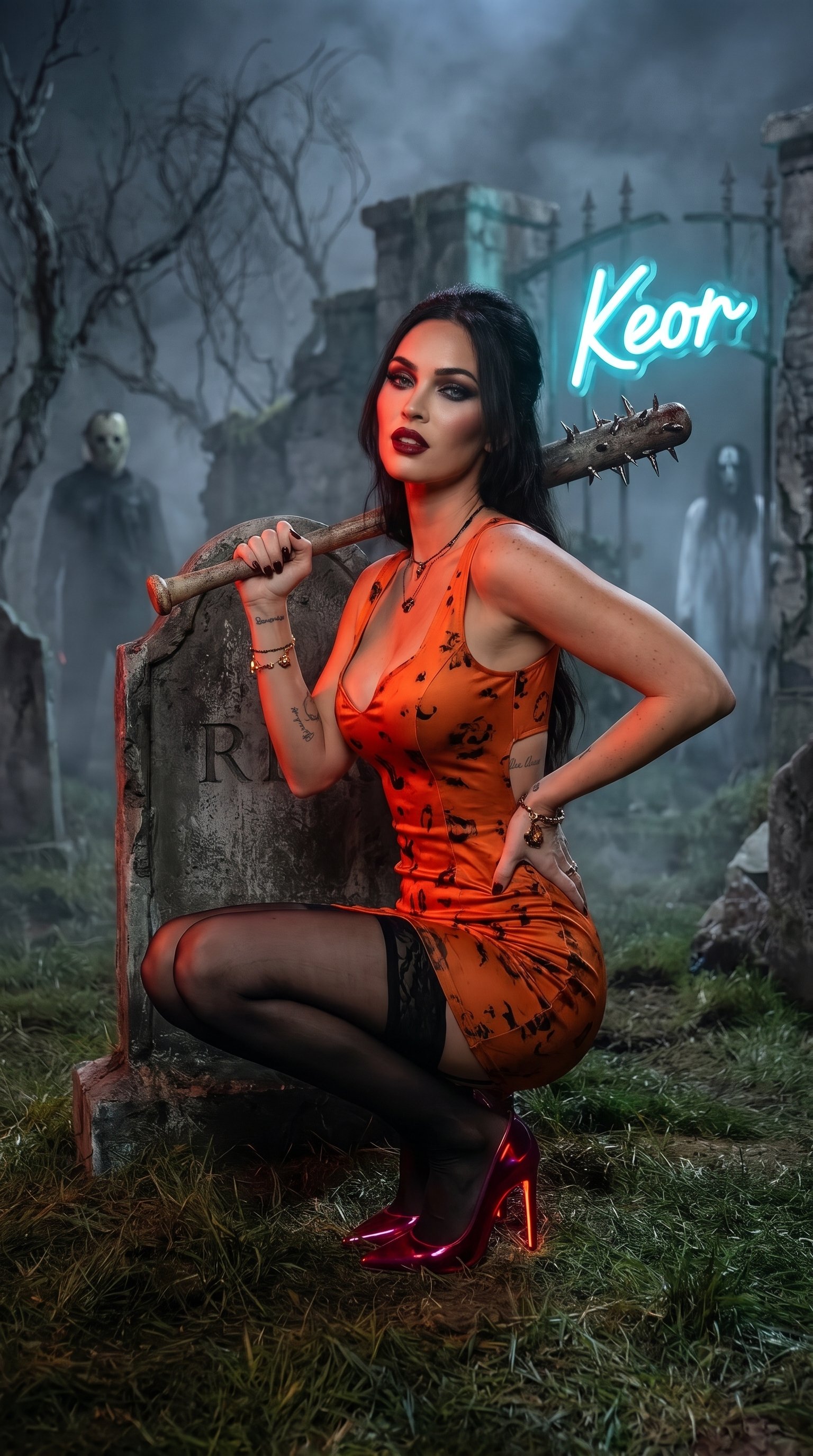
{ "subject": { "description": "Close-up of a Attractive young woman with fair skin, dark hair pulled back, bold Halloween makeup with dramatic eyes and red lips, looking toward the camera with a confident expression", "hair": "Dark hair styled back with subtle Halloween volume", "body": "Curvy figure", "pose": "crouching near a tombstone, one hand resting on her shoulder holding a spiked baseball bat, the other hand on her hip, weight shifted with a confident stance", "expression": "Confident, slightly playful and spooky gaze" }, "outfit": { "main": "Attractive orange Halloween minidress with a deep neckline, fitted silhouette, and subtle seasonal details", "headwear": "None", "accessories": "Delicate Halloween-themed jewelry", "hosiery": "Sheer black stockings", "footwear": "Ruby neon high heels stilettos with glowing accents" }, "setting": { "location": "Creepy cemetery at night", "background": "Foggy cemetery grounds with tombstones, twisted trees, and known creepy movie cinema characters visible in the distant backdrop", "added_element": "Neon sign reading ‘Keor’ in glowing cursive lettering integrated into the cemetery atmosphere" }, "lighting": { "type": "Dim moonlight mixed with eerie fog and subtle ruby neon glow", "effects": "Strong highlights on the orange minidress and ruby neon heels, soft creepy illumination on the tombstones, walls, and characters" }, "camera": { "angle": "Slightly low three-quarter angle", "framing": "Full-body to three-quarter shot, subject centered near a tombstone against the creepy cemetery and movie characters in the backdrop", "style": "Photorealistic, high-detail fashion photography, sharp focus" }, "additional_details": { "skin": "Smooth with a glossy sheen under the lighting", "tattoos": "Small script tattoos visible on the upper arm and side", "atmosphere": "Bold, glossy, spooky Halloween cemetery portrait" } }
Details
- Type
- AI Image Prompts
- Aspect Ratio
- 24:43
- Updated
- Nov 1, 2026
How to use this prompt
- 1Copy the full prompt with the copy button above.
- 2Open Nano Banana 2.1 by Google, or any image generator with a similar style range.
- 3Paste the prompt, then swap the subject and style keywords to match your idea.
- 4Match the example's settings (24:43 · Cinematic · Horror · Portrait), then iterate — small wording changes shift the output a lot.
Frequently asked questions
Which AI model generated this image?
This image was generated with Nano Banana 2.1 by Google. The prompt on this page is the exact text used to create it.
What settings does this prompt use?
The example was generated with Nano Banana 2.1 using: 24:43 · Cinematic · Horror · Portrait. Reusing these settings gives the closest match.
How do I get similar results?
Copy the prompt as-is first, then replace only the subject while keeping the style, lighting, and composition keywords. Generate a few variations — outputs differ between runs.
Can I modify this prompt?
Yes. Prompts work best as starting points — adjust descriptors, aspect ratio, or style tags to make the output your own.