LogoAhaPrompt
  • Prompts
  • Featured
  • Models
  • Submit
  • Blog
AhaPromptAhaPrompt

AI Prompts for Images, Video & Audio — Every Model, One Library

Built withLogoNEXTY.DEV
Explore
  • All Prompts
  • Featured Prompts
  • Image Prompts
  • Video Prompts
  • Audio Prompts
  • AI Models
  • Submit a Prompt
  • Blog
Languages
  • English
  • 中文
  • 日本語
  • 한국어

Copyright © 2026 AhaPrompt All rights reserved.

Privacy PolicyTerms of Service
HomeAI Prompt LibraryAI Image Prompts3D Scrapbook Paper Cutout Composition
3D Scrapbook Paper Cutout Composition — AI image prompt — GPT Image 2.5 — Digital Art, 3D Render, Minimalist - 1
3D Scrapbook Paper Cutout Composition — AI image prompt — GPT Image 2.5 — Digital Art, 3D Render, Minimalist - 2

3D Scrapbook Paper Cutout Composition

OpenAIGPT Image 2.5OpenAIimage

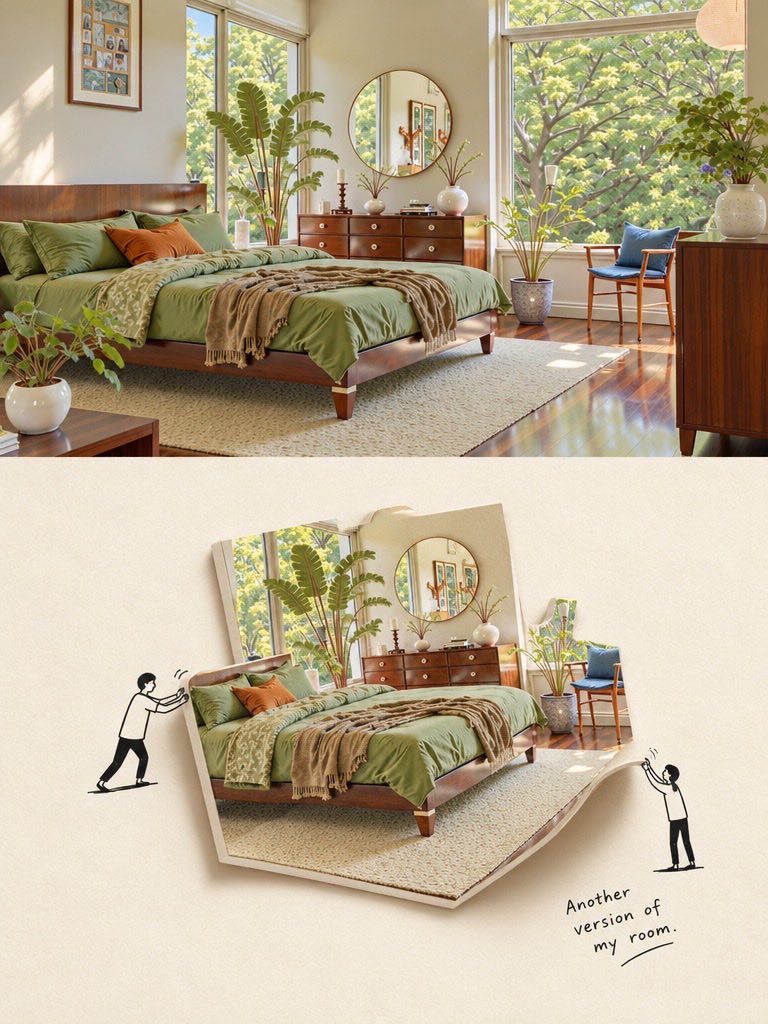
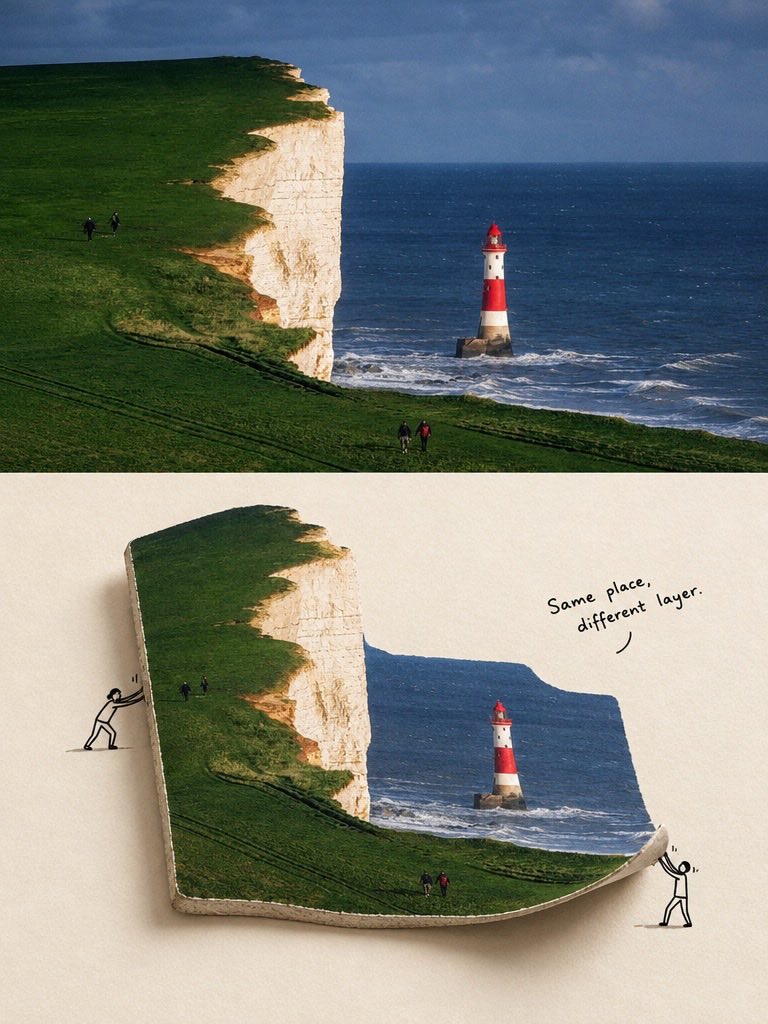
Create a creative minimalist 3D scrapbook composition featuring a realistic photograph transformed into a thick, floating paper cutout on a warm ivory textured background. For the first scene, showcase a beautiful sunlit modern bedroom with an olive-green bed, walnut furniture, large windows, lush indoor plants, a round mirror, and soft natural sunlight. For the second scene, depict dramatic white coastal cliffs covered in vibrant green grass, deep blue ocean waves, and a striking red-and-white lighthouse beneath a cloudy sky. Make the photograph appear as a curved, folded sheet of thick paper with realistic depth, visible layered edges, soft shadows, and a floating effect. Add tiny hand-drawn black stick-figure characters interacting with the paper, pushing, lifting, or holding its edges, alongside playful handwritten captions such as “Another version of my room” and “Same place, different layer.” Elegant editorial photography, realistic textures, subtle imperfections, minimalist art direction, soft beige palette, creative visual storytelling, premium design magazine aesthetic, crisp details, balanced composition, vertical poster layout.

Details
Type
AI Image Prompts
Aspect Ratio
3:4
Updated
Oct 15, 2026
Category
Digital Art3D RenderMinimalist
Source

How to use this prompt

  1. 1Copy the full prompt with the copy button above.
  2. 2Open GPT Image 2.5 by OpenAI, or any image generator with a similar style range.
  3. 3Paste the prompt, then swap the subject and style keywords to match your idea.
  4. 4Match the example's settings (3:4 · Digital Art · 3D Render · Minimalist), then iterate — small wording changes shift the output a lot.

Frequently asked questions

Which AI model generated this image?

This image was generated with GPT Image 2.5 by OpenAI. The prompt on this page is the exact text used to create it.

What settings does this prompt use?

The example was generated with GPT Image 2.5 using: 3:4 · Digital Art · 3D Render · Minimalist. Reusing these settings gives the closest match.

How do I get similar results?

Copy the prompt as-is first, then replace only the subject while keeping the style, lighting, and composition keywords. Generate a few variations — outputs differ between runs.

Can I modify this prompt?

Yes. Prompts work best as starting points — adjust descriptors, aspect ratio, or style tags to make the output your own.
More GPT Image 2.5 prompts

Transform every visible person in the uploaded image into a realistic LEGO-style minifigure while pr — AI image prompt — GPT Image 2.5
OpenAIGPT Image 2.5
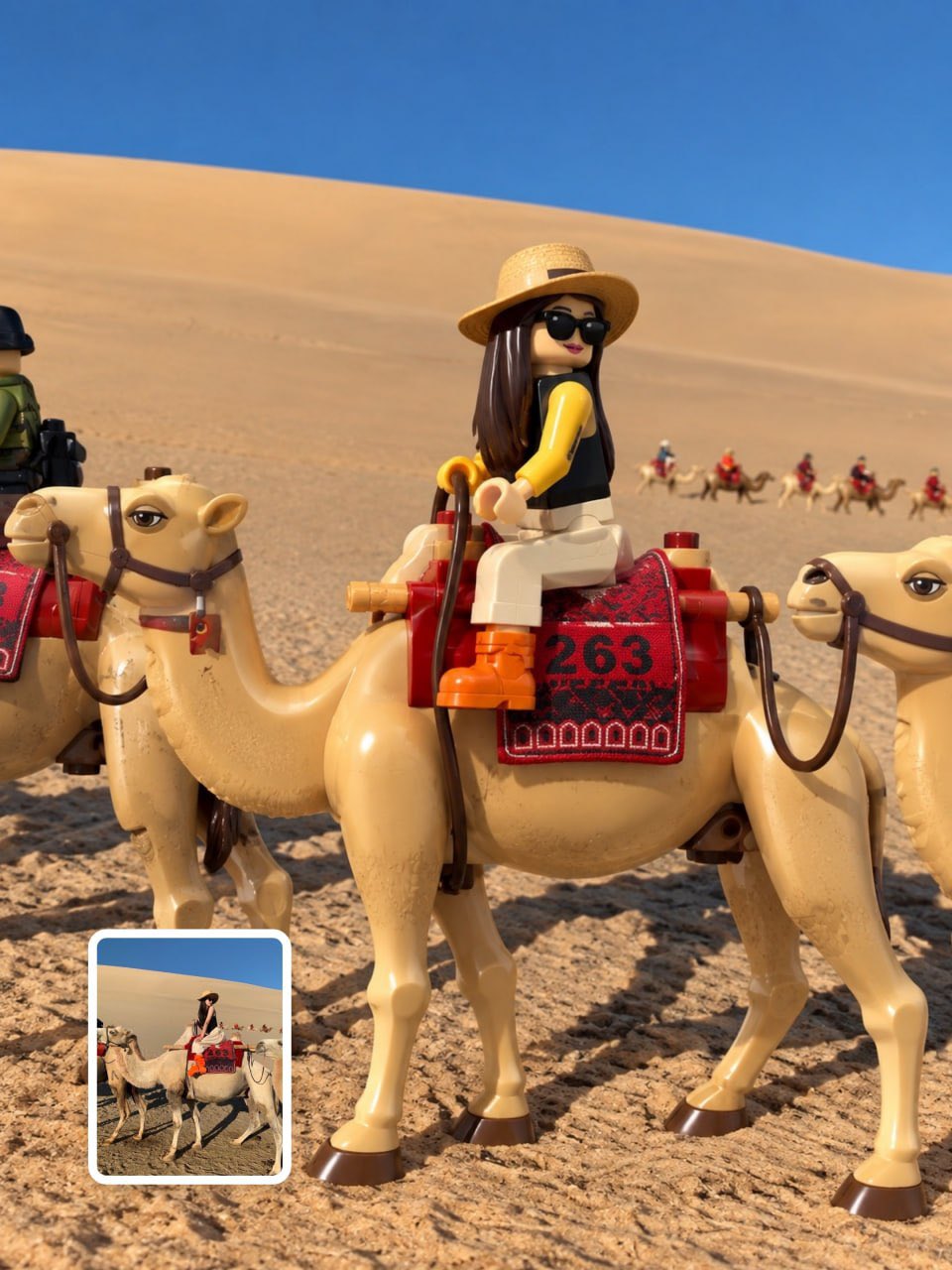
Transform every visible person in the uploaded image into a realistic LEGO-style minifigure while preserving the original environment, background, composition, lighting, and relationships. Create exactly one separate minifigure for every visible person. Preserve each person’s recognizable identity, expression, hairstyle, hair color, skin tone, proportions, pose, position, clothing, accessories, and held objects. FORMAT LOCK Vertical 3:4 composition. Show every minifigure fully from head to toe without cropping. Preserve the original group arrangement and perspective. Extend the environment naturally only when needed for the 3:4 frame. STYLE TRANSFER Convert only the people into authentic LEGO-style minifigures. Use realistic molded plastic, cylindrical heads, block-shaped torsos, standard arms and hands, short legs, printed facial features, detailed printed clothing, and molded plastic hairpieces matching each person’s hairstyle. Keep the figures seamlessly integrated into the original photograph. DETAIL & COLOR Accurately reproduce each person’s original clothing colors, patterns, layers, sleeves, collars, pants, skirts, shoes, jewelry, glasses, hats, bags and other visible accessories as LEGO prints or molded elements. Preserve original skin tones and facial expressions. Realistic plastic reflections, subtle seams, fine printed details and natural contact shadows. COMPOSITION LOCK Keep the original location, architecture, scenery, furniture, objects, colors, textures, perspective, depth, weather, atmosphere and time of day unchanged. Do not redesign or simplify the background. Preserve all existing objects in their original positions. Objects held or worn by people may be converted into LEGO-style accessories while maintaining their original appearance and color. STYLE Photorealistic LEGO-style minifigure transformation, premium 3D toy photography, realistic molded plastic, subtle glossy finish, physically accurate reflections, natural lighting, cinematic detail, seamless integration with the original scene. NEGATIVE PROMPT No changed background, studio backdrop, LEGO environment, added bricks, removed objects, extra people, missing people, duplicates, merged figures, generic characters, altered outfits, invented accessories, identity loss, wrong hairstyles, cropped bodies, missing limbs, oversized heads, realistic human bodies, real hair, real fabric, anime, cartoon exaggeration, CGI-looking environment, floating figures, excessive reflections, harsh shadows, blur, low resolution, text, logos, watermark.
Details
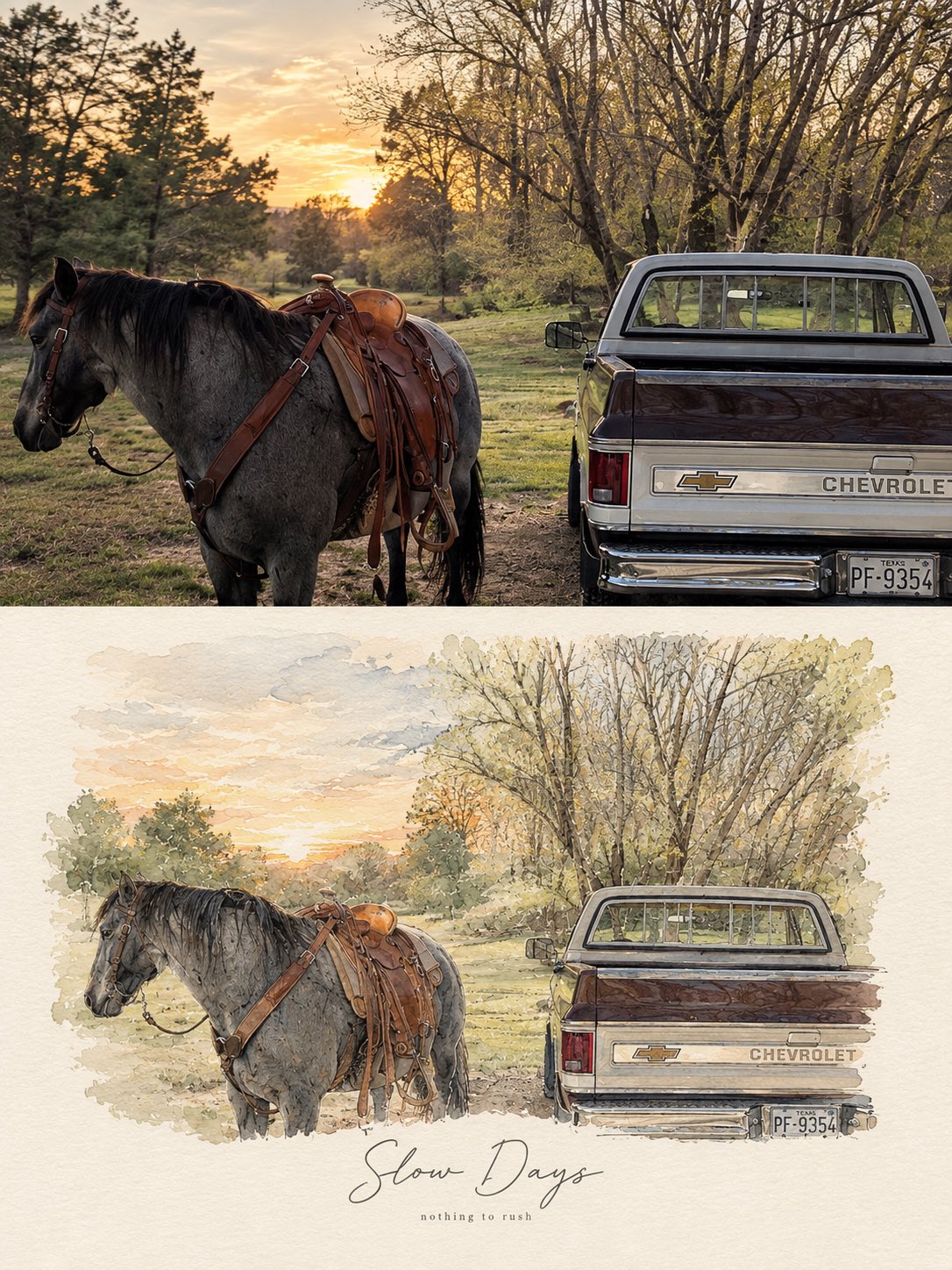
Create a refined, high-end PHOTO + MINIMAL WATERCOLOR VIGNETTE artwork based entirely on the uploade — AI image prompt — GPT Image 2.5
OpenAIGPT Image 2.5
Create a refined, high-end PHOTO + MINIMAL WATERCOLOR VIGNETTE artwork based entirely on the uploaded photograph. Use the photograph as the only visual reference and preserve the exact subject, composition, environment, clothing, objects, lighting, colors, and mood. FORMAT: Vertical 3:4 editorial composition. TOP SECTION — ORIGINAL PHOTOGRAPH: Place the original photograph in the upper 55–60% of the canvas. Keep it photorealistic and naturally detailed. Do not alter the identity, pose, proportions, objects, architecture, scenery, or important visual details. Give it a subtle premium editorial photography finish with natural cinematic light and gentle tonal balance. BOTTOM SECTION — HAND-PAINTED INTERPRETATION: Transform the same exact scene into a delicate minimal watercolor and fine-ink illustration. Recreate the main subject, pose, perspective, key objects, and recognizable background elements from the photograph. Use loose watercolor washes, subtle pencil/ink outlines, imperfect hand-painted edges, soft paper texture, and restrained pastel tones. Keep the illustration airy, elegant, and slightly imperfect rather than digitally polished. The illustration should feel like a fashion/lifestyle magazine sketchbook page, with plenty of clean negative space and a warm off-white textured paper background. Do not introduce new subjects or details. TYPOGRAPHY: Add a short elegant handwritten brush-script phrase underneath or integrated naturally into the illustrated section, similar to a premium lifestyle editorial poster. Underneath it, add a tiny minimalist lowercase serif/sans-serif subtitle. Typography should be subtle, sophisticated, thin, and balanced with the artwork. AESTHETIC: Scandinavian editorial design, quiet luxury, nostalgic travel journal, soft watercolor, delicate ink drawing, handmade paper texture, muted natural palette, sophisticated minimalism, emotional storytelling, premium art-book layout. IMPORTANT: The photograph and illustration must clearly represent the same exact moment and scene. No collage of unrelated images, no dramatic redesign, no excessive watercolor, no cartoon appearance, no heavy outlines, no saturated colors, no clutter. Output: photorealistic upper section + matching delicate watercolor illustration below, seamless premium editorial composition, vertical 3:4, high detail. For different photos, just change the text phrase Examples: •Good Days — a kinder me •Better Together — same window, same silence •Little Moments — worth remembering •Slow Days — nothing to rush •Somewhere Quiet — just for a while •Golden Hours — softly remembered
Details
Create one vertical 3:4 diptych for each uploaded photo, divided into equal top and bottom halves wi — AI image prompt — GPT Image 2.5
OpenAIGPT Image 2.5
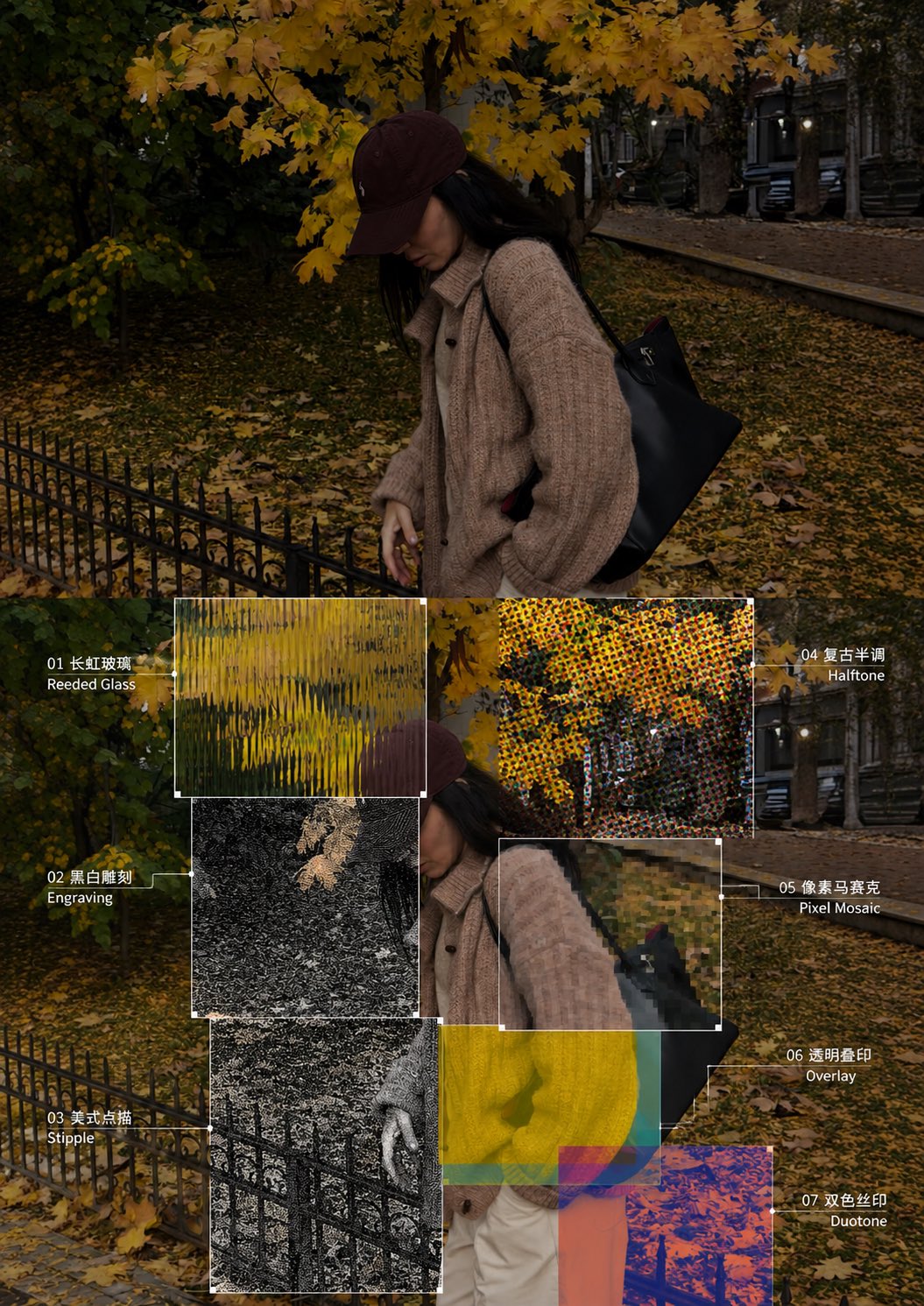
Create one vertical 3:4 diptych for each uploaded photo, divided into equal top and bottom halves with a seamless join. No divider, frame, or collage. Swiss editorial design, experimental photography, and vintage print aesthetics. TOP HALF — ORIGINAL PHOTOGRAPH Preserve the original identity, pose, scene, composition, perspective, lighting, and colors. Allow only subtle color grading and background extension. No text. BOTTOM HALF — SEVEN EXPERIMENTAL TEXTURE ZONES Repeat the entire original photo. Overlay seven asymmetrical rectangular zones of different sizes directly onto the image pixels, crossing non-critical details. Maintain visual continuity inside and outside every zone. Never crop, zoom, shift, duplicate, or redraw the image. Keep all important focal features visible. SEVEN NUMBERED TECHNIQUES 01. Reeded Glass: Vertical optical refraction. 02. Black-and-White Engraving: Fine etched lines and crosshatching. 03. American Stipple: Black-and-white microdot texture. 04. Vintage Halftone: CMYK printing dots. 05. Pixel Mosaic: Square pixel blocks. 06. Transparent Overlay: 2–4 translucent overlapping layers. 07. Duotone Screen Print: Two-color screen-printing effect. DESIGN DETAILS Add hairline borders, tiny corner squares, and fine leader lines to identify each rectangular zone. Label every technique with its corresponding number and English name. Keep all areas outside the seven zones photographic and realistic. STRICT REQUIREMENTS No logos, watermarks, extra images, or unnecessary decorative elements. Preserve the original photograph's integrity and maintain a clean, sophisticated editorial layout. OUTPUT: One high-definition 3:4 vertical poster with equal top and bottom halves.
Details
Transform the reference photograph into a sophisticated minimalist editorial art poster while preser — AI image prompt — GPT Image 2.5
OpenAIGPT Image 2.5
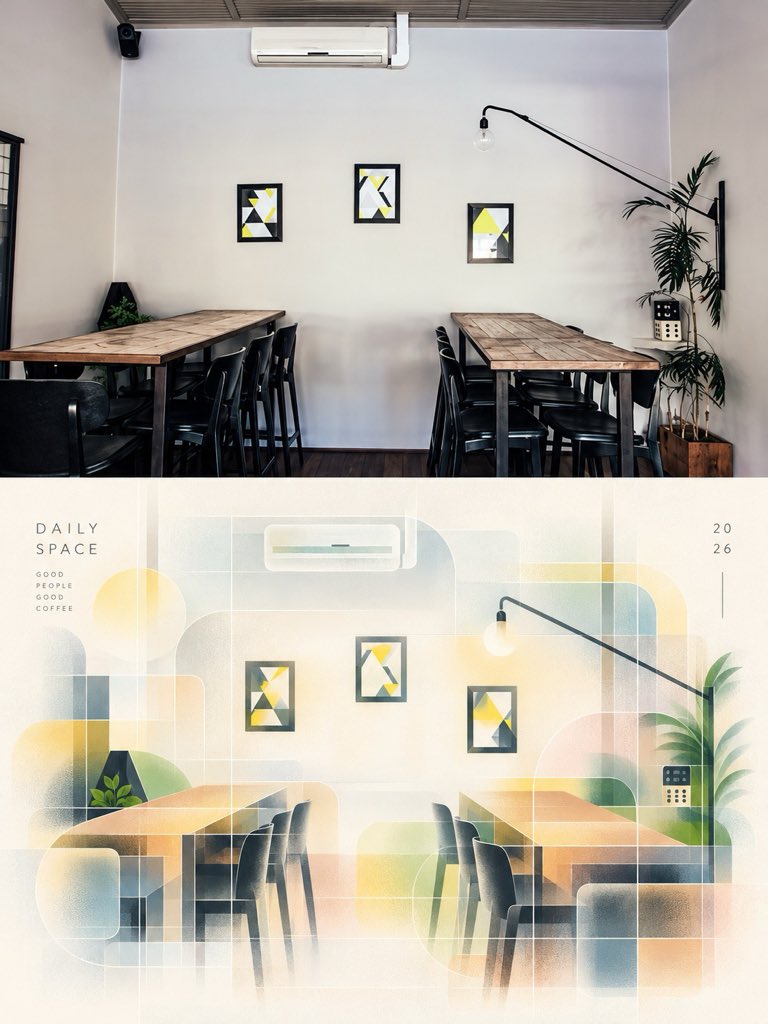
Transform the reference photograph into a sophisticated minimalist editorial art poster while preserving the original café interior, wooden tables, chairs, plants, lighting, and composition. Create a refined architectural illustration with translucent geometric overlays, soft pastel gradients, warm cream and beige tones, muted sage green, pale blue, and golden yellow. Use delicate grid lines, subtle paper texture, elegant negative space, and soft sunlight for an artistic, contemporary design-magazine aesthetic. Arrange the result as a vertical split composition, with the realistic photograph on top and an abstract artistic reinterpretation below. Add subtle typography reading “A QUIETER DAY” and “SAME PLACE, BRIGHTER THOUGHTS.” Premium graphic design, minimalist Swiss editorial layout, soft atmospheric glow, balanced composition, high detail, 4K quality, portrait 4:5 aspect ratio.
Details
Create a premium contemporary editorial art poster for [LOCATION] in a playful Japanese design-ZINE  — AI image prompt — GPT Image 2.5
OpenAIGPT Image 2.5
Create a premium contemporary editorial art poster for [LOCATION] in a playful Japanese design-ZINE style. FORMAT: Vertical 3:4 | High resolution | Modern editorial art Automatically choose the most iconic and visually interesting-elements of [LOCATION]-landmarks, architecture, streets, landscapes, food, nature, transportation, or cultural details—and build the artwork around the strongest subject. Use a bold full-frame collage composition, with the main subject occupying about 70–90% of the image. Combine dramatic crops, enlarged details, cutout elements, layered paper shapes, small image fragments, irregular edges, and overlapping graphics. Avoid large empty spaces, but keep everything clean and professionally art-directed. Automatically extract 2–4 signature colors from the character of [LOCATION] and use them for translucent shapes, circles, brush strokes, watercolor marks, lines, arrows, symbols, and small hand-drawn motifs. Add a strong combination of English + Japanese typography: A short, original English title inspired by the location A complementary Japanese title expressing its mood or story 2–4 small Japanese editorial captions Minimal English/Japanese details such as place, season, date, or atmosphere Use elegant serif or modern sans-serif English typography and refined Japanese Mincho or Gothic lettering. Allow some text to overlap the imagery or extend slightly beyond the frame for an editorial feel. Add one small handwritten Japanese message, naturally drawn with a thin black pen, inspired by the scene. Include 5–10 tiny black stick figures throughout the design. Give each a different playful action—climbing letters, pulling arrows, carrying shapes, observing the landmark, sitting on the image edge, holding a tiny flag, or interacting with the artwork. Keep them small and subtle, with only a few using accent-colored accessories. FINAL LOOK Make it feel like a lively little magazine created from [LOCATION]—a sophisticated combination of contemporary Japanese design, independent magazines, art books, fashion editorials, and gallery-shop ZINEs. Bright, fresh, artistic, playful, and highly polished. Not a traditional tourist poster, generic advertisement, vintage poster, or ordinary AI illustration. No reference image required. Generate the entire visual concept from [LOCATION] alone.
Details
Theme: Minimalist natural imagery × Split Fountain same-screen gradient screen printing

Each print  — AI image prompt — GPT Image 2.5
OpenAIGPT Image 2.5
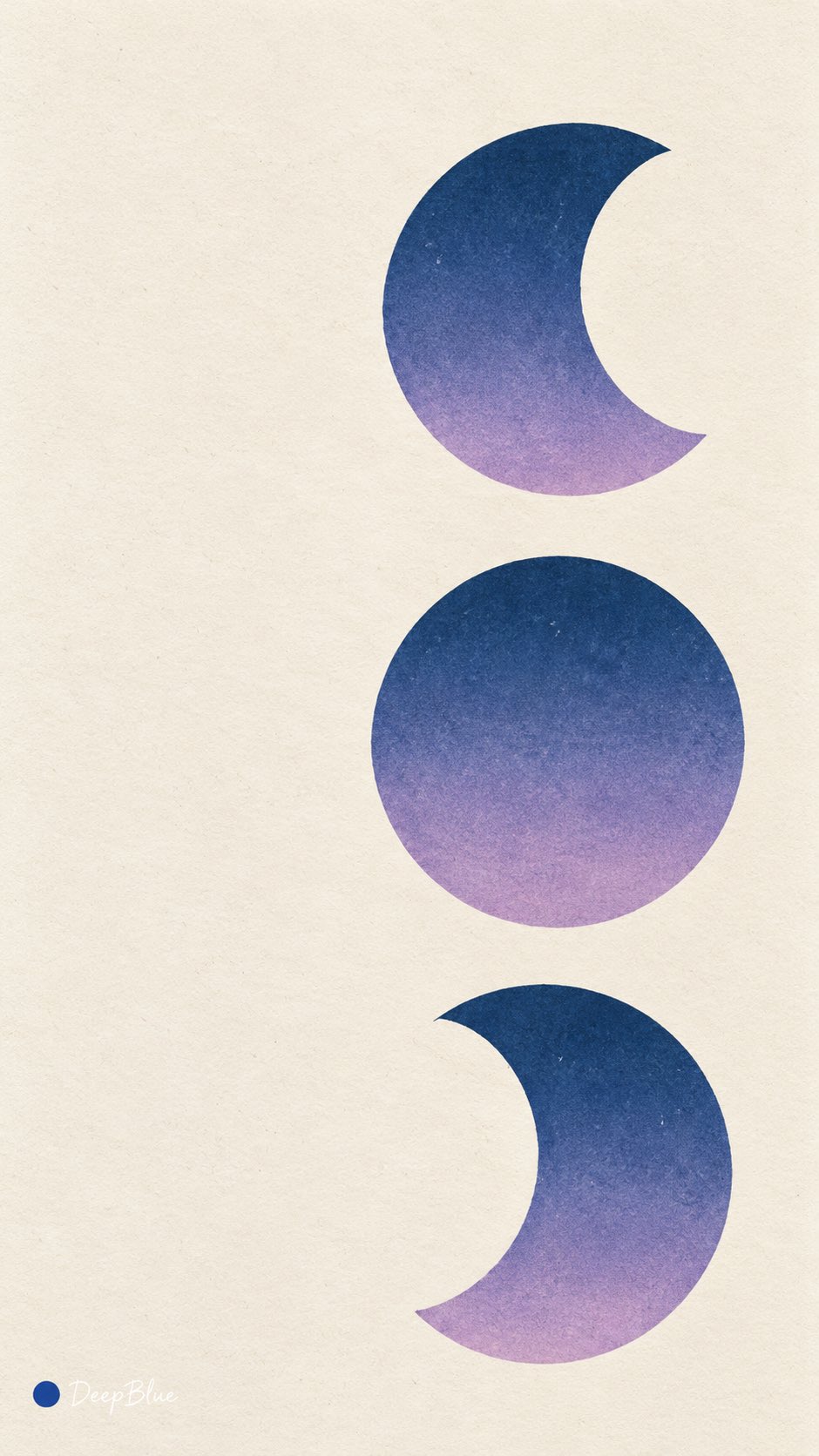
Theme: Minimalist natural imagery × Split Fountain same-screen gradient screen printing Each print independently selects one from sunset, ocean waves, mountain peaks, sand dunes, and moon phases, expressed with a small number of concise large forms and color fields, retaining subject recognizability and generous negative space. Independently explore coordinated two-color or multi-color ink combinations, as well as gradient direction, color mixing range, and graphic layout. Colors enter the interior of the graphics through the same screen printing plate, naturally blending along a unified direction, with original colors retained at both ends and a continuous soft mixed-color transition formed in the middle. The matte ink layer is smooth and delicate, with slight ink color variation retained locally, clear contours with slight hand-printed irregularity. The texture of warm white paper is faintly visible, and the overall effect is concise, warm, and possesses the quality of vintage art prints. Each print is re-conceived, with different combinations of subject, color scheme, and composition. 9:16 vertical format, n=10, each a separate single image. Bottom-left signature: a solid dark blue dot first, followed by white natural handwritten "DeepBlue".
Details
A modern, conceptual anime-style digital illustration featuring a textured, painterly quality and a  — AI image prompt — GPT Image 2.5
OpenAIGPT Image 2.5
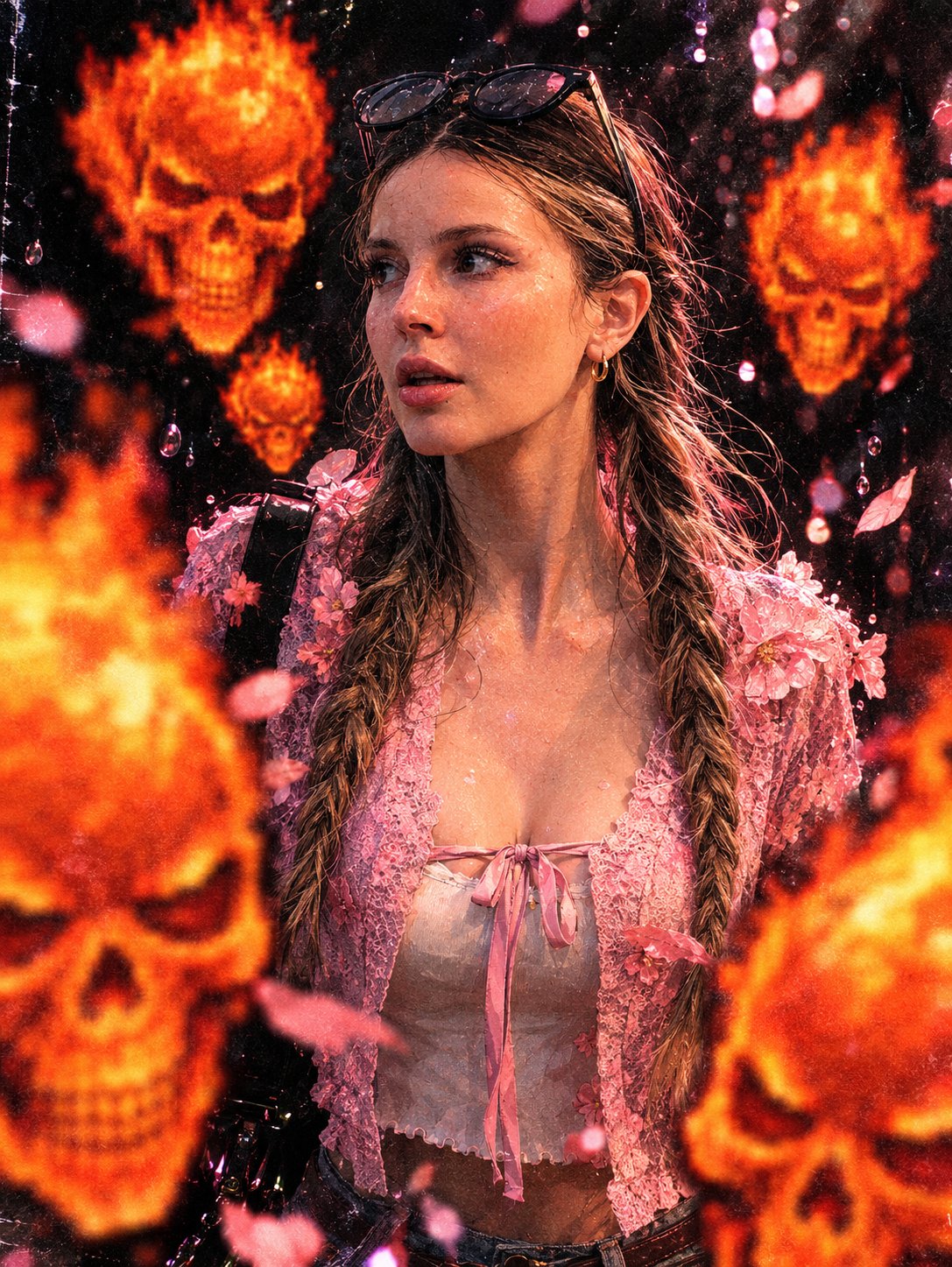
A modern, conceptual anime-style digital illustration featuring a textured, painterly quality and a retro VHS-grain effect, based on the provided model. She is surrounded by skulls—matching the one provided—rendered in the original orange hue and blurred; these float in the foreground and midground, creating a sense of depth of field. The background is a deep black, accented by bright, out-of-focus specks of light that resemble water droplets or lens flares. Dramatic lighting is focused on her face and her pink floral attire. The color palette is limited to blacks, coral pinks, and pastels.
Details
turn each photo I upload into a separate, high-end design poster. Do not combine multiple photos int — AI image prompt — GPT Image 2.5
OpenAIGPT Image 2.5
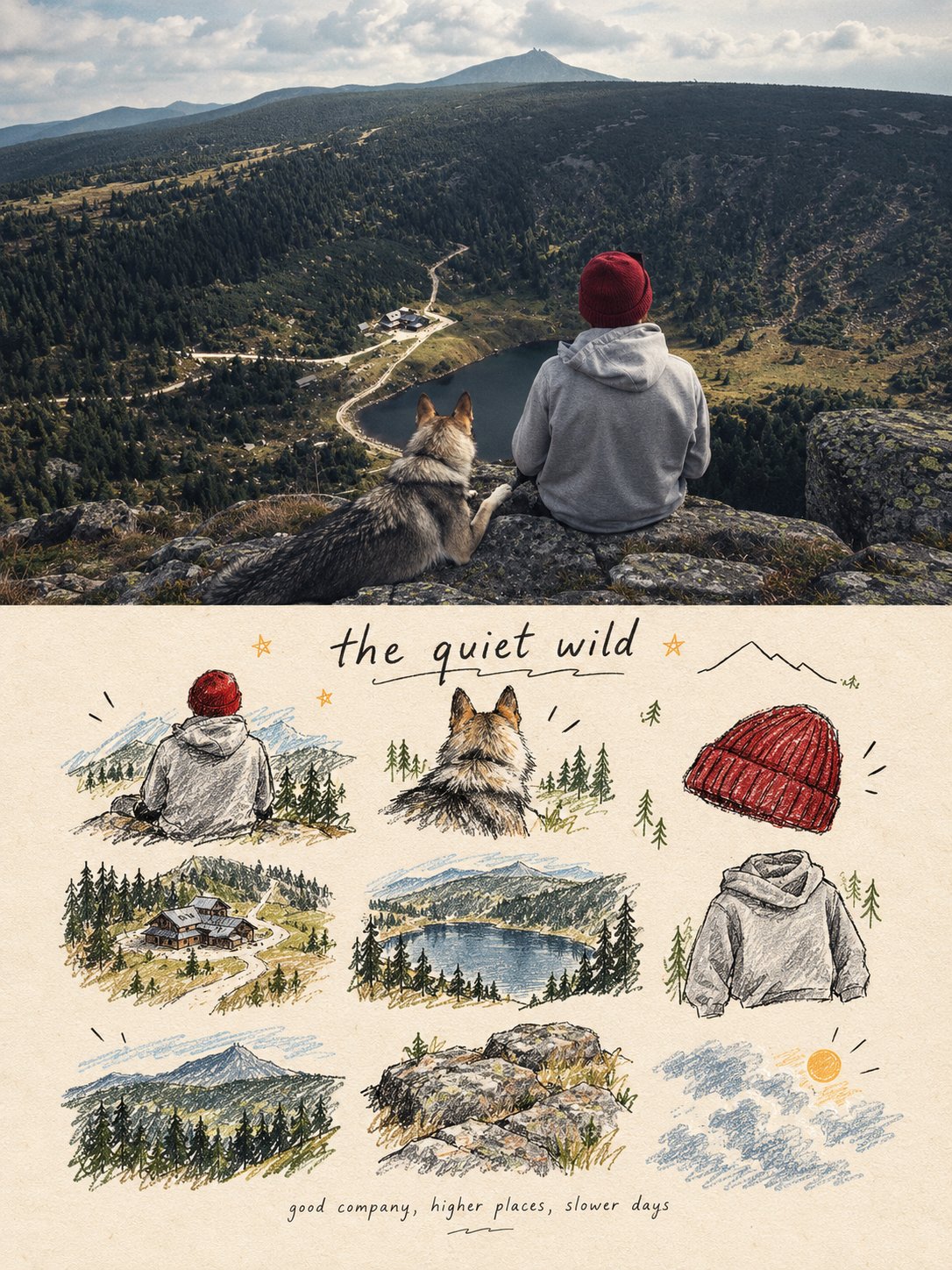
turn each photo I upload into a separate, high-end design poster. Do not combine multiple photos into a collage. Each photo must be processed and output individually. 1. Overall Layout and Composition Use a 3:4 vertical aspect ratio. Divide the canvas into two equal horizontal sections, with a strict 1:1 height ratio: the top half occupies exactly 50% of the canvas, and the bottom half occupies the remaining 50%. 2. Top Half — Original Photography Preserve the original photograph in the upper section. Maintain the subject’s identity, structure, pose, realistic textures, natural lighting, shadows, and original color atmosphere. Apply only subtle, sophisticated color grading to achieve the aesthetic of an art magazine, independent publication, or gallery exhibition image. You may naturally extend the environmental background to fit the composition, but never stretch, distort, or alter the subject. 3. Bottom Half — A Visual Memory Collection Extract the most recognizable subjects, distinctive details, action cues, objects, and narrative relationships from the photograph. Reinterpret them as a visual system combining a modular 3×3 icon grid, naïve hand-drawn doodle illustrations, crayon/p colored-pencil textures, and handwritten typography. Do not reproduce the original photograph in full detail, and do not create realistic illustrations. Instead, simplify the complex visual information into nine memorable visual elements. These may include: The main subject Distinctive physical or visual features Personal belongings or objects Plants or food Modes of transportation Poses or gestures Emotional symbols Small memorable details from the surrounding scene Every element must be a semantic extension of the same photograph above, creating a cohesive “memory checklist” that clearly belongs to that specific image. 4. Grid System and Visual Arrangement Use an implicit, loosely arranged 3×3 grid. The nine-cell structure should serve as an underlying compositional framework rather than a rigid, visible grid. Slightly vary the position, scale, angle, and placement of each icon to create an organic, imperfect arrangement that feels structured but never mechanical. Aim for a natural loose grid / organic grid aesthetic. At the top of the lower section, you may add a short handwritten title, accompanied by a few playful wavy lines, tiny stars, or decorative symbols. At the bottom, include a very small handwritten caption, making the overall design feel like a page from a personal journal, visual diary, or curated collection sheet. Maintain generous negative space. The layout should feel relaxed, cute, restrained, and visually balanced rather than cluttered. 5. Illustration Style and Texture Use a Naïve Hand-Drawn Doodle Illustration style. Keep shapes simple, slightly childlike, and intentionally imperfect. Use subtly shaky outlines with irregular line thickness. Allow contours to remain partially open rather than perfectly closed. Preserve a sense of deliberate imperfection and handmade character. Avoid overly dense coloring. Let the paper texture, white grain, and rough edges remain visible. Combine fine black outlines with colored-pencil or crayon fills and a few selective blocks of color. Use flat color / spot color to establish visual relationships instead of relying on realistic lighting and shading. If grid guidelines are included, keep them extremely faint, as if lightly sketched in pencil, rather than using clean, computer-generated table lines. Final Art Direction The finished poster should feel like a sophisticated independent art publication blended with a playful, handmade visual diary. The upper half should preserve the beauty and authenticity of the original photograph, while the lower half transforms its most meaningful details into nine charming, hand-drawn visual memories. The final result must be a separate 3:4 vertical poster for each uploaded photograph, with an exact 50/50 split between the original photograph and the illustrated memory collection.
Details
Browse all GPT Image 2.5 promptsExplore AI Image Prompts