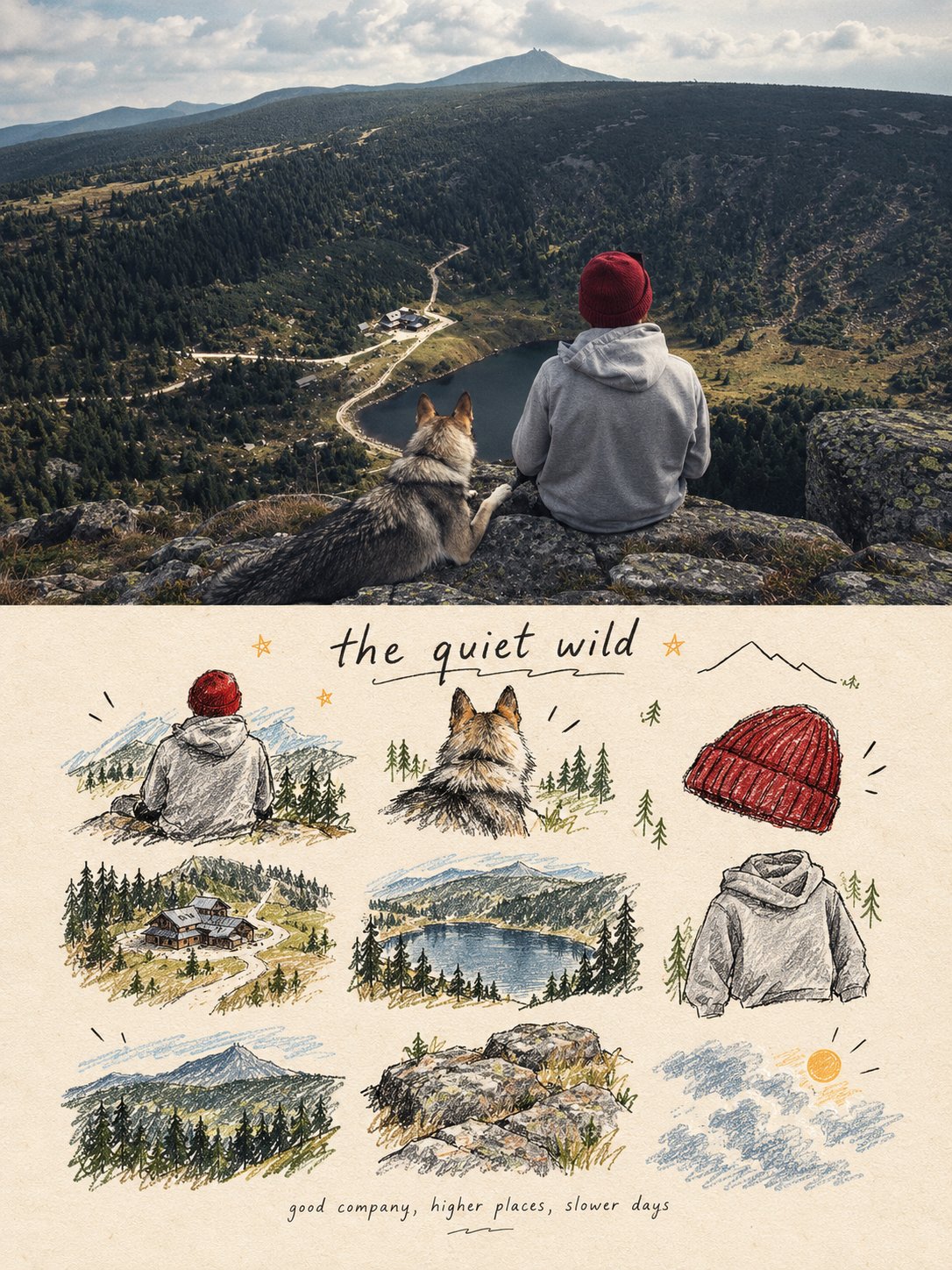
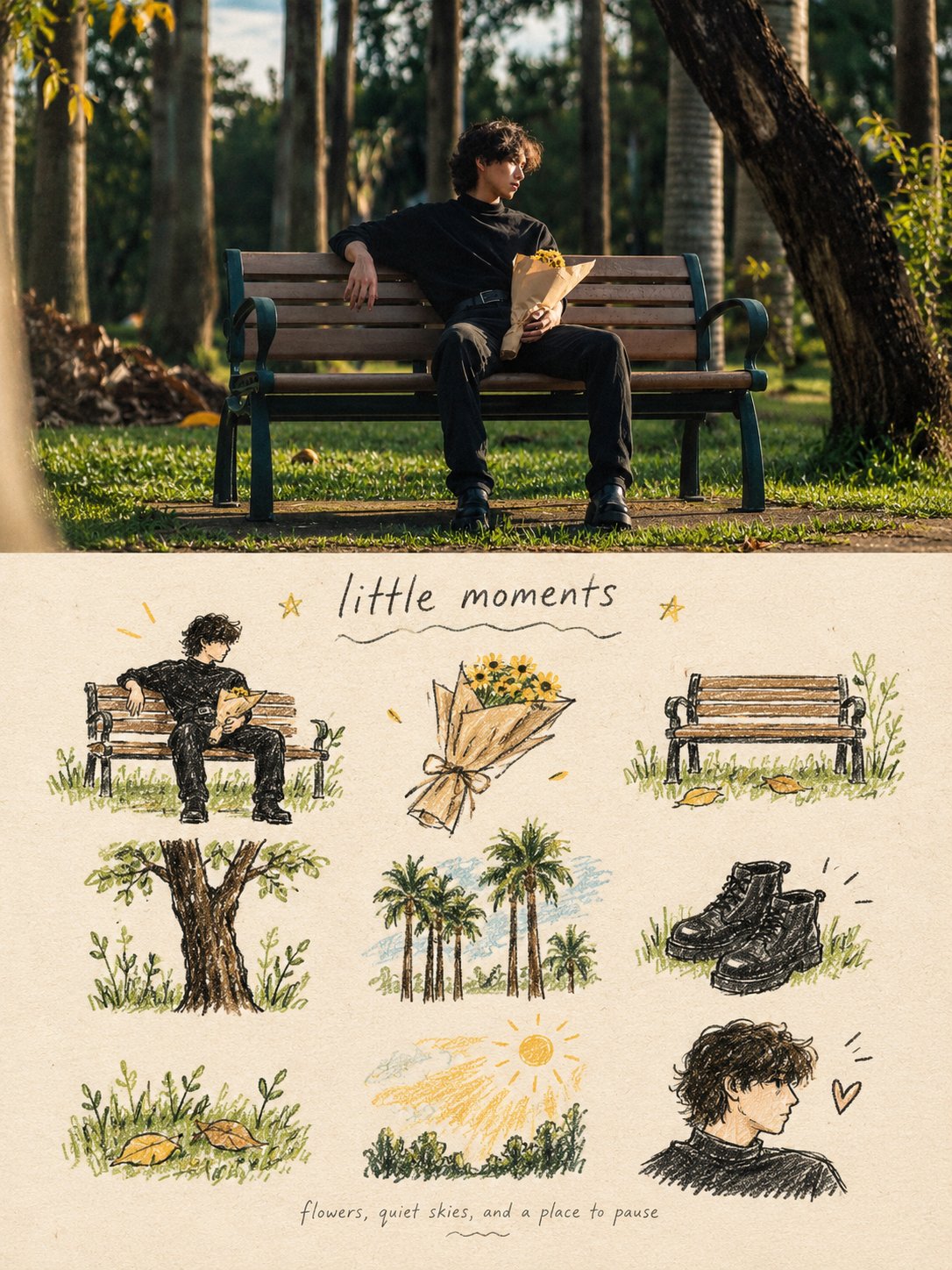
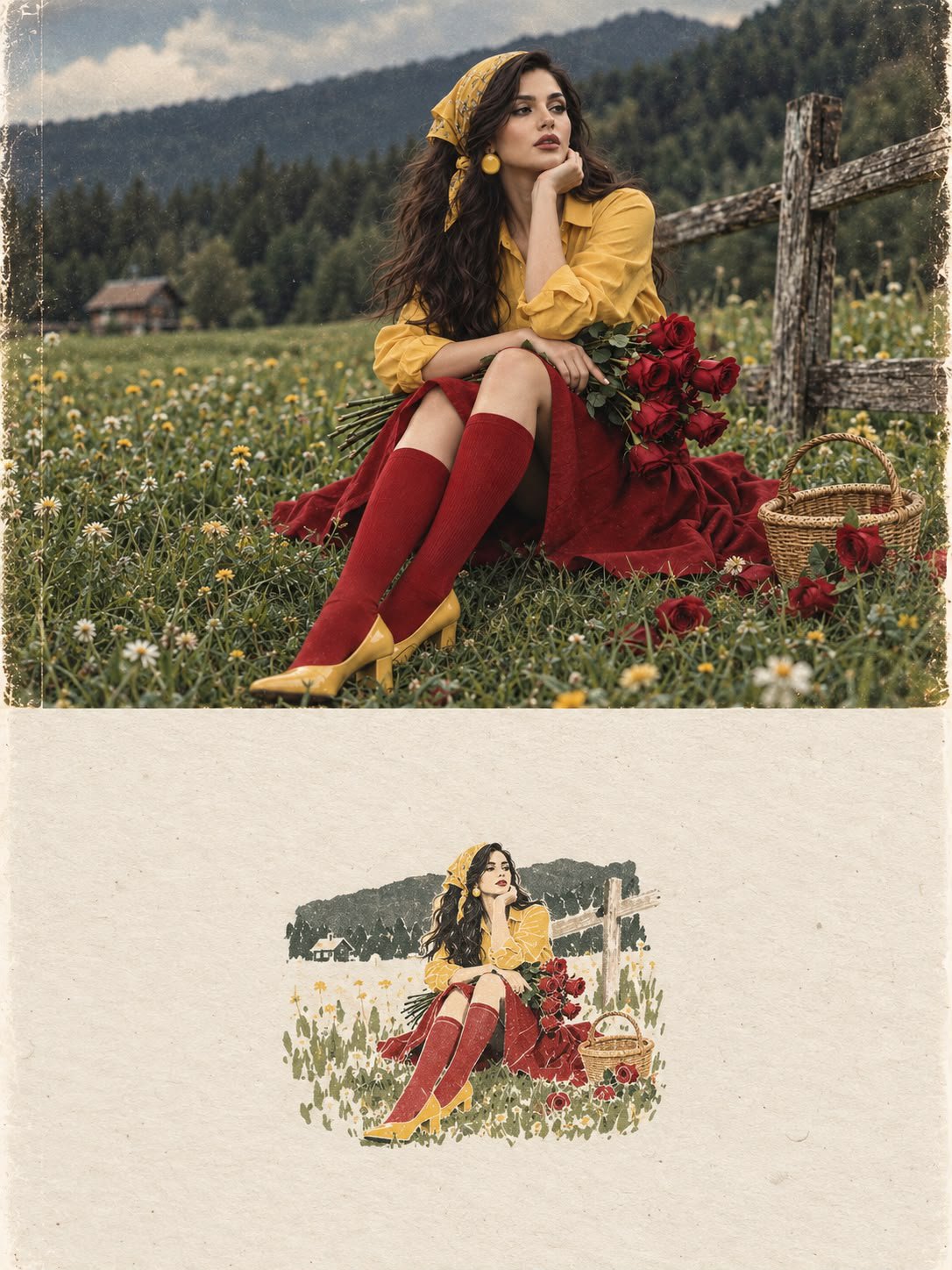
Split Photo Doodle Memory Poster
 GPT Image 2.5OpenAIimage
turn each photo I upload into a separate, high-end design poster. Do not combine multiple photos into a collage. Each photo must be processed and output individually. 1. Overall Layout and Composition Use a 3:4 vertical aspect ratio. Divide the canvas into two equal horizontal sections, with a strict 1:1 height ratio: the top half occupies exactly 50% of the canvas, and the bottom half occupies the remaining 50%. 2. Top Half — Original Photography Preserve the original photograph in the upper section. Maintain the subject’s identity, structure, pose, realistic textures, natural lighting, shadows, and original color atmosphere. Apply only subtle, sophisticated color grading to achieve the aesthetic of an art magazine, independent publication, or gallery exhibition image. You may naturally extend the environmental background to fit the composition, but never stretch, distort, or alter the subject. 3. Bottom Half — A Visual Memory Collection Extract the most recognizable subjects, distinctive details, action cues, objects, and narrative relationships from the photograph. Reinterpret them as a visual system combining a modular 3×3 icon grid, naïve hand-drawn doodle illustrations, crayon/p colored-pencil textures, and handwritten typography. Do not reproduce the original photograph in full detail, and do not create realistic illustrations. Instead, simplify the complex visual information into nine memorable visual elements. These may include: The main subject Distinctive physical or visual features Personal belongings or objects Plants or food Modes of transportation Poses or gestures Emotional symbols Small memorable details from the surrounding scene Every element must be a semantic extension of the same photograph above, creating a cohesive “memory checklist” that clearly belongs to that specific image. 4. Grid System and Visual Arrangement Use an implicit, loosely arranged 3×3 grid. The nine-cell structure should serve as an underlying compositional framework rather than a rigid, visible grid. Slightly vary the position, scale, angle, and placement of each icon to create an organic, imperfect arrangement that feels structured but never mechanical. Aim for a natural loose grid / organic grid aesthetic. At the top of the lower section, you may add a short handwritten title, accompanied by a few playful wavy lines, tiny stars, or decorative symbols. At the bottom, include a very small handwritten caption, making the overall design feel like a page from a personal journal, visual diary, or curated collection sheet. Maintain generous negative space. The layout should feel relaxed, cute, restrained, and visually balanced rather than cluttered. 5. Illustration Style and Texture Use a Naïve Hand-Drawn Doodle Illustration style. Keep shapes simple, slightly childlike, and intentionally imperfect. Use subtly shaky outlines with irregular line thickness. Allow contours to remain partially open rather than perfectly closed. Preserve a sense of deliberate imperfection and handmade character. Avoid overly dense coloring. Let the paper texture, white grain, and rough edges remain visible. Combine fine black outlines with colored-pencil or crayon fills and a few selective blocks of color. Use flat color / spot color to establish visual relationships instead of relying on realistic lighting and shading. If grid guidelines are included, keep them extremely faint, as if lightly sketched in pencil, rather than using clean, computer-generated table lines. Final Art Direction The finished poster should feel like a sophisticated independent art publication blended with a playful, handmade visual diary. The upper half should preserve the beauty and authenticity of the original photograph, while the lower half transforms its most meaningful details into nine charming, hand-drawn visual memories. The final result must be a separate 3:4 vertical poster for each uploaded photograph, with an exact 50/50 split between the original photograph and the illustrated memory collection.
Details
- Type
- AI Image Prompts
- Aspect Ratio
- 3:4
- Updated
- Oct 22, 2026
Category
How to use this prompt
- 1Copy the full prompt with the copy button above.
- 2Open GPT Image 2.5 by OpenAI, or any image generator with a similar style range.
- 3Paste the prompt, then swap the subject and style keywords to match your idea.
- 4Match the example's settings (3:4 · Poster · Minimalist), then iterate — small wording changes shift the output a lot.
Frequently asked questions
Which AI model generated this image?
This image was generated with GPT Image 2.5 by OpenAI. The prompt on this page is the exact text used to create it.
What settings does this prompt use?
The example was generated with GPT Image 2.5 using: 3:4 · Poster · Minimalist. Reusing these settings gives the closest match.
How do I get similar results?
Copy the prompt as-is first, then replace only the subject while keeping the style, lighting, and composition keywords. Generate a few variations — outputs differ between runs.
Can I modify this prompt?
Yes. Prompts work best as starting points — adjust descriptors, aspect ratio, or style tags to make the output your own.
![A striking top-down art photograph of a famous packaged food/snack from [COUNTRY], placed on a clean — AI image prompt — GPT Image 2.5](https://cdn.ahaprompt.app/harvest-media/import-1791346430372-t49ibf.jpg)
![Create a premium vertical 4:5 editorial travel poster for [COUNTRY], where the outline of the countr — AI image prompt — GPT Image 2.5](https://cdn.ahaprompt.app/harvest-media/import-1789369064970-j9jipe.jpg)
![Create a premium educational travel poster featuring [STRUCTURE NAME], one of the world’s most famou — AI image prompt — GPT Image 2.5](https://cdn.ahaprompt.app/harvest-media/import-1789369131185-x1iuzs.jpg)