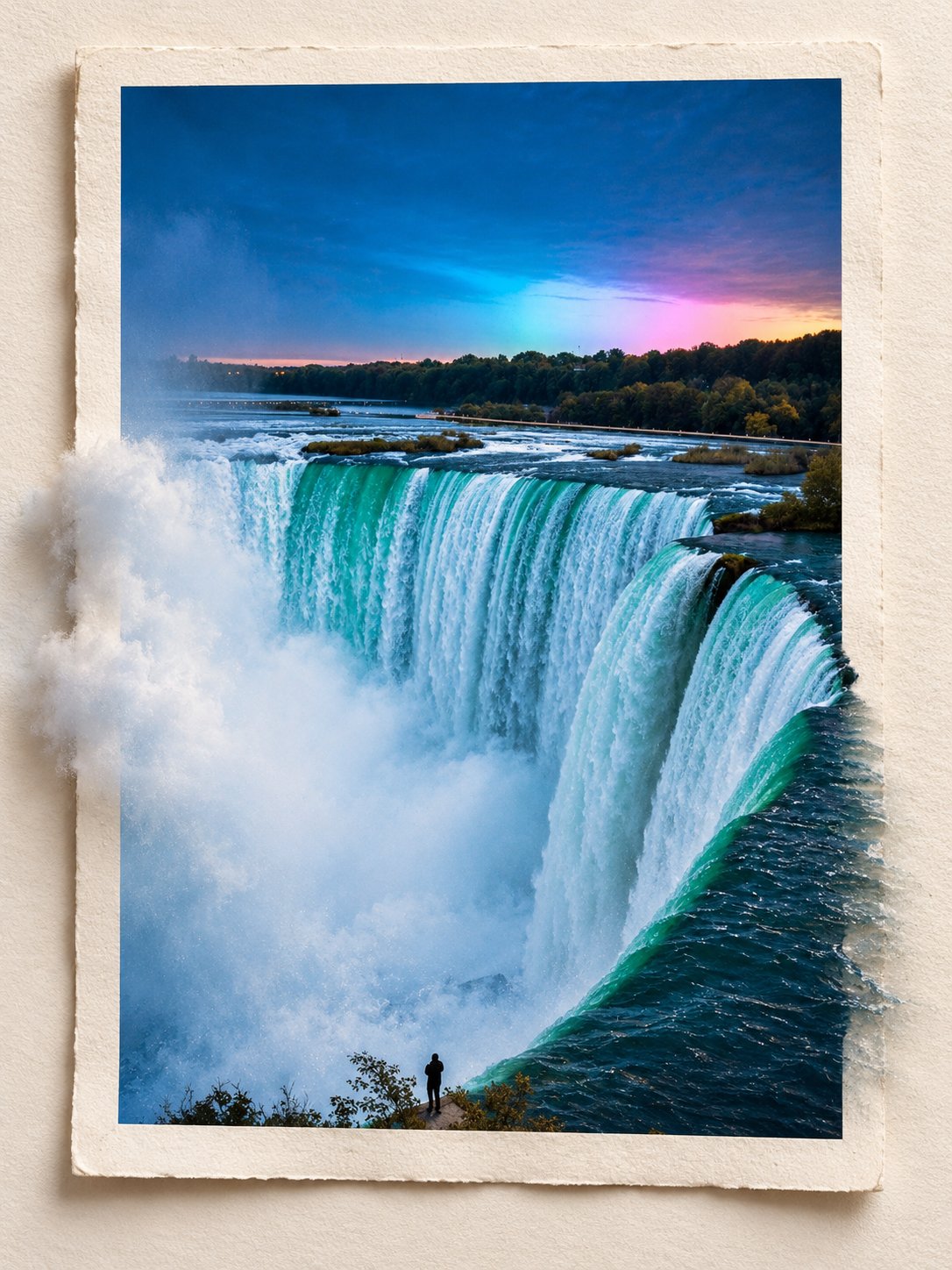
3D Pop-Out Editorial Photo Frame
 GPT Image 2.5OpenAIimage
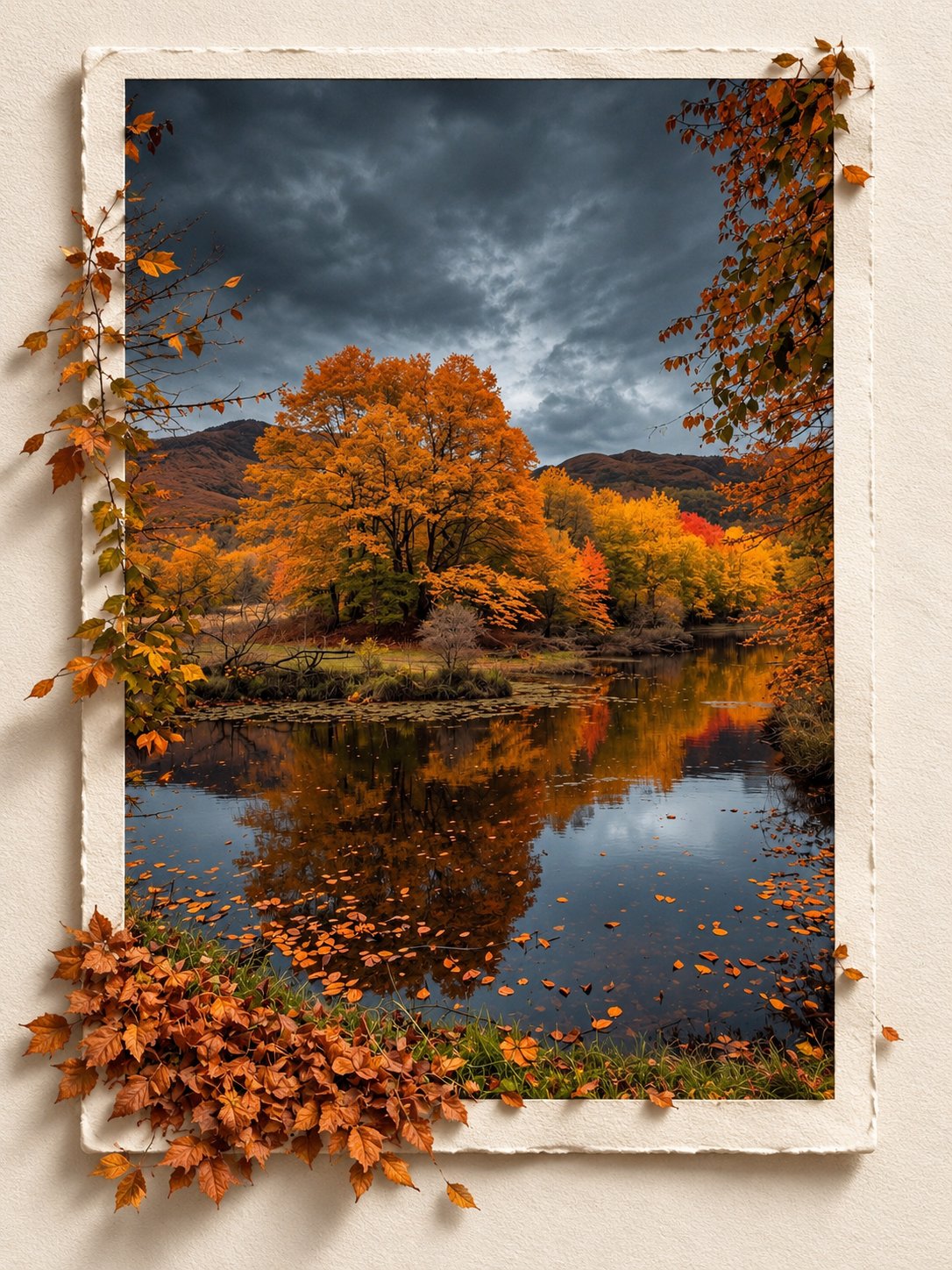
Transform the reference photo into a premium 3D pop-out editorial photograph with a sophisticated, minimalist art direction. COMPOSITION & BACKGROUND Place the original photograph within a vertical rectangular photo frame on a warm, off-white, subtly textured paper background. Maintain a clean, elegant composition with balanced spacing and refined editorial aesthetics. 3D POP-OUT EFFECT Create a convincing three-dimensional illusion in which the main subject and selected foreground elements naturally extend beyond the frame’s borders, as if emerging from the photograph into the viewer’s space. Preserve realistic proportions, natural contours, and seamless transitions between the framed image and the protruding elements. Ensure the depth effect feels physically believable rather than artificial or exaggerated. PRESERVE THE ORIGINAL Maintain the subject’s exact identity, facial features, expression, pose, clothing, original environment, colors, lighting characteristics, and all defining details. Do not alter, reinterpret, or replace any essential elements of the reference photo. LIGHTING & REALISM Use soft, natural lighting with realistic directional shadows cast by the frame and protruding elements onto the paper surface. Incorporate subtle contact shadows, authentic depth cues, delicate film grain, and highly detailed, photorealistic textures. Ensure the entire composition feels like a professionally photographed physical artwork. FINAL STYLE & FORMAT Premium editorial photography, minimalist luxury art direction, warm neutral tones, refined composition, seamless 3D depth illusion, photorealistic rendering, and exceptional detail. Vertical 3:4 aspect ratio. STRICT RESTRICTIONS: No text, typography, logos, watermarks, decorative graphics, additional objects, or unnecessary embellishments. Keep the focus entirely on the original photograph and its realistic 3D pop-out effect.
Details
- Type
- AI Image Prompts
- Aspect Ratio
- 3:4
- Updated
- Oct 23, 2026
Category
How to use this prompt
- 1Copy the full prompt with the copy button above.
- 2Open GPT Image 2.5 by OpenAI, or any image generator with a similar style range.
- 3Paste the prompt, then swap the subject and style keywords to match your idea.
- 4Match the example's settings (3:4 · Digital Art · 3D Render · Minimalist), then iterate — small wording changes shift the output a lot.
Frequently asked questions
Which AI model generated this image?
This image was generated with GPT Image 2.5 by OpenAI. The prompt on this page is the exact text used to create it.
What settings does this prompt use?
The example was generated with GPT Image 2.5 using: 3:4 · Digital Art · 3D Render · Minimalist. Reusing these settings gives the closest match.
How do I get similar results?
Copy the prompt as-is first, then replace only the subject while keeping the style, lighting, and composition keywords. Generate a few variations — outputs differ between runs.
Can I modify this prompt?
Yes. Prompts work best as starting points — adjust descriptors, aspect ratio, or style tags to make the output your own.
![Create a premium contemporary editorial art poster for [LOCATION] in a playful Japanese design-ZINE — AI image prompt — GPT Image 2.5](https://cdn.ahaprompt.app/harvest-media/import-1789139846025-v6z310.jpg)