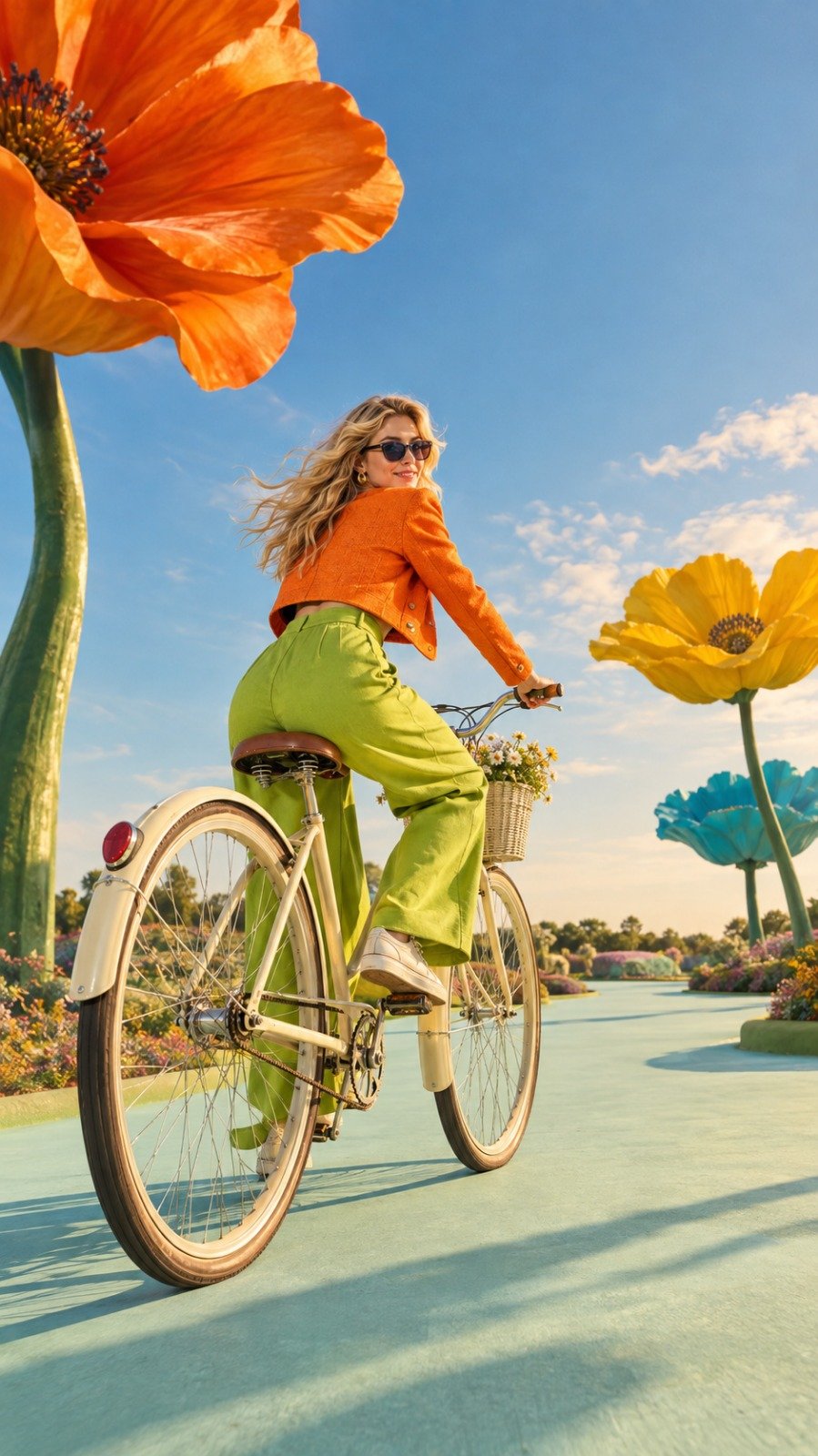
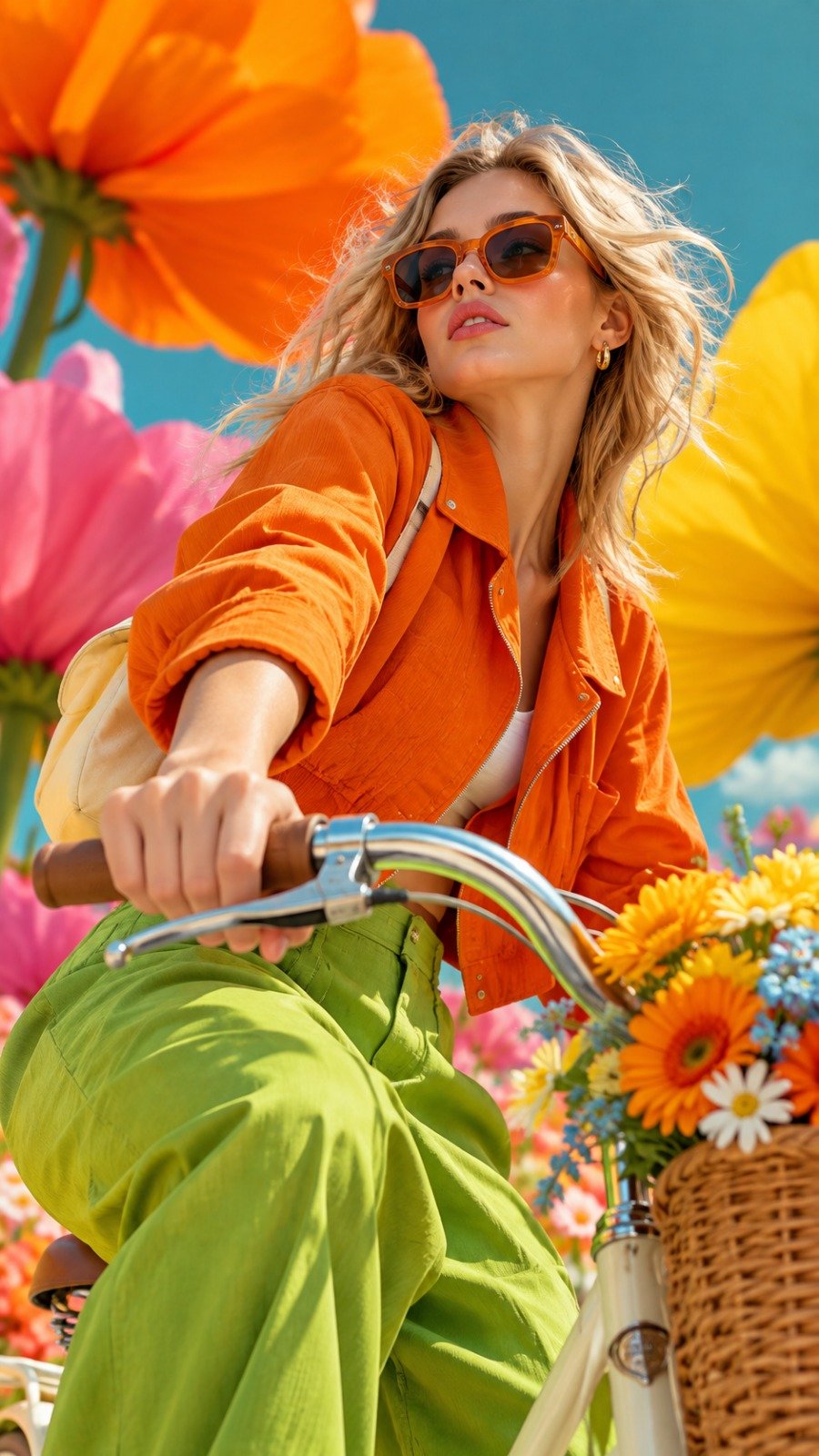
Surreal Fashion Editorial Bicycle Garden
 GPT Image 2OpenAIimage
{ "aspect_ratio": "9:16", "style": "surreal colorful high-fashion editorial", "subject": { "character": "beautiful young European blonde woman", "expression": "confident, playful", "accessories": "elegant sunglasses", "outfit": "bright orange cropped jacket, lime-green wide-leg trousers, cream sneakers" }, "action": "riding a cream vintage bicycle through a surreal fantasy garden", "pose": "dynamic three-quarter rear view, leaning naturally into the ride while turning her head toward the camera", "bicycle": "cream-colored vintage bicycle with a small minimal flower basket", "environment": { "setting": "open surreal garden", "flowers": "few enormous sculptural flowers placed far apart, oversized orange, yellow and turquoise petals", "ground": "pale mint pathway with generous empty space" }, "composition": { "camera": "dramatic low-angle hero shot", "framing": "full bicycle and full character visible", "foreground": "one giant flower subtly framing the edge", "negative_space": "strong, clean, uncluttered" }, "lighting": "warm golden daylight with cinematic shadows", "mood": "wild, playful, bizarre, luxurious, dreamlike", "visual_quality": "exaggerated scale, vibrant color harmony, crisp textures, unconventional fashion editorial energy, striking visual impact" }
Details
- Type
- AI Image Prompts
- Aspect Ratio
- 899:1600
- Updated
- Sep 29, 2026
How to use this prompt
- 1Copy the full prompt with the copy button above.
- 2Open GPT Image 2 by OpenAI, or any image generator with a similar style range.
- 3Paste the prompt, then swap the subject and style keywords to match your idea.
- 4Match the example's settings (899:1600 · Surreal · Fashion · Fantasy), then iterate — small wording changes shift the output a lot.
Frequently asked questions
Which AI model generated this image?
This image was generated with GPT Image 2 by OpenAI. The prompt on this page is the exact text used to create it.
What settings does this prompt use?
The example was generated with GPT Image 2 using: 899:1600 · Surreal · Fashion · Fantasy. Reusing these settings gives the closest match.
How do I get similar results?
Copy the prompt as-is first, then replace only the subject while keeping the style, lighting, and composition keywords. Generate a few variations — outputs differ between runs.
Can I modify this prompt?
Yes. Prompts work best as starting points — adjust descriptors, aspect ratio, or style tags to make the output your own.
![Create a charming miniature 3D paper-craft travel illustration of [DESTINATION], designed as a delic — AI image prompt — GPT Image 2](https://cdn.ahaprompt.app/harvest-media/import-1787456914406-re0vi8.jpg)
![Create a beautiful artistic illustration of [COUNTRY] represented through its national bird, [NATION — AI image prompt — GPT Image 2](https://cdn.ahaprompt.app/harvest-media/import-1788917968096-4tdbpo.jpg)