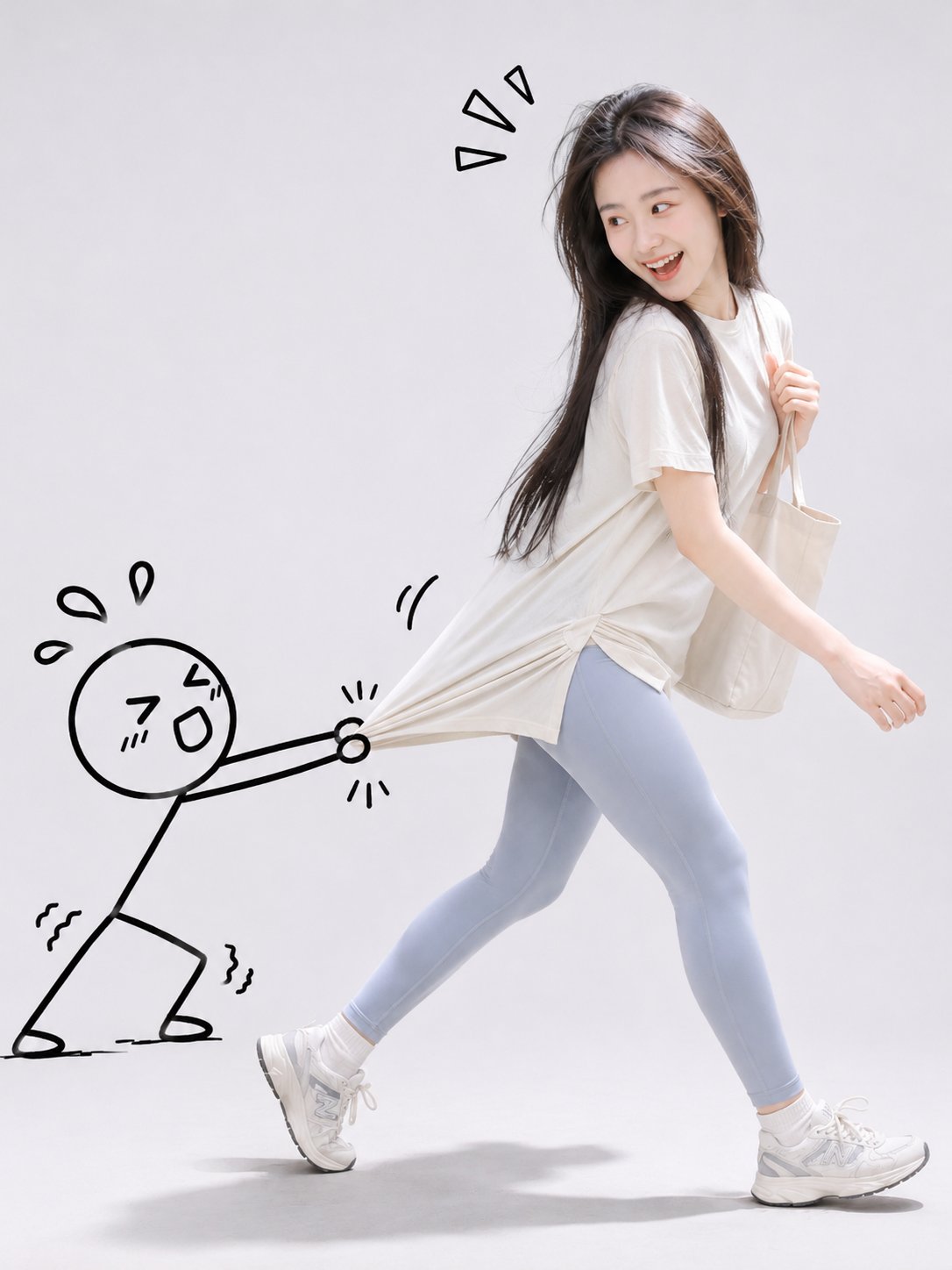
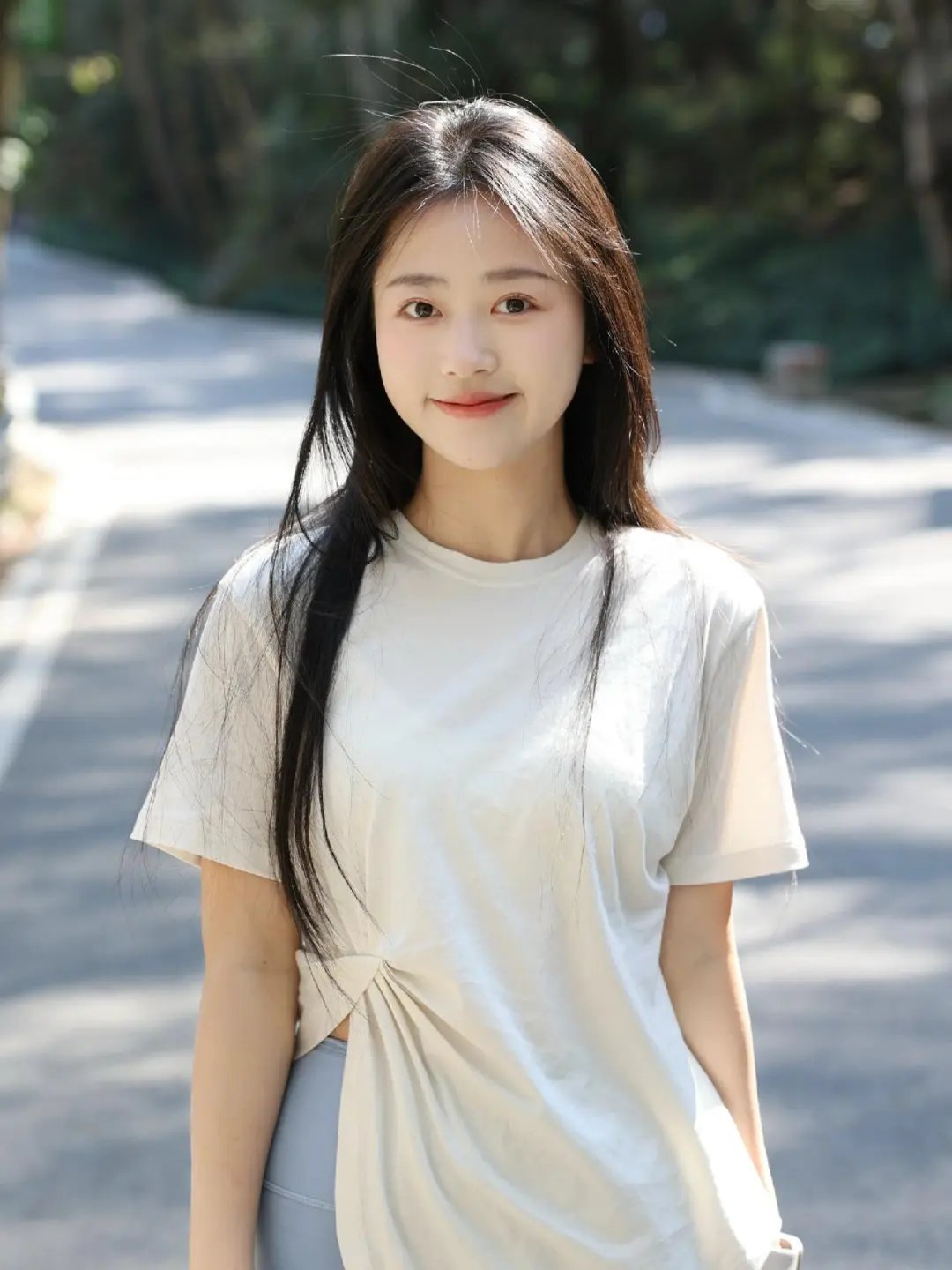
Real Photo with Doodle Character Interaction
 GPT Image 2.6OpenAIimage
Using the person in the user-uploaded photo as the sole character reference, create a fun and creative "real-life photography × 2D hand-drawn doodle" mixed-media fashion portrait. [Character fidelity] Accurately preserve the facial features, facial proportions, face shape, hairstyle, hair color, skin tone, age impression, and personal temperament of the person in the uploaded photo, ensuring the generated character has a high degree of identity recognizability consistent with the original photo. Prioritize preserving the clothing style, color scheme, and styling characteristics from the original photo; do not arbitrarily change the person's appearance or clothing style. [Creative interaction] Make the playful interaction between the real person and a black hand-drawn stick figure the core of the image. The person is positioned slightly to the right of center, stepping forward to the right front in a natural, lively, dynamic pose, with the body leaning slightly forward, one leg stepping forward and the other leg naturally extended backward. The person turns to look back at the hand-drawn figure behind them, showing a vivid expression of happy laughter, playful surprise, or slight helplessness, presenting a candid moment full of narrative. On the left side of the image appears a cute simple doodle figure drawn with thick black lines, with a round head, simple facial features, and thin-line limbs, with a comical and funny expression. The figure pulls hard on the real person's hem, sleeve, or bag with both hands, body leaning back, legs bent, in a funny posture of desperately trying to stop the person from leaving. Automatically choose the most natural interaction position based on the person's actual clothing and accessories. Emphasize the realistic interaction effect: the figure's hands accurately grip the real clothing or accessories, and the clothes produce natural stretching deformation, wrinkles, and tension from the pulling force. The 2D hand-drawn lines and the real photographic subject connect precisely at the contact points, creating the visual illusion that the hand-drawn character is truly participating in the person's movement. [Hand-drawn style] Use a minimalist, cute, humorous black marker hand-drawn doodle style. The lines have a slightly natural hand-drawn irregularity, moderate thickness, and flat forms, without adding three-dimensional shadows, complex textures, or realistic materials. Around the person and the figure, add a small number of hand-drawn exclamation marks, sweat drops, motion lines, hearts, or playful symbols to reinforce the interactive emotion. The doodles integrate naturally into the composition and do not obscure the person's face. [Scene and composition] A minimalist light gray-white photography studio with a seamless pure background, and soft, realistic contact shadows on the floor. Use a 3:4 vertical full-body composition. The real person is concentrated on the right side of the image, and the hand-drawn figure is on the left. The two form a clear visual connection through the pulling action. The person and the figure are fully in frame, with both feet clearly visible, and appropriate negative space is preserved around the image. The overall look is clean, concise, and design-forward. [Photography and texture] Professional commercial fashion photography, soft and even studio diffused lighting, realistic and natural skin texture, clear hair details, realistic and delicate clothing fibers and wrinkles, natural and vivid movement, bright and soft colors. The real-person portion presents a high-resolution photo-level realistic effect, while the hand-drawn portion maintains a pure 2D black doodle texture. The two visual languages form a striking yet harmonious contrast. The overall atmosphere is relaxed, playful, cute, and humorous, with the visual appeal of creative social media fashion portraits. No text, no watermark, no complex background, no extra cartoon characters.
Details
- Type
- AI Image Prompts
- Aspect Ratio
- 3:4
- Updated
- Nov 17, 2026
Category
How to use this prompt
- 1Copy the full prompt with the copy button above.
- 2Open GPT Image 2.6 by OpenAI, or any image generator with a similar style range.
- 3Paste the prompt, then swap the subject and style keywords to match your idea.
- 4Match the example's settings (3:4 · Whimsical · Digital Art · Fashion), then iterate — small wording changes shift the output a lot.
Frequently asked questions
Which AI model generated this image?
This image was generated with GPT Image 2.6 by OpenAI. The prompt on this page is the exact text used to create it.
What settings does this prompt use?
The example was generated with GPT Image 2.6 using: 3:4 · Whimsical · Digital Art · Fashion. Reusing these settings gives the closest match.
How do I get similar results?
Copy the prompt as-is first, then replace only the subject while keeping the style, lighting, and composition keywords. Generate a few variations — outputs differ between runs.
Can I modify this prompt?
Yes. Prompts work best as starting points — adjust descriptors, aspect ratio, or style tags to make the output your own.