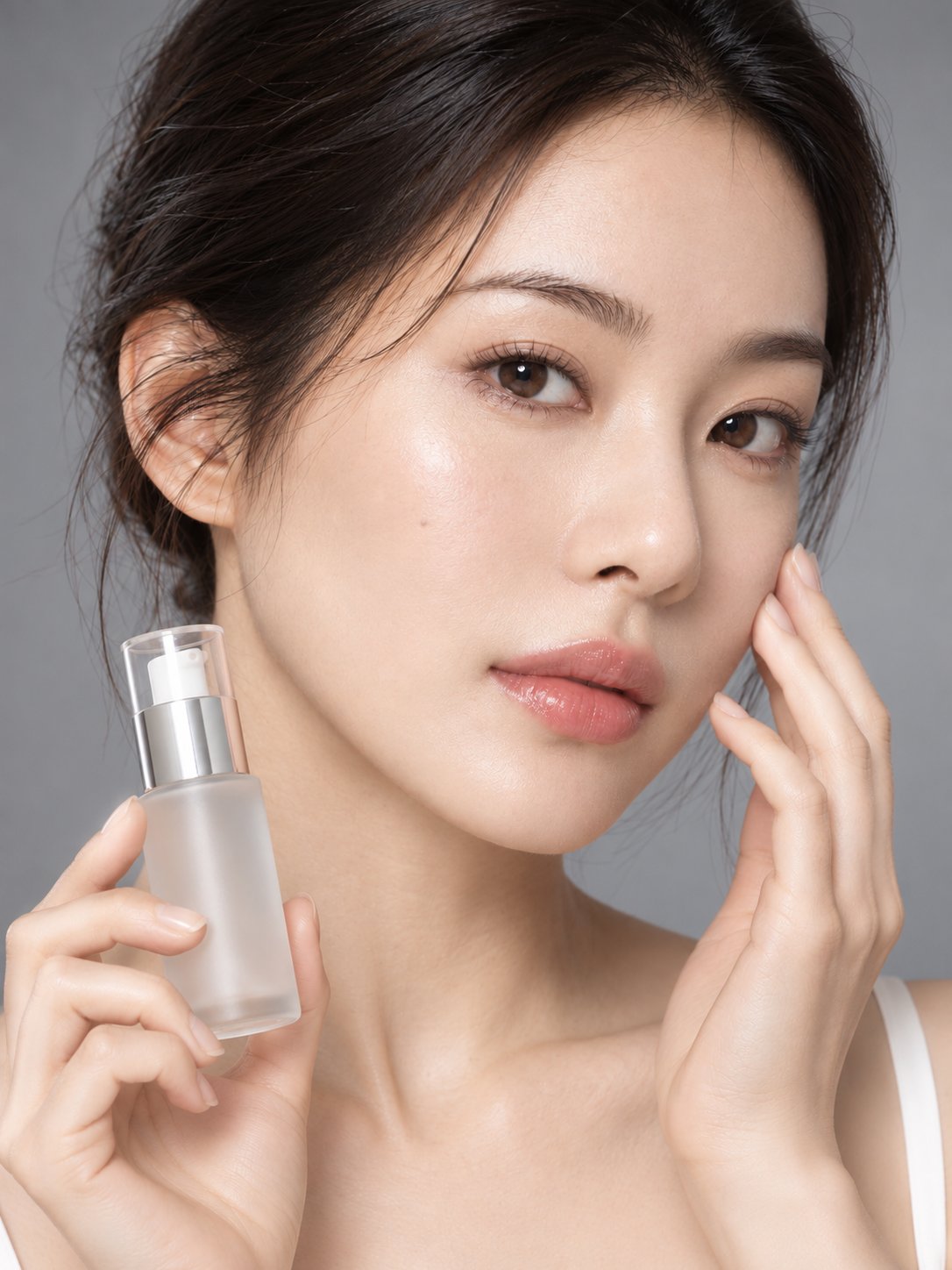
High-end skincare ad photo composite
 GPT Image 2.5OpenAIimage
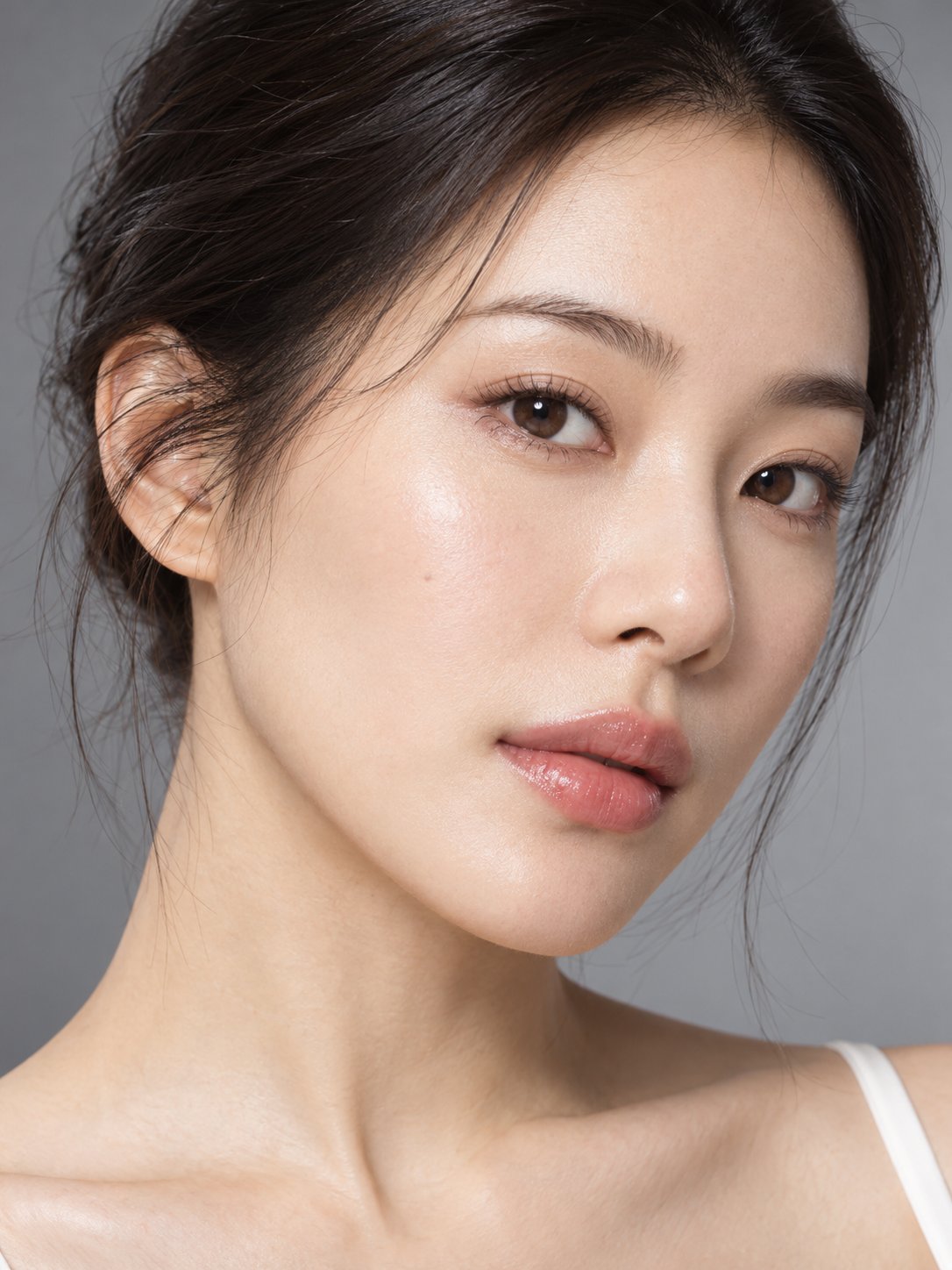
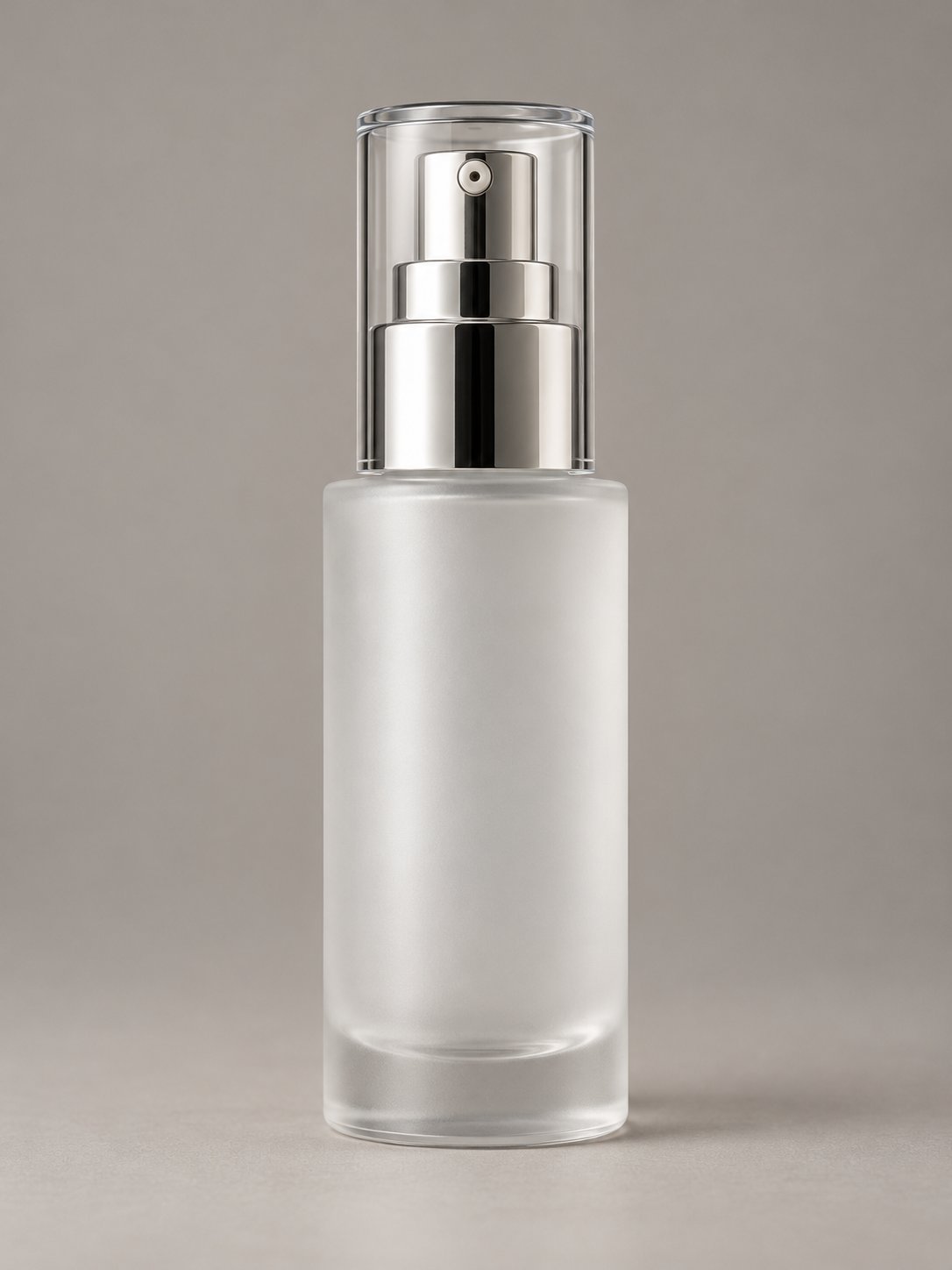
Combine the two reference images into a single realistic high-end commercial skincare advertisement photo. Reference Image 1 (M0): The sole reference for the person's identity and photography style. Reference Image 2 (K0): The sole reference for the essence bottle's structure and material. [Identity and Product Consistency] Maintain M0's original facial features, age appearance, hairstyle, skin tone, light makeup, and naturally hydrated skin. The product must retain K0's bottle body, pump head, cap, and frosted glass material; do not redesign the product. [Pose and Actions] The person should face forward naturally or with a very slight side turn of the face, head relaxed, gaze soft and directed near the camera. The right hand naturally holds the essence bottle, presenting the product near the right chest to shoulder area, with the full bottle visible and sized to match the realistic visual proportions of a 30mL product. The left hand is raised, with the fingertips of the index and middle fingers very gently touching the outer edge of the left cheek, showing a natural skincare experience gesture. Both hands must have anatomically correct five-finger structure, wrist connections, and natural joint bending. Fingers must not pass through the face or the bottle; very slight realistic skin deformation is allowed where the cheek is touched. [Photography and Lighting] 3:4 commercial beauty photography composition, including the full face, both hands, and the product. Simulate an 85mm f/8 photography effect, maintaining reasonable sharpness for both the product and the person's face. Use the same clamshell lighting and neutral warm gray background as M0. Hand shadows, skin highlights, and glass and metal reflections must all be consistent with the existing lighting. [Realism] Retain skin pores, natural facial texture, and realistic hand details. The image should be refined but not over-retouched. Prohibited: floating product, incorrect fingers, extra joints, bottle deformation, smoothed skin, face swapping, and added brand text.
Details
- Type
- AI Image Prompts
- Aspect Ratio
- 3:4
- Updated
- Oct 22, 2026
How to use this prompt
- 1Copy the full prompt with the copy button above.
- 2Open GPT Image 2.5 by OpenAI, or any image generator with a similar style range.
- 3Paste the prompt, then swap the subject and style keywords to match your idea.
- 4Match the example's settings (3:4 · Product Photography · Realistic · Portrait), then iterate — small wording changes shift the output a lot.
Frequently asked questions
Which AI model generated this image?
This image was generated with GPT Image 2.5 by OpenAI. The prompt on this page is the exact text used to create it.
What settings does this prompt use?
The example was generated with GPT Image 2.5 using: 3:4 · Product Photography · Realistic · Portrait. Reusing these settings gives the closest match.
How do I get similar results?
Copy the prompt as-is first, then replace only the subject while keeping the style, lighting, and composition keywords. Generate a few variations — outputs differ between runs.
Can I modify this prompt?
Yes. Prompts work best as starting points — adjust descriptors, aspect ratio, or style tags to make the output your own.
![A striking top-down art photograph of a famous packaged food/snack from [COUNTRY], placed on a clean — AI image prompt — GPT Image 2.5](https://cdn.ahaprompt.app/harvest-media/import-1791346430372-t49ibf.jpg)