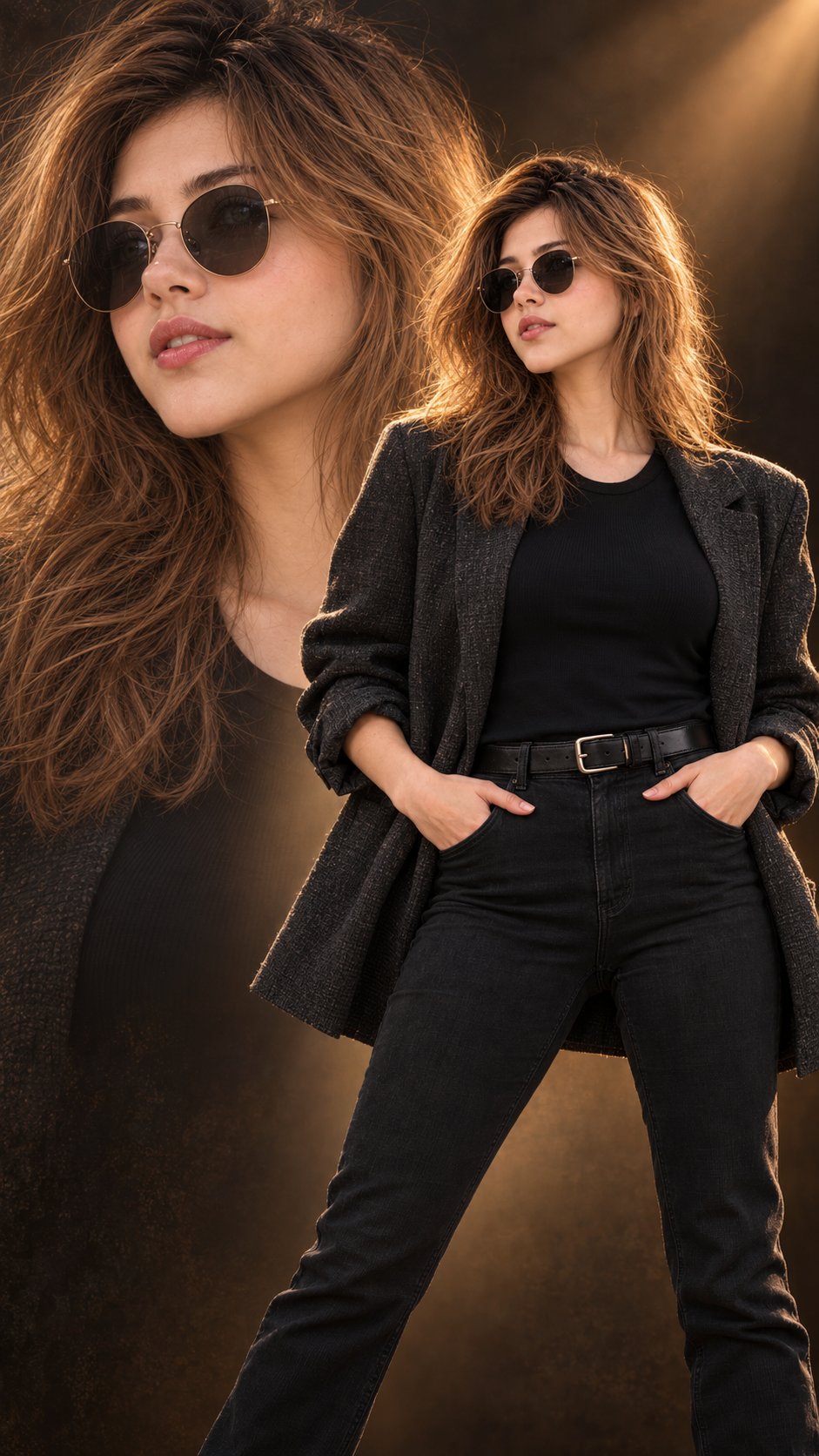
Cinematic Double Exposure Fashion Portrait
 GPT Image 2.5OpenAIimage
Hyper-realistic IMAX-level Netflix-style cinematic double-exposure fashion portrait, 9:16 vertical. Use the uploaded image as the primary visual reference and preserve the exact facial identity, proportions, and defining features. Create a woman wearing a fitted black crew-neck top, high-waisted black jeans with a black belt and silver buckle, and an oversized charcoal-grey textured blazer with casually rolled sleeves. She stands facing the camera with her legs slightly apart, both hands resting inside her front pockets, elbows relaxed outward and shoulders naturally squared. Her face is turned slightly to one side behind round black sunglasses, with relaxed brows, softly closed lips and a composed, confident expression. Her long chestnut-brown hair has a subtle side part and loose, voluminous waves falling over her shoulders, with warm highlights along the edges. A large, softly blended close-up of her sunglass-covered face and flowing hair fills the left background, while her full standing figure occupies the right foreground, creating a clean, intentional double-exposure composition. Fair luminous porcelain skin with a bright ivory to light beige tone, neutral-cool undertones and natural realistic texture. Use a deep warm-brown studio background with a soft amber spotlight entering from the upper right, golden rim lighting on her hair and shoulders, and gentle shadows shaping the blazer. Rich espresso browns, muted charcoal, deep blacks and honey-gold highlights create a sophisticated cinematic colour grade with controlled contrast, warm filmic glow and subtle atmospheric depth. Negative prompt: mismatched facial identity between layers, duplicated features, distorted sunglasses, deformed hands, incorrect proportions, plastic skin, harsh oversaturation, text, watermark.
Details
- Type
- AI Image Prompts
- Aspect Ratio
- 941:1672
- Updated
- Oct 12, 2026
How to use this prompt
- 1Copy the full prompt with the copy button above.
- 2Open GPT Image 2.5 by OpenAI, or any image generator with a similar style range.
- 3Paste the prompt, then swap the subject and style keywords to match your idea.
- 4Match the example's settings (941:1672 · Cinematic · Fashion · Portrait), then iterate — small wording changes shift the output a lot.
Frequently asked questions
Which AI model generated this image?
This image was generated with GPT Image 2.5 by OpenAI. The prompt on this page is the exact text used to create it.
What settings does this prompt use?
The example was generated with GPT Image 2.5 using: 941:1672 · Cinematic · Fashion · Portrait. Reusing these settings gives the closest match.
How do I get similar results?
Copy the prompt as-is first, then replace only the subject while keeping the style, lighting, and composition keywords. Generate a few variations — outputs differ between runs.
Can I modify this prompt?
Yes. Prompts work best as starting points — adjust descriptors, aspect ratio, or style tags to make the output your own.
![Create a premium vertical 4:5 editorial travel poster for [COUNTRY], where the outline of the countr — AI image prompt — GPT Image 2.5](https://cdn.ahaprompt.app/harvest-media/import-1789369064970-j9jipe.jpg)
![Create a premium cinematic luxury tourism poster for [COUNTRY / DESTINATION] in a STRICT 4:5 vertica — AI image prompt — GPT Image 2.5](https://cdn.ahaprompt.app/harvest-media/import-1789369001673-dctuvc.jpg)