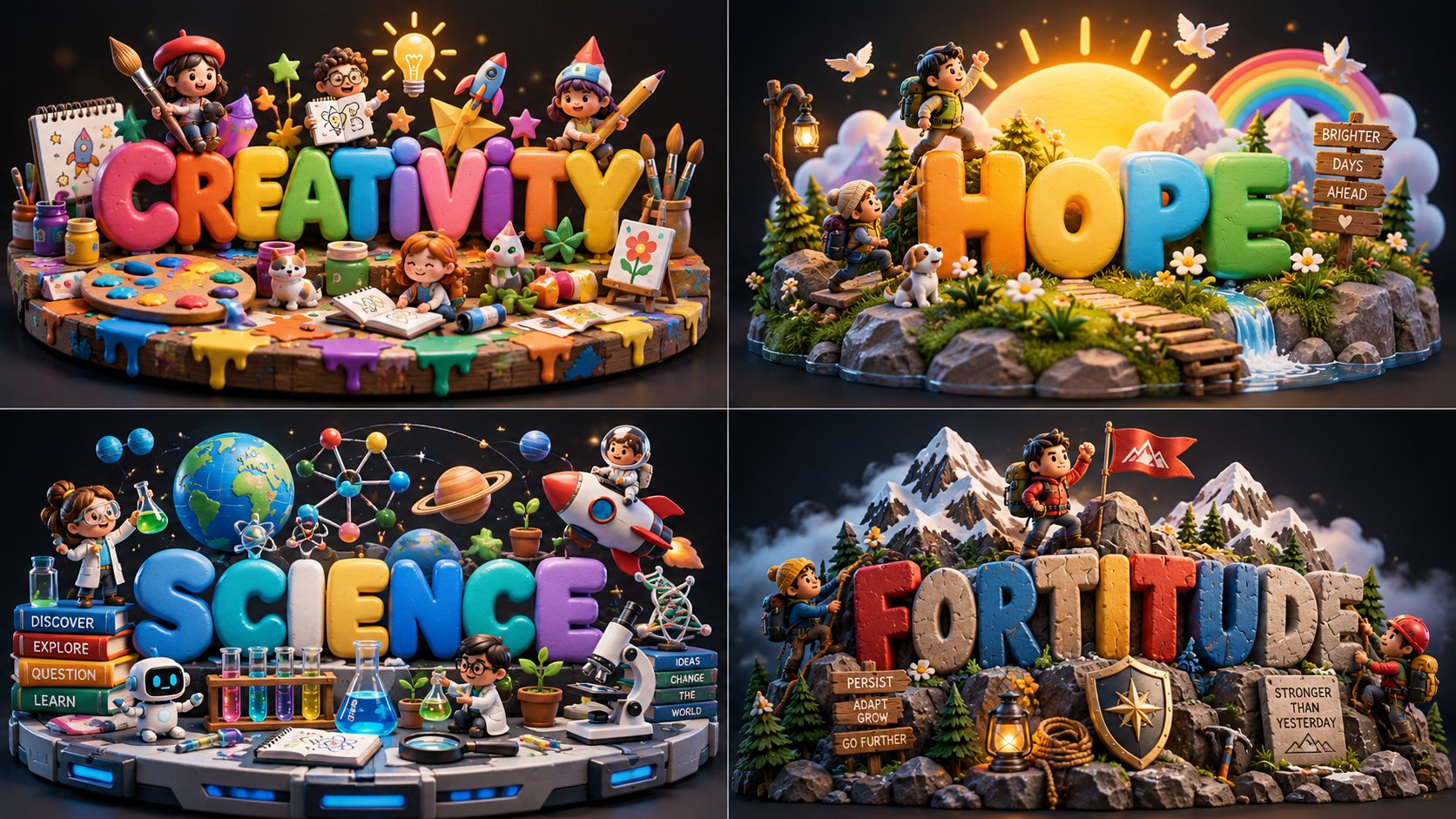
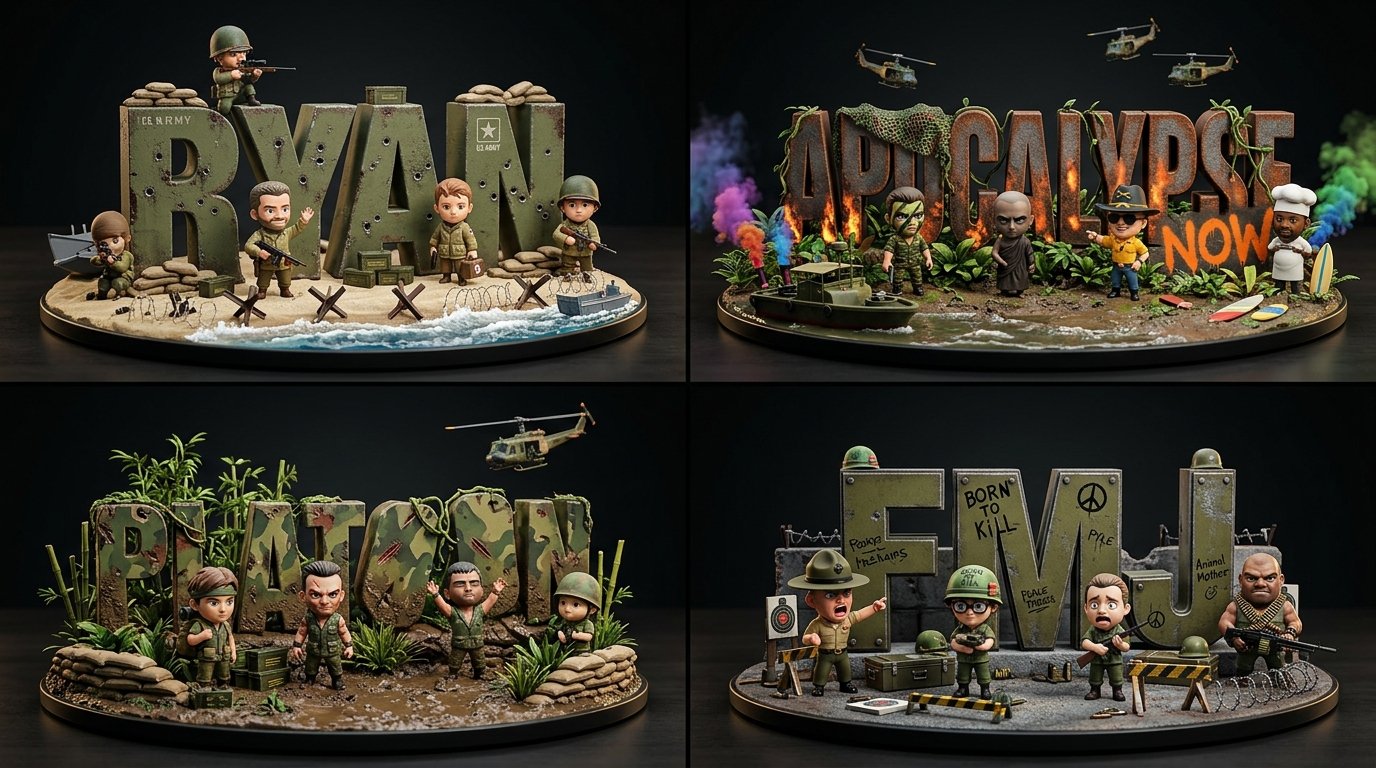
토이 버블 디오라마 2x2 그리드

2x2 그리드, 16:9, 창의성, 희망, 과학, 인내를 위해 이것을 수행하세요: class ToyBubbleDiorama: def __init__(self, topic): self.topic = topic self.title = derive_short_title(topic) self.moment = infer_core_moment(topic) self.props = infer_iconic_props(topic, count=3) self.characters = infer_mini_characters(topic) self.base = infer_environment_base(topic) self.palette = infer_playful_palette(topic) def letters(self): return { "form": "통통하고 둥근 3D 버블 글자", "material": "부드러운 장난감 플라스틱 / 점토 / 고무 같은 폼", "finish": "은은한 광택 하이라이트가 있는 매트", "layout": "크게 중앙에 배치된 제목" } def scene(self): return { "props": self.props, "characters": self.characters, "base": self.base, "background": "어두운 스튜디오 배경" } def render(self): return """ 알록달록한 버블 글자가 제목을 전달하고 주변 소품이 주제를 설명하는 작고 완성도 높은 3D 디오라마 하나를 렌더링하세요. """ generate_image(ToyBubbleDiorama(TOPIC))
상세 정보
- 종횡비
- 1672:941
- 업데이트
- 2026. 10. 13.
이 프롬프트 사용 방법
- 1위의 복사 버튼으로 프롬프트 전문을 복사하세요.
- 2Google의 Nano Banana 2.1 또는 비슷한 스타일을 지원하는 이미지 생성 도구를 엽니다.
- 3프롬프트를 붙여넣고, 피사체와 스타일 키워드를 원하는 내용으로 바꿉니다.
- 4예시의 설정(1672:941 · Cartoon · Whimsical · 3D Render)에 맞춰 생성한 뒤 조금씩 다듬으세요——작은 표현 차이가 결과를 크게 바꿉니다.
자주 묻는 질문
이 이미지는 어떤 AI 모델로 생성되었나요?
이 이미지는 Google의 Nano Banana 2.1로 생성되었습니다. 페이지의 프롬프트가 생성에 사용된 원문 그대로입니다.
이 프롬프트는 어떤 설정을 사용하나요?
예시는 Nano Banana 2.1에서 다음 설정으로 생성되었습니다: 1672:941 · Cartoon · Whimsical · 3D Render. 같은 설정을 사용하면 가장 비슷한 결과를 얻을 수 있습니다.
비슷한 결과를 얻으려면 어떻게 하나요?
먼저 프롬프트를 그대로 복사한 뒤, 스타일·조명·구도 키워드는 유지하고 피사체만 바꿔보세요. 출력은 매번 달라지므로 여러 번 생성해 고르는 것이 좋습니다.
이 프롬프트를 수정해도 되나요?
물론입니다. 프롬프트는 출발점으로 쓸 때 가장 효과적입니다——묘사어, 화면 비율, 스타일 태그를 조정해 나만의 작품을 만들어 보세요.
![[HUMAN]과 그 옆에 [ANIMAL]이 있는 [SETTING]을 배경으로 한 익스트림 클로즈업 혼합 매체 동화 일러스트. 과장되게 기울어진 머리, 거대하고 비대칭적인 청록색 눈 — AI image prompt — Nano Banana 2.1](https://cdn.ahaprompt.app/harvest-media/import-1792557868345-dqz8f9.jpg)
![2x2 그리드, 과소평가된 세계 요리 4가지를 이렇게 해줘, 16:9 INPUT: [ANIMAL / MODERN GADGET / FOOD] SYSTEM: 입력값을 1980년대 멤피 — AI image prompt — Nano Banana 2.1](https://cdn.ahaprompt.app/harvest-media/import-1791885478333-7idgd5.jpg)
![입력 변수: [여기에 팬덤 또는 라이벌 관계를 삽입하세요] (예: 제다이 vs 시스, 마블 vs DC, 호드 vs 얼라이언스)
시스템 지시:
"컬렉터스 에디션 체스 세트"의 초현 — AI image prompt — Nano Banana 2.1](https://cdn.ahaprompt.app/harvest-media/import-1792125662338-b8q260.jpg)