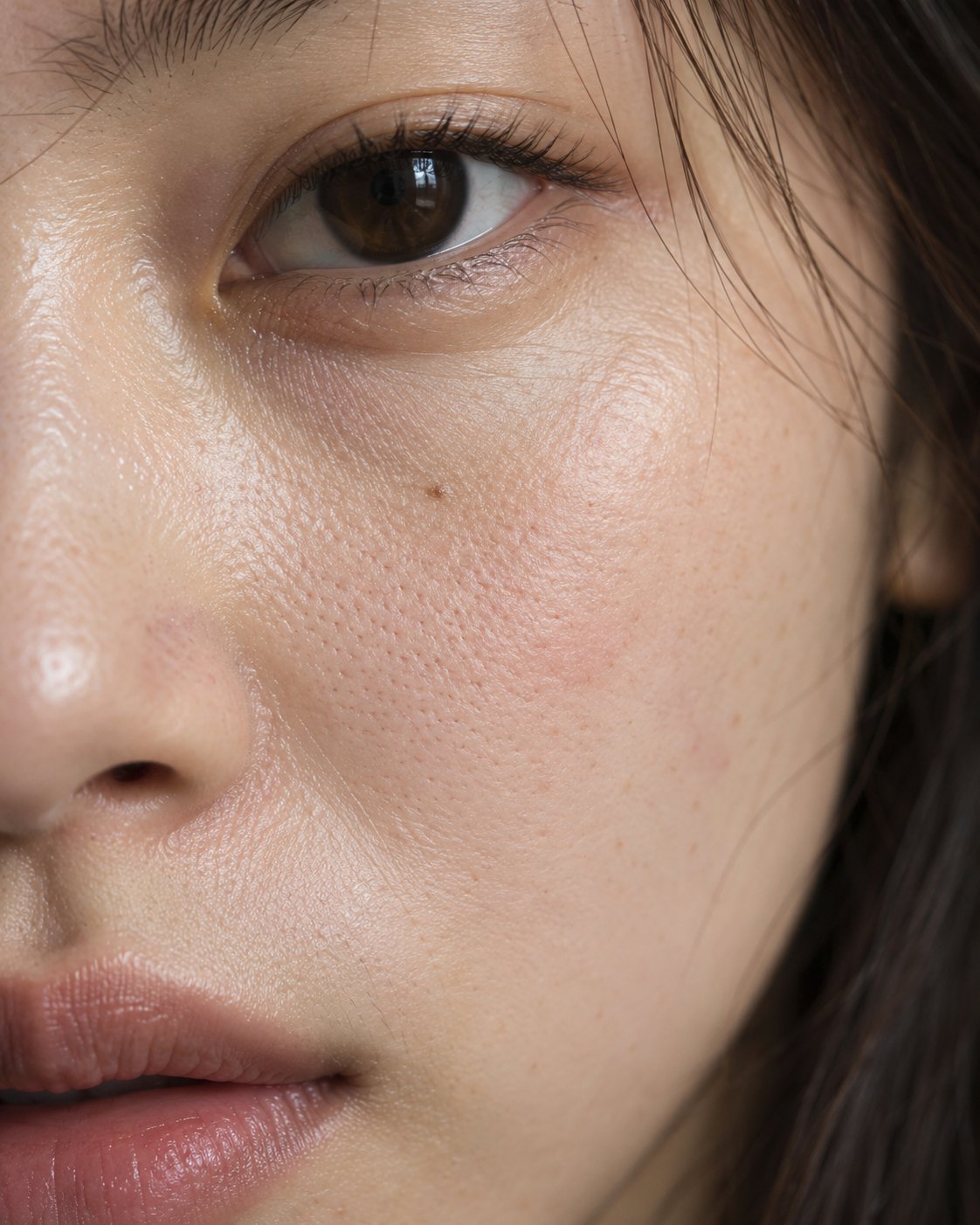
Macro Skin Detail Portrait
 GPT Image 2.5OpenAIimage
Generate a professional, ultra-high-definition macro facial photograph with realistic skin texture. The image must look like it was taken with a real camera, not a 3D render or an image with skin texture added in post. [Subject] 28-year-old East Asian woman, oval face, dark brown eyes, a small light-colored mole on the left cheek near the nose. Real natural skin tone, almost no base makeup. [Close-up composition] Vertical 4:5. Extreme close-up partial shot, including one eye, part of the nose bridge, the cheek beside the nostril, and part of the lips. Real skin occupies most of the frame. [Simulated photographic equipment] Full-frame 100mm macro lens, f/8 aperture. The main focus is on the upper cheek skin below the eye and the adjacent eye area. Show the limited depth of field of real macro photography, with areas farther from the focal plane gradually softening; do not make the entire face equally sharp. [Lighting design] A large directional soft light source shines from the left side of the frame at an oblique angle, creating very delicate surface shadows. Pores beside the nostril and fine skin texture are revealed through real light and shadow, not by adding artificial grain. [Micro details] The distribution of fine pores on the cheek is not completely even; local pores beside the nose are more visible; the lower eyelid has natural fine lines; the skin has fine vellus hair, subtle color variation, and a small amount of natural redness. Real but restrained skin surface reflection is visible. [Imaging] High-resolution photographic look, natural sharpness, no digital sharpening halos. Preserve the differences between different areas of skin texture, and make the light-to-dark transitions conform to the three-dimensional facial structure. Avoid exaggerated pores, grainy noise, waxwork texture, excessive skin smoothing, fake skin texture, artificial HDR, and a painterly feel. No text, no watermark.
Details
- Type
- AI Image Prompts
- Aspect Ratio
- 561:701
- Updated
- Oct 20, 2026
How to use this prompt
- 1Copy the full prompt with the copy button above.
- 2Open GPT Image 2.5 by OpenAI, or any image generator with a similar style range.
- 3Paste the prompt, then swap the subject and style keywords to match your idea.
- 4Match the example's settings (561:701 · Macro · Realistic · Portrait), then iterate — small wording changes shift the output a lot.
Frequently asked questions
Which AI model generated this image?
This image was generated with GPT Image 2.5 by OpenAI. The prompt on this page is the exact text used to create it.
What settings does this prompt use?
The example was generated with GPT Image 2.5 using: 561:701 · Macro · Realistic · Portrait. Reusing these settings gives the closest match.
How do I get similar results?
Copy the prompt as-is first, then replace only the subject while keeping the style, lighting, and composition keywords. Generate a few variations — outputs differ between runs.
Can I modify this prompt?
Yes. Prompts work best as starting points — adjust descriptors, aspect ratio, or style tags to make the output your own.