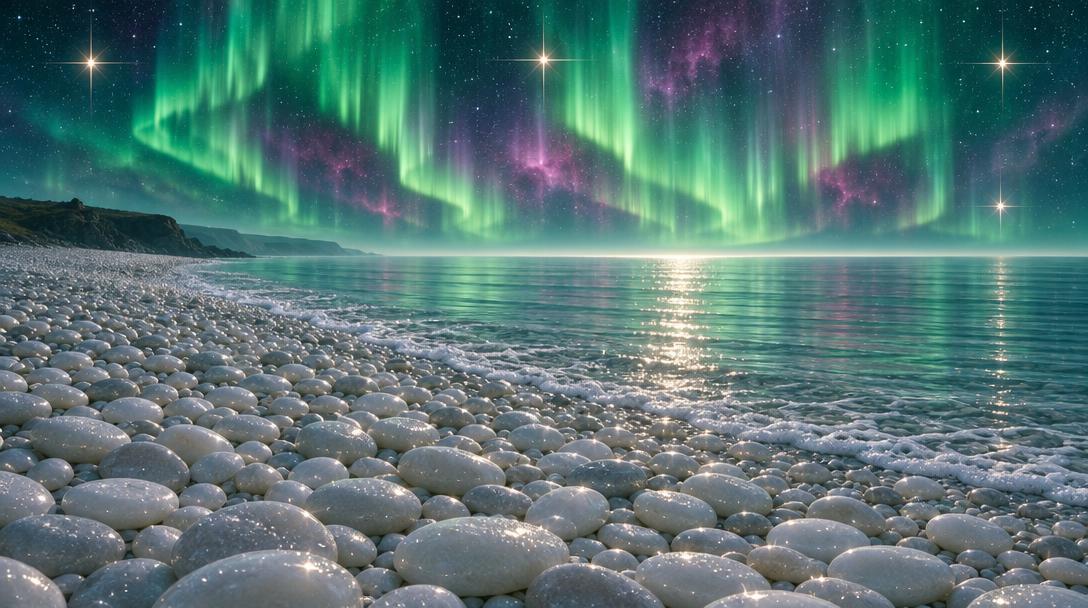
Aurora Night Seascape Over Pebble Beach
 GPT Image 2.5OpenAIimage
Photorealistic magical seascape at night, wide 16:9 panoramic composition, ultra-detailed. Full bleed, no frame, no border, no lettering. SKY: a deep teal-green and indigo night sky fills the upper half, swept with tall vertical curtains of aurora borealis in luminous mint, emerald and pale jade, their strands hanging like combed light. Behind them glow soft magenta, rose and violet nebula clouds. Hundreds of fine white stars speckle the dark, and four bright four-point starburst stars with long cross flares burn at the left, centre, right and lower right. A pale glow swells along the horizon line where sky meets sea. HORIZON: a low dark rocky headland silhouette sits at the far left, softened by haze, with faint distant cliffs behind it. The rest of the horizon is a soft silver-blue fog band. SEA: the right half is calm glassy water in pale silvery-teal and grey-mint, marked with fine horizontal ripple lines. A bright path of glittering light runs down the surface toward the shore, dotted with sharp white sparkles, and a soft foam edge of small bubbles traces the waterline where it meets the stones. BEACH: the entire foreground and lower two-thirds is a vast beach of smooth rounded pebbles, thousands of them, in cream white, pale grey and soft pearl, packed tightly in rounded mounds and shallow sweeping curves that lead the eye from the bottom edge toward the water. Each stone is polished and softly lit from above, wet with salt sheen, some with bright specular highlights and sprinkles of tiny white dots like frost or salt crystals. LIGHT: cool silver-blue moonlight mixed with the green aurora glow, soft and diffuse, with a warm sparkle only in the star flares and the water highlights. PALETTE: deep teal, emerald, jade mint, dark indigo, magenta violet, silver grey, pearl white. Luminous, dreamlike, tranquil, high dynamic range.
Details
- Type
- AI Image Prompts
- Aspect Ratio
- 34:19
- Updated
- Nov 9, 2026
How to use this prompt
- 1Copy the full prompt with the copy button above.
- 2Open GPT Image 2.5 by OpenAI, or any image generator with a similar style range.
- 3Paste the prompt, then swap the subject and style keywords to match your idea.
- 4Match the example's settings (34:19 · Fantasy · Ethereal · Landscape), then iterate — small wording changes shift the output a lot.
Frequently asked questions
Which AI model generated this image?
This image was generated with GPT Image 2.5 by OpenAI. The prompt on this page is the exact text used to create it.
What settings does this prompt use?
The example was generated with GPT Image 2.5 using: 34:19 · Fantasy · Ethereal · Landscape. Reusing these settings gives the closest match.
How do I get similar results?
Copy the prompt as-is first, then replace only the subject while keeping the style, lighting, and composition keywords. Generate a few variations — outputs differ between runs.
Can I modify this prompt?
Yes. Prompts work best as starting points — adjust descriptors, aspect ratio, or style tags to make the output your own.