Introduction: The Magic of 3D Miniature Worlds
3D miniature dioramas have become one of the most popular and visually stunning categories of AI-generated art. These captivating scenes—featuring tiny detailed worlds viewed from an isometric perspective—are perfect for social media, marketing materials, game design concepts, and creative projects.
Nano Banana Pro excels at creating these miniature masterpieces with its exceptional understanding of depth, lighting, and material textures. In this guide, we'll share the best community-tested prompts for creating your own 3D miniature worlds.
Understanding Isometric Perspective
Before diving into prompts, let's understand the key elements that make 3D dioramas visually appealing:
- 45° Top-down view - The classic isometric angle that reveals the scene's depth and detail
- Contained composition - Scenes are typically bounded, floating in space like a diorama
- C4D-style rendering - Clean, polished 3D look with soft shadows and PBR materials
- Soft gradient backgrounds - Clean backgrounds that make the miniature pop
- Miniature scale cues - Elements that reinforce the "tiny world" aesthetic
Featured 3D Miniature Prompts
1. Dual Realms: Inverted World Diorama
Create a stunning vertical diorama with two contrasting worlds—one normal, one upside-down—sharing a single boundary.
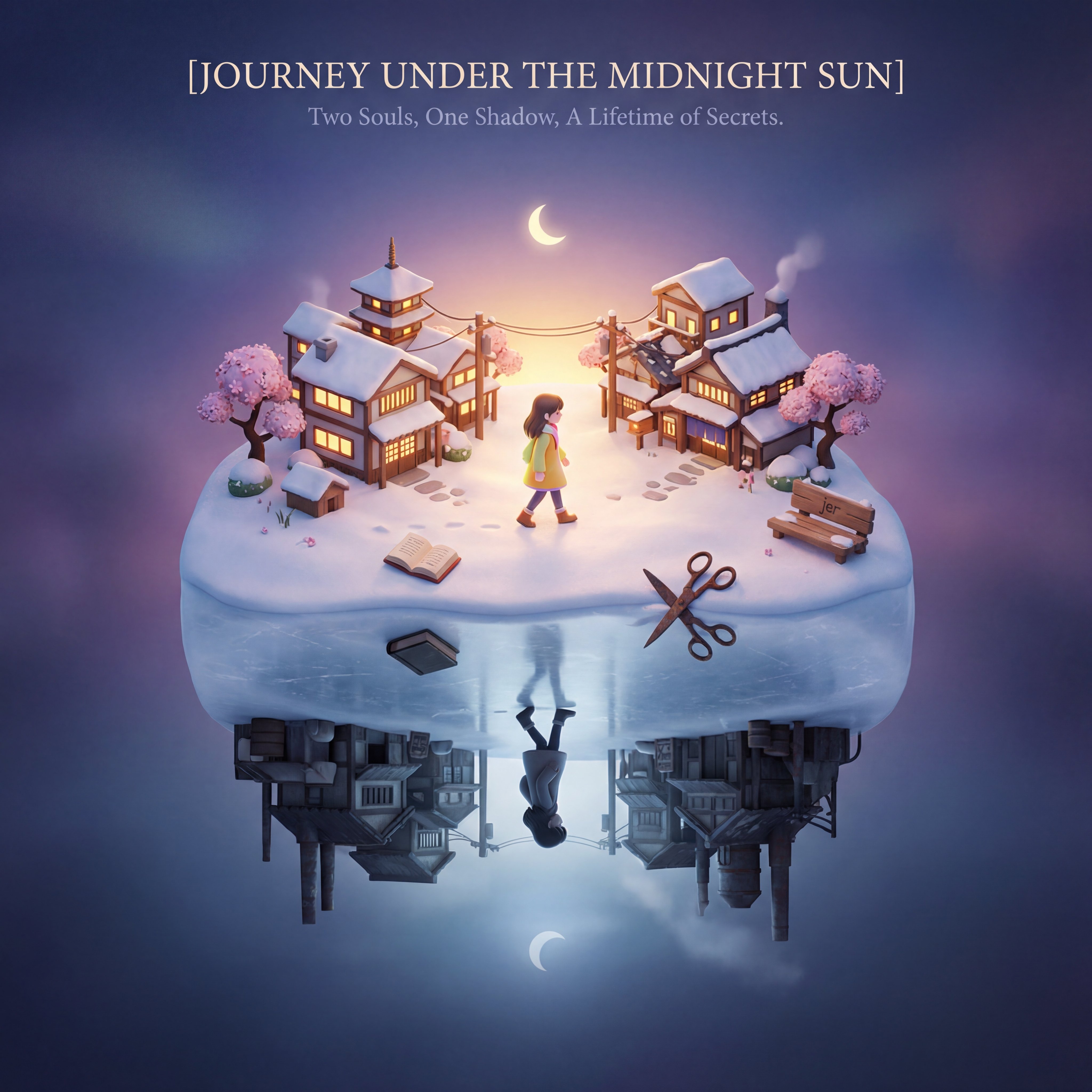
A clear floating top-down isometric 3D cartoon diorama scene with a vertical inverted composition:

Scene(cute): the upper half shows [Subject]'s most iconic defining scene - prefer full shot in outdoor. The lower half reveals [Subject]'s contrasting opposite realm. CRITICAL: the lower world must be geometrically flipped upside-down. The boundary floor is shared.

Interpret [Subject]'s narrative essence: place the protagonist that captures their defining choice or transformation — the same figure appears in both realms, but emotionally inverted. Place 2 distinct symbolic objects naturally within their respective worlds.

Two realms merge as one continuous form — the boundary transitions through ground, subtle color/lighting shift, maintaining structural integrity. No visible dividing line, no frame, no mask.

Composition: clean, dramatic upside-down multiverse. Open spatial vista, not enclosed by walls.
Background: a bright, soft gradient background that seamlessly blends into the scene.
Lighting: contextually appropriate.
Render: high poly with soft shading. PBR material, refined textures, intricate and delicate detailed, vivid colors. hd.

Typography(top-center, film grade): design a prominent title "[Subject]" in slim font with nice serif → a poetic, insightful subtitle.

[Subject] =
Pro tip: Replace [Subject] with any theme, movie, book, or concept—the AI will interpret the "dual realms" automatically.
2. Yin-Yang Diorama of Dual Realms
A circular composition with two contrasting realms flowing together in a yin-yang pattern. Perfect for themes with duality.
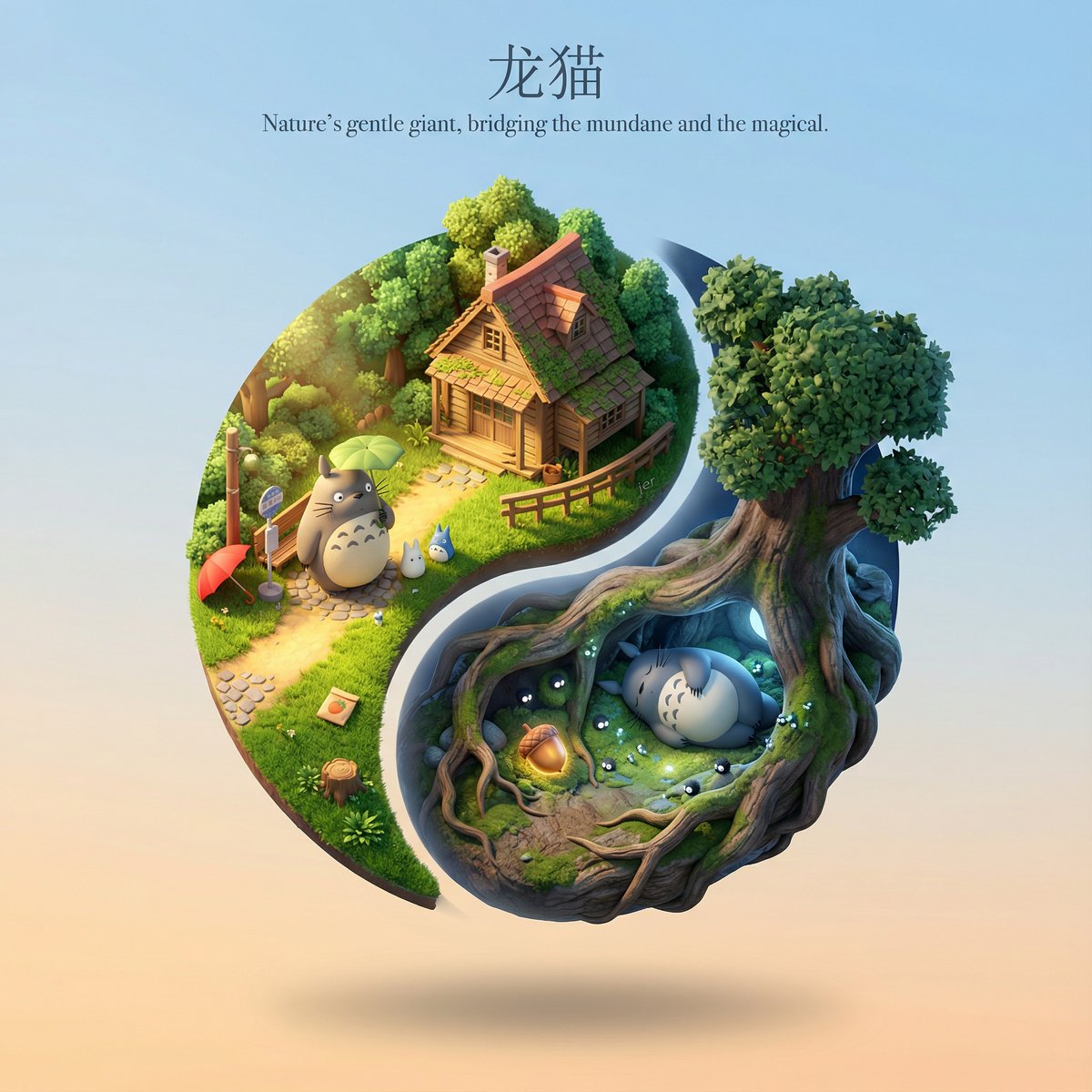
A clear, floating cute 3D cartoon diorama scene in a circular composition with rotational symmetry, echoing a yin-yang layout:

Scene:
- a single floating circular emblem viewed from isometric bird's-eye perspective (45° angle looking down).
- one swirling half of the circle shows [Subject]'s most iconic defining scene or aspect (primary realm).
- the opposite swirling half is the contrasting opposite realm, occupying the complementary yin-yang territory.
- both realms share the same gravity direction and isometric orientation.

Yin-yang relationship:
- design the two realms as interlocking, yin-yang-like shapes inside the circle.
- place the most focal element of each realm at its "yin-yang eye" position.
- the two realms should feel spatially intimate and cohesive.

Render:
- C4D. high poly with soft shading, rounded edges and bevels.
- realistic PBR materials with tactile authenticity.
- intricate textures, delicate detail, vivid harmonized colors.

Background:
- a single unified, clean, subtle gradient sky.

Typography (top-center, cinematic poster-style design):
- a prominent title "[Subject]" in a slim elegant serif.
- beneath it, a poetic subtitle that distills the story's deepest truth.

[Subject] =
3. Isometric Weather Card
Generate dynamic weather cards featuring miniature 3D city scenes with real-time weather data integration. Ideal for apps and social media.
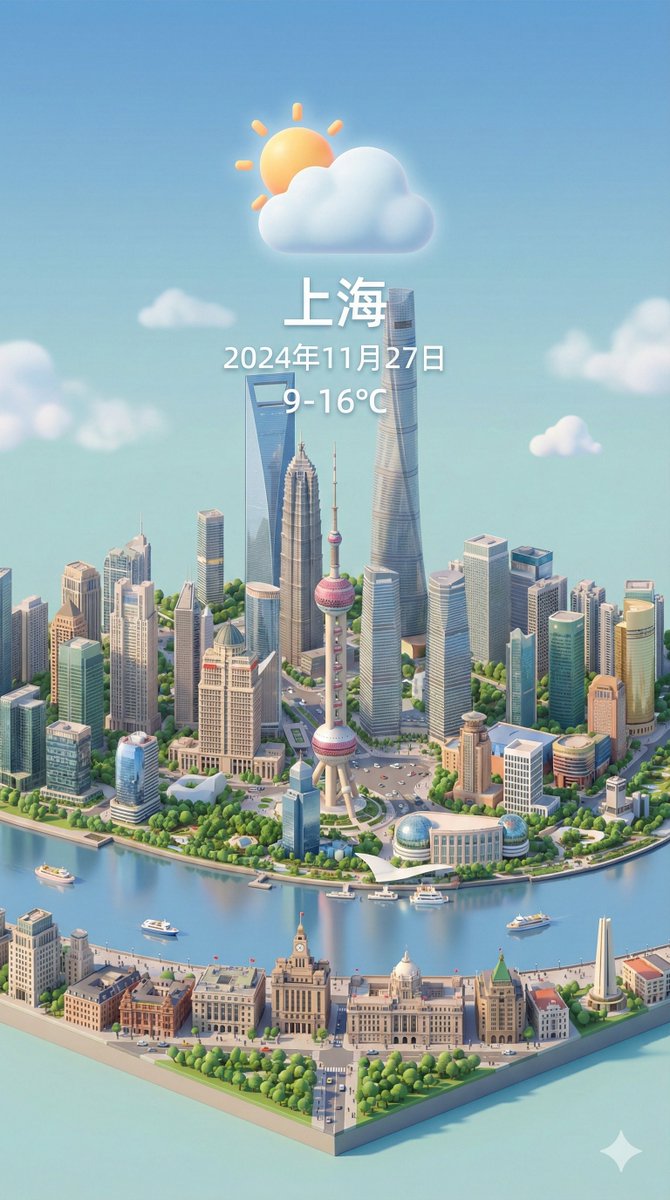
Present a clear, 45° top-down view of a vertical (9:16) isometric miniature 3D cartoon scene, highlighting iconic landmarks centered in the composition to showcase precise and delicate modeling.

The scene features soft, refined textures with realistic PBR materials and gentle, lifelike lighting and shadow effects. Weather elements are creatively integrated into the urban architecture, establishing a dynamic interaction between the city's landscape and atmospheric conditions.

Use a clean, unified composition with minimalistic aesthetics and a soft, solid-colored background that highlights the main content.

Display a prominent weather icon at the top-center, with the date (x-small text) and temperature range (medium text) beneath it. The city name (large text) is positioned directly above the weather icon.

The text should match the input city's native language. Please retrieve current weather conditions for the specified city before rendering.

City name:
4. Miniature City Landmark Map Burst
Create a stylish poster featuring a 3D model of any city's iconic landmarks bursting through a world map.
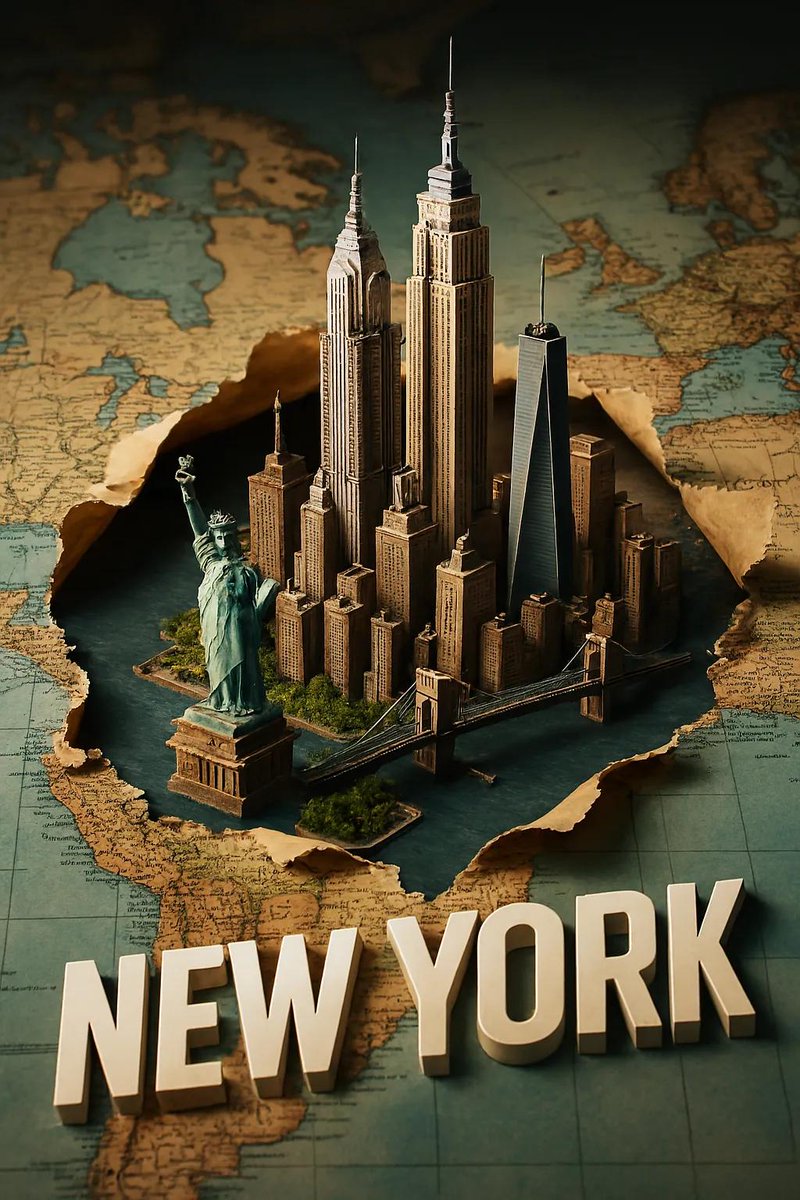
Create a stylish 2:3 poster featuring a miniature 3D model of [CITY], showcasing its iconic landmarks bursting through a torn, horizontally laid world map. Integrate the city into the map seamlessly with realistic shadows and depth. Add a sleek white 3D text of the city name that blends naturally into the scene. Use dramatic camera perspective, crisp lighting, and a premium travel-poster aesthetic.

CITY:
Great for: Travel content, city guides, tourism marketing, or personal travel memories.
5. Fantasy Floating Island of National Icons
Transform a country's iconic landmarks and landscapes into a majestic floating fantasy island.
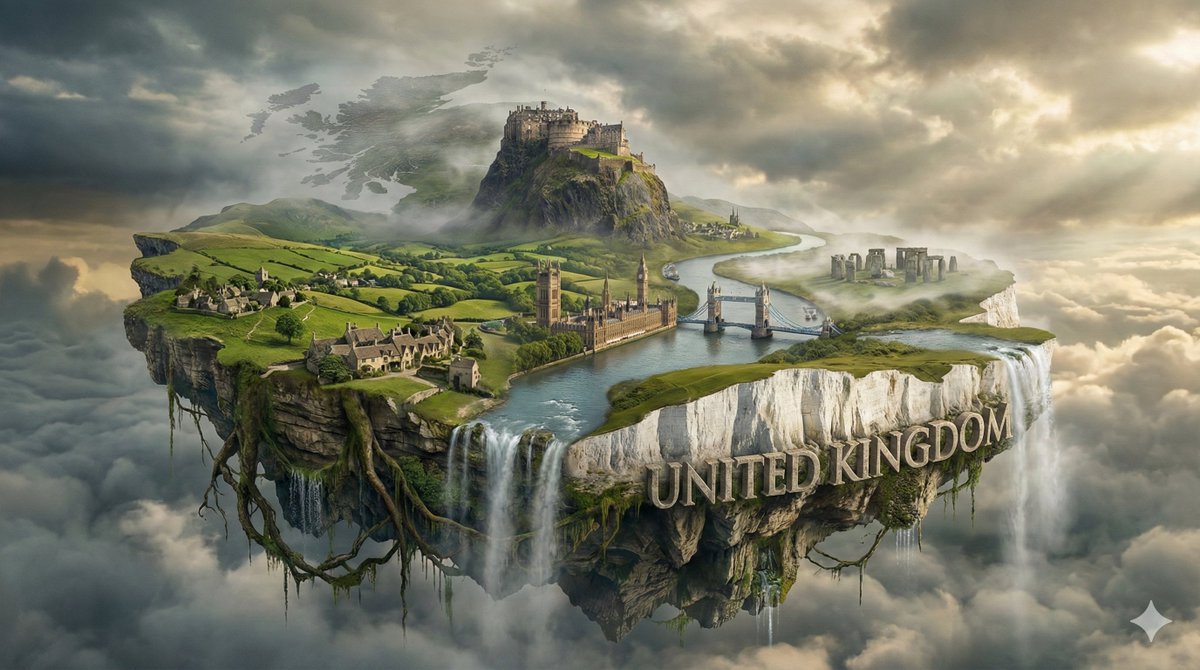
A breathtaking, high-angle fantasy isometric view of {TARGET_COUNTRY} visualized as a massive, singular floating continent. The image abandons realistic geography in favor of an artistic amalgamation of the country's most famous mountains, rivers, and landmarks blended into one harmonious island.

The Natural & Architectural Fusion:
* Zone 1 - The Majestic Backdrop: The rear features famous mountain ranges and natural peaks.
* Zone 2 - The Cultural Core: Iconic historical and modern architectures integrated into the terrain.
* Zone 3 - The Water Soul: A winding river or serene lake flows through the center.

The Floating Base:
* The Underside: Ancient rock formations, giant hanging roots, and dripping water.
* The Atmosphere: Clouds weave through the mountains and under the island.

The Branding:
Massive 3D text "{TARGET_COUNTRY}" integrated into the foreground landscape. 8k resolution, highly detailed.

{TARGET_COUNTRY} =
6. Isometric Chibi Cube Room
Create a cute cube-shaped miniature room with a chibi-style character figurine inside. Perfect for personalized content.
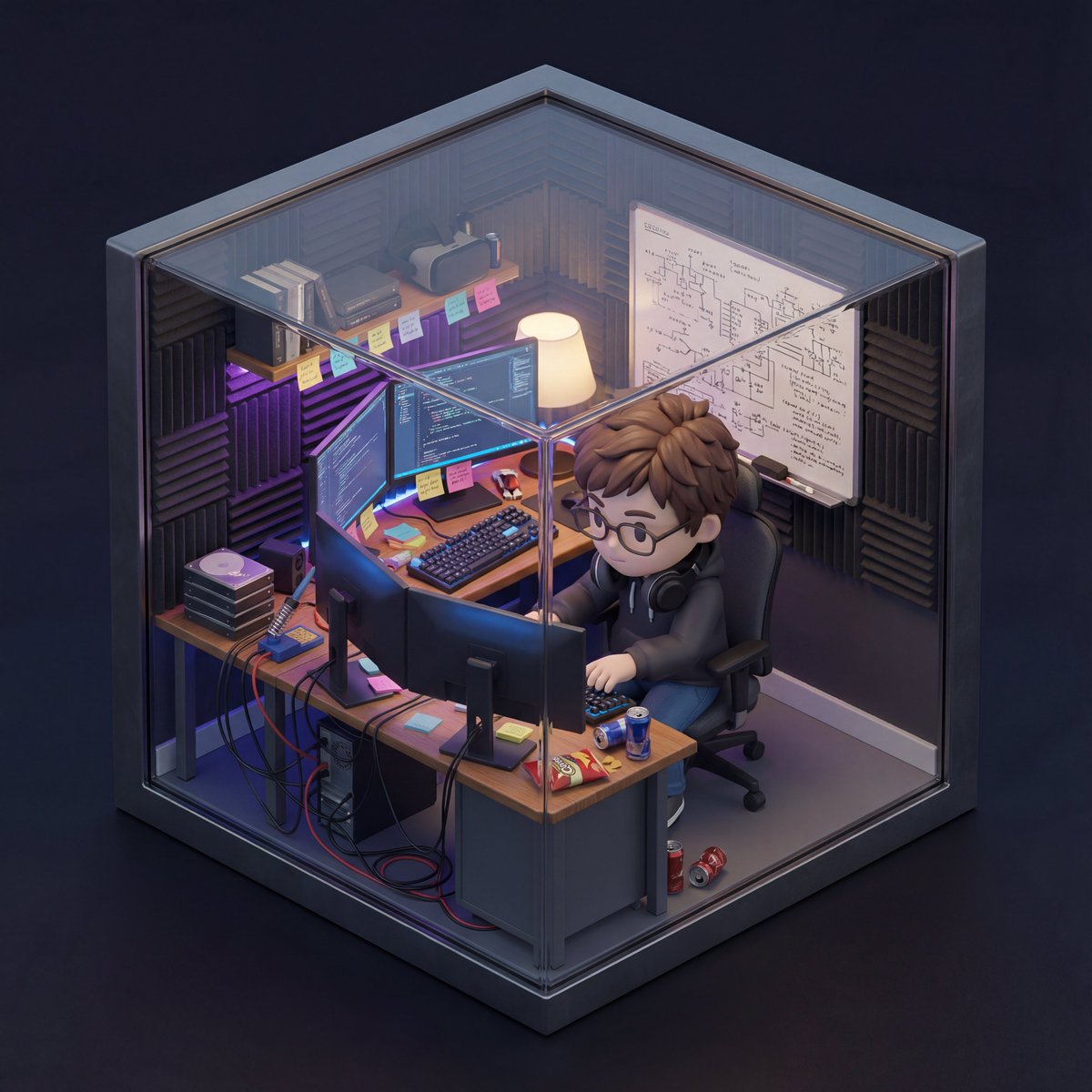
An isometric 3D cube-shaped miniature room (shallow cutaway true cube; everything strictly contained within the cube). The room is [ROOM DESCRIPTION: Describe the theme, furniture, specific clutter, wall decorations, and key items in detail].

Character: a chibi/figurine-style — [INSERT DESCRIPTION OF THE PERSON FROM YOUR UPLOADED PHOTO HERE]. The character is [ACTION: e.g., sitting on a chair typing, standing and cooking, playing guitar], with a [EXPRESSION: e.g., focused, happy, smiling] expression. Figure material looks like matte PVC, with big head / small body proportions.

Lighting: [ATMOSPHERE NAME]: [LIGHT SOURCES: e.g., neon blue glow, warm sunlight, golden lamp light]; realistic reflections and colored shadows.

Camera: slightly elevated isometric three-quarter view, front cube edge centered; no elements protruding outside the cube.

Photoreal materials with fine detail; neutral backdrop. Ultra-detailed, clean composition; no watermark.
7. 3D Miniature Company Stock Scene
Generate a playful 3D scene representing any company with real stock market data visualization.

Present an exquisite, miniature 3D cartoon-style scene of the company corresponding to the user-specified company name or stock ticker, clearly viewed from a 45° top-down perspective.

Place the company's most iconic building or campus prominently at the center, complemented by proportionally-sized icons of its key products, charming cartoon-style figures, vehicles, and other elements illustrating everyday company activities. The scene should be detailed, finely crafted, and playful.

Rendered with Cinema 4D, the modeling should be refined, smoothly rounded, and rich in texture, accurately capturing realistic PBR materials. Gentle, lifelike lighting and soft shadows should create a warm, comfortable ambiance.

Creatively integrate the company's real-time stock market data into the scene, maintaining a clean, minimalist layout and a solid-color background.

At the top-center, prominently display the company name or stock ticker in a large font size, followed by the date and stock price range.

Company name or stock ticker:
Advanced Techniques for 3D Miniature Scenes
Creating Consistent Style
To maintain a cohesive look across multiple images:
- Always specify "C4D" or "Cinema 4D" rendering style
- Use consistent terms like "PBR materials," "soft shadows," "high poly"
- Keep background gradients similar in color family
- Specify "45° isometric" or "top-down" consistently
Adding Narrative Depth
Great dioramas tell stories. Consider:
- Including small characters engaged in activities
- Adding dynamic elements (steam, particles, light rays)
- Creating contrast between different zones
- Using typography to add context
Material and Lighting Keywords
Essential terms for professional-quality renders:
- Materials: "PBR materials," "matte PVC," "soft textures," "refined surfaces"
- Lighting: "soft studio lighting," "warm ambient light," "dramatic shadows," "volumetric lighting"
- Quality: "8k resolution," "ultra-detailed," "high poly," "cinema-quality render"
Start Building Your Miniature Worlds
These prompts represent the cutting edge of 3D miniature creation with Nano Banana Pro. Each one has been tested extensively by our community and delivers consistently stunning results.
The key to success is experimentation—try different subjects, themes, and customizations to discover what works best for your creative vision.
Ready to explore more 3D content? Browse all 3D Render prompts →
Share your creations with our community and inspire others!